TidyCal Booking to LeadConnector and Google Sheets Zap
This Zap runs when a new booking is made in TidyCal, adds or updates the contact in LeadConnector, and records the booking in Google Sheets.
Zapier Automations
Works with
Zapier
TidyCal
LeadConnector
Google Sheets
Project Overview
This Zap connects TidyCal, LeadConnector, and Google Sheets. When a new booking is made in TidyCal, the automation adds or updates the contact in LeadConnector and records the booking in Google Sheets.
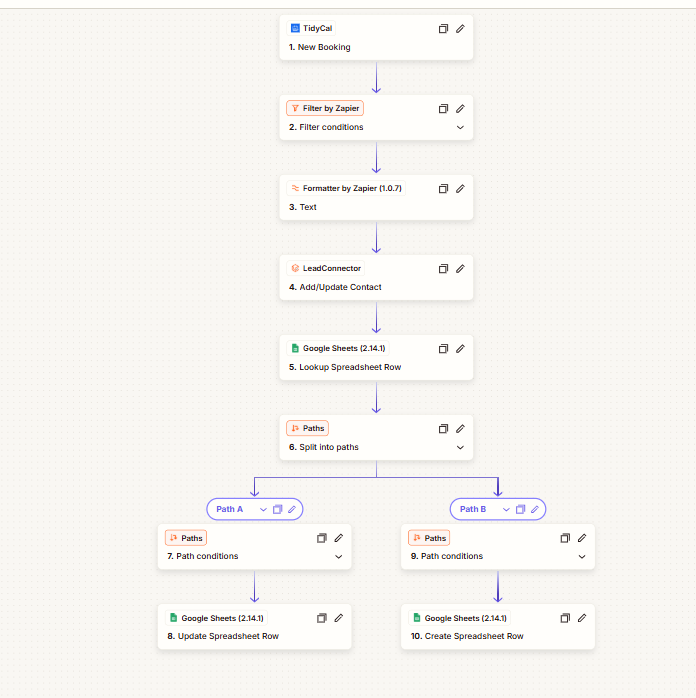
The workflow includes filtering, text formatting, a spreadsheet lookup, and two paths to update an existing row or create a new one.
Tools: Zapier, TidyCal, LeadConnector, Google Sheets.
01. How It Works
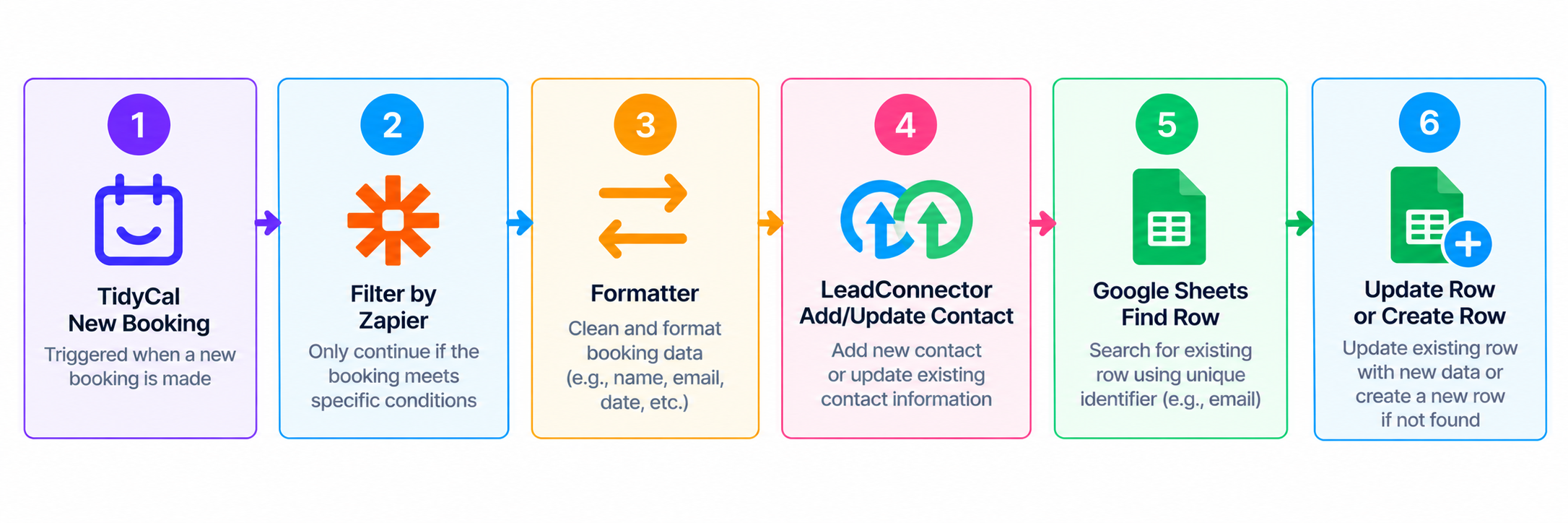
New Booking: A new booking in TidyCal triggers the Zap.
Filter and Format: Filter by Zapier checks conditions, and Formatter processes text.
Update Contact: LeadConnector adds or updates the contact.
Find Spreadsheet Row: Google Sheets looks up the matching row.
Route the Booking: The workflow splits into two paths: one updates the existing row, and the other creates a new row.
The ten-step Zap: a TidyCal booking trigger, filter and text formatting, LeadConnector, a Google Sheets lookup, and two paths that update or create a row.
02. Workflow Overview
03. Final Outcome
The Zap connects booking management, contact updates, and spreadsheet records in one workflow, with separate paths for updating an existing Google Sheets row or creating a new one.
 Zapier Automations