Monday.com Timeline Stage Alerts to Slack and Close Zap
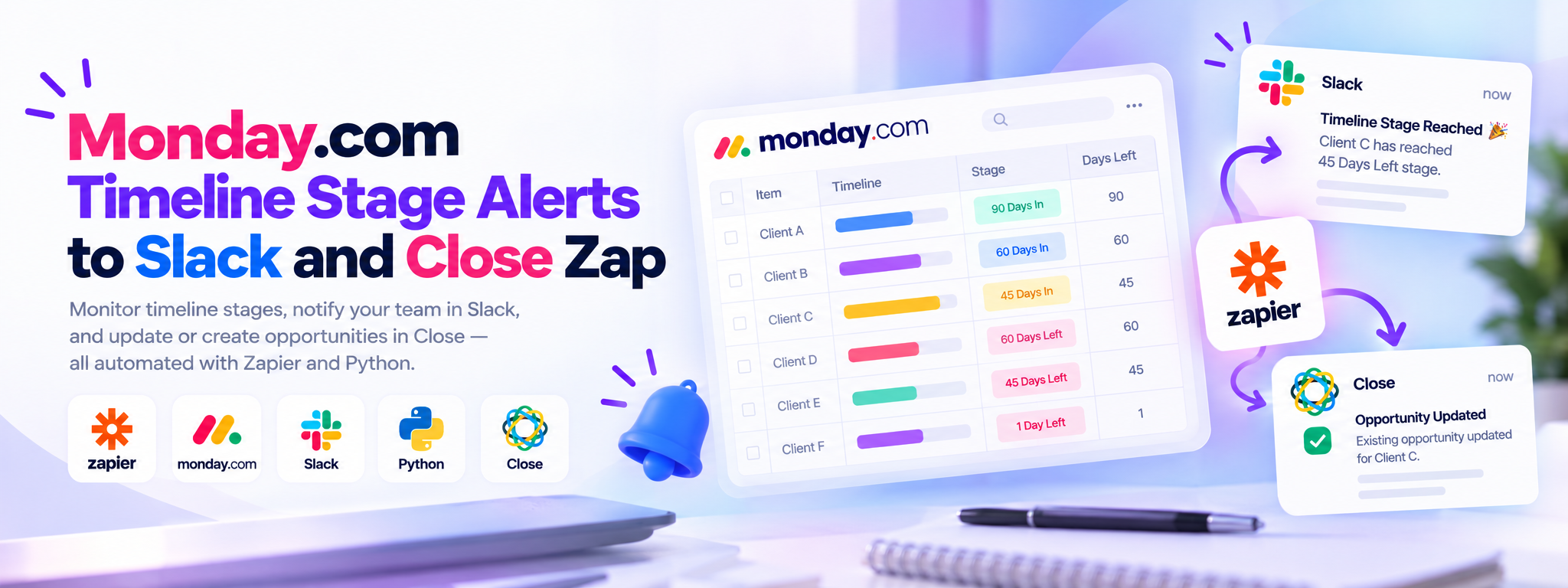
This Zap watches the timeline stages of Monday.com items and notifies the team in Slack each time an item reaches a new stage.
Zapier Automations
Works with
Zapier
monday.com
Slack
Python
Close
Project Overview
This Zap monitors timeline stages for items in monday.com. When an item reaches a milestone, it updates the item and notifies the team in Slack. At the 45-days-left stage, it also checks Close for the opportunity and updates an existing opportunity or creates a new one when needed.
01. How It Works
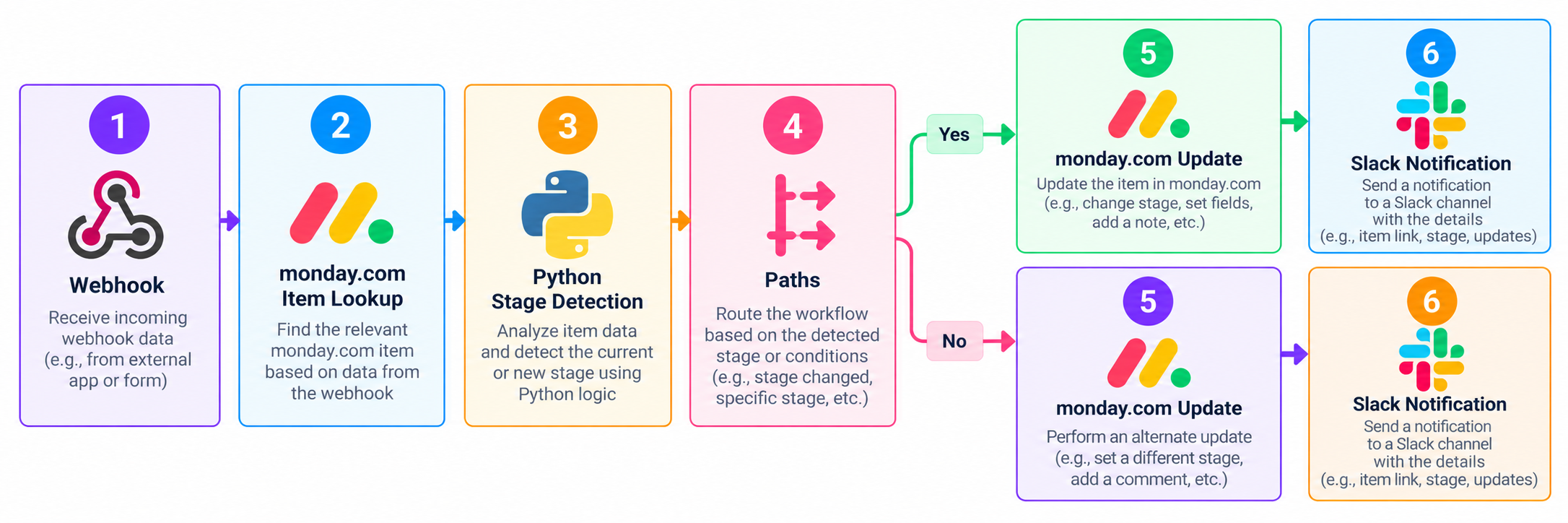
Webhook Trigger: Starts when an item reaches a timeline stage.
Find Item: Looks up the item in monday.com.
Determine Stage: Uses Python in Code by Zapier to identify the stage.
Branch by Stage: Paths route the Zap according to the timeline milestone.
Update and Notify: Updates the monday.com item and sends a Slack message.
Close Integration: At 45 days left, checks Close and updates or creates an opportunity.
02. Timeline Milestones
The workflow handles these programme stages:
90 days in
60 days in
45 days in
60 days left
45 days left
1 day left
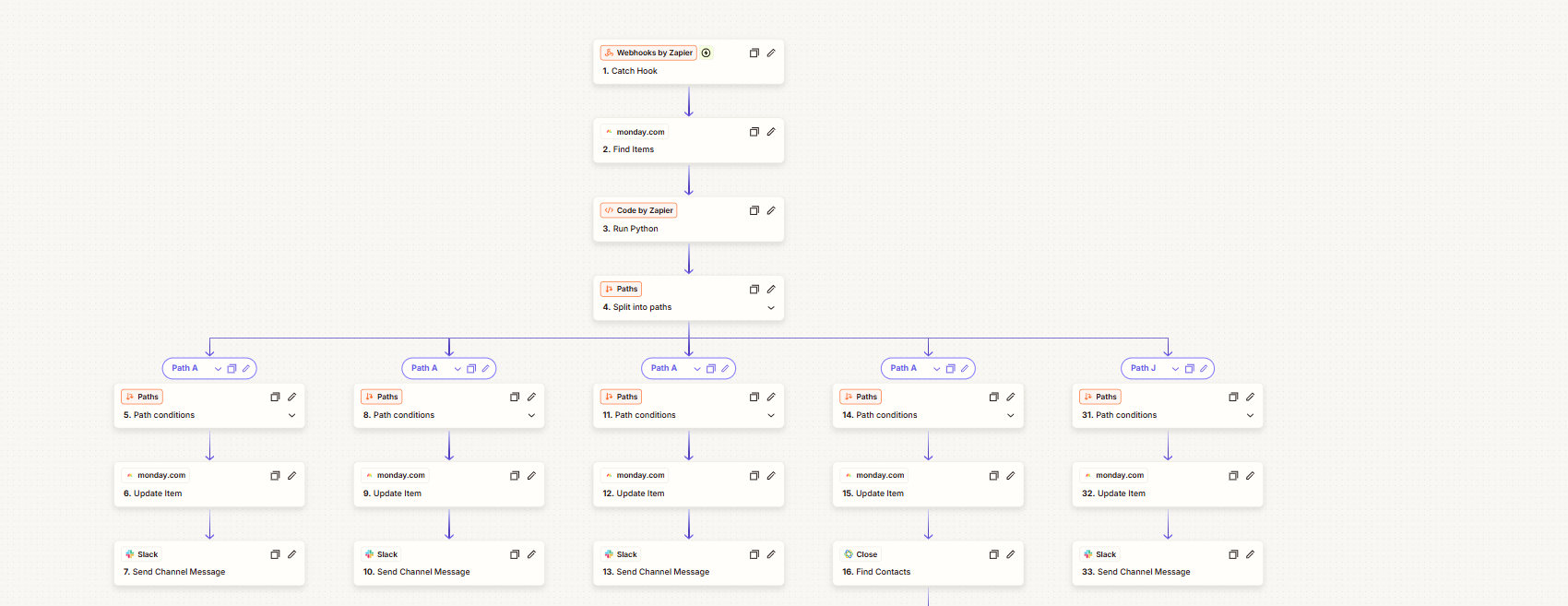
Steps 1–16 and 31–33: the webhook trigger, the monday.com lookup, the Python step, and the Paths that update items and notify Slack.
03. Workflow Overview
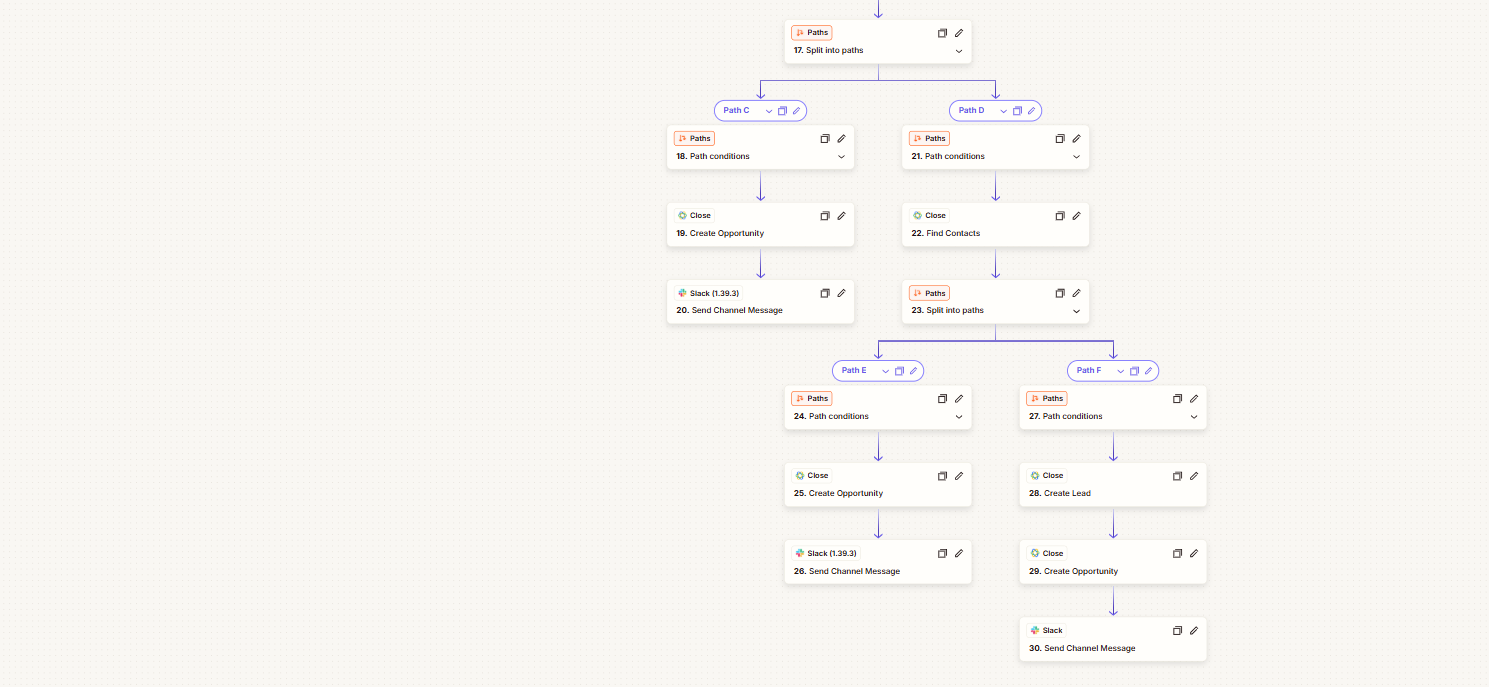
At the 45-days-left stage, the workflow also checks Close and creates or updates an opportunity as needed.
Final Outcome
The Zap automates timeline-stage updates and team notifications, while supporting opportunity management in Close at the 45-days-left stage.
Steps 17–30: the Close branches that find contacts and create leads and opportunities, each ending in a Slack message.
 Zapier Automations