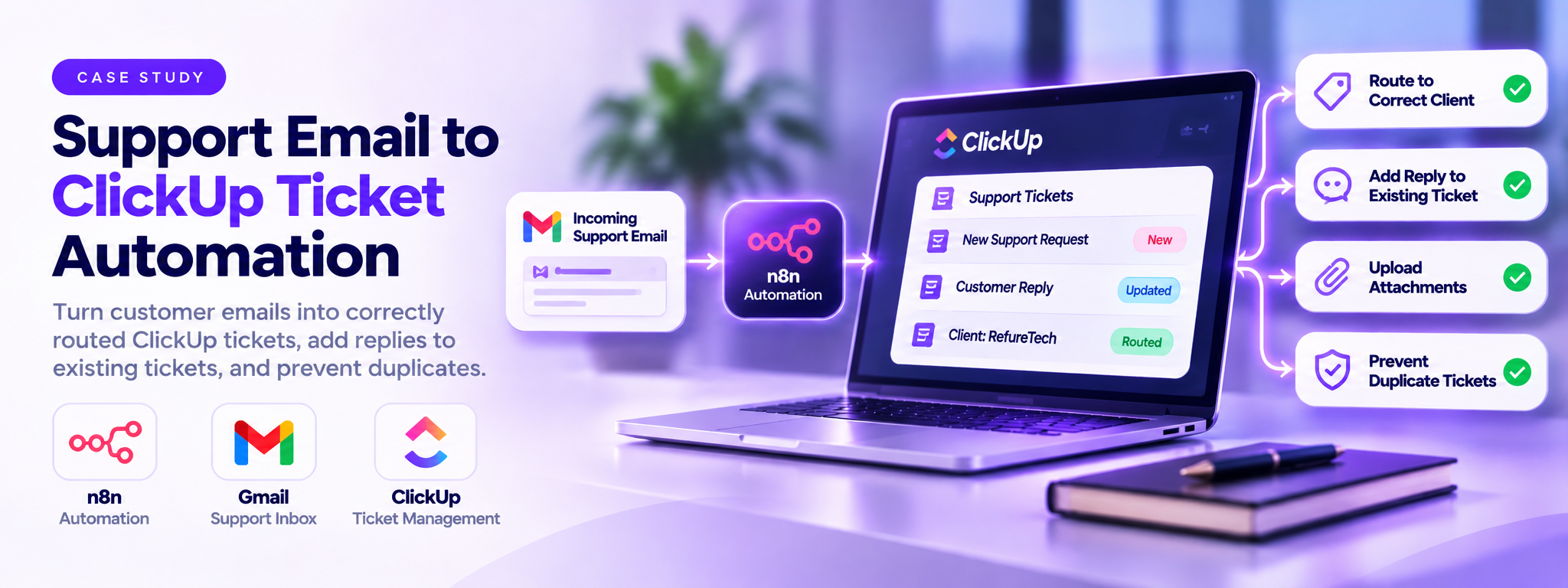
Support Email to ClickUp Ticket Automation
An automated support workflow that turns incoming customer emails into correctly routed ClickUp tickets, adds replies to existing tickets, and prevents duplicate tickets using n8n.
 n8n Automations AI Agents for Ecommerce
 ClickUp Setups
- n8n
- ClickUp
- Gmail
Overview
This solution automates support email handling for RefureTech. When a customer sends an email to the shared Gmail inbox, n8n reads the message, identifies the client using their email domain, and sends it to the correct ClickUp support list. If the client is unknown, the email goes to a default triage list. If the conversation already has a ticket, the new email is added as a comment instead. Attachments and previous messages are also included, giving the support team the full conversation in one place.
The business problem
Support requests arrived through a shared email inbox and had to be added to ClickUp manually. This took time and created a risk of assigning emails to the wrong client, missing attachments, or creating duplicate tickets. ClickUp also has its own email feature that handles customer replies, so a basic email-to-ticket automation could create duplicate tickets or process its own confirmation emails repeatedly.
The solution
A single n8n workflow polls the support inbox every minute. It looks up the client list stored in ClickUp, matches the sender by domain, checks four different ways whether the conversation already has a ticket or is already managed by ClickUp, and only then creates a ticket or comment. It uses plain, explainable rules in code nodes rather than an AI model, so every decision can be traced to a header, a subject line or a ClickUp field. Wherever a step could fail, the workflow prefers a duplicate ticket over a lost customer email.
How It Works
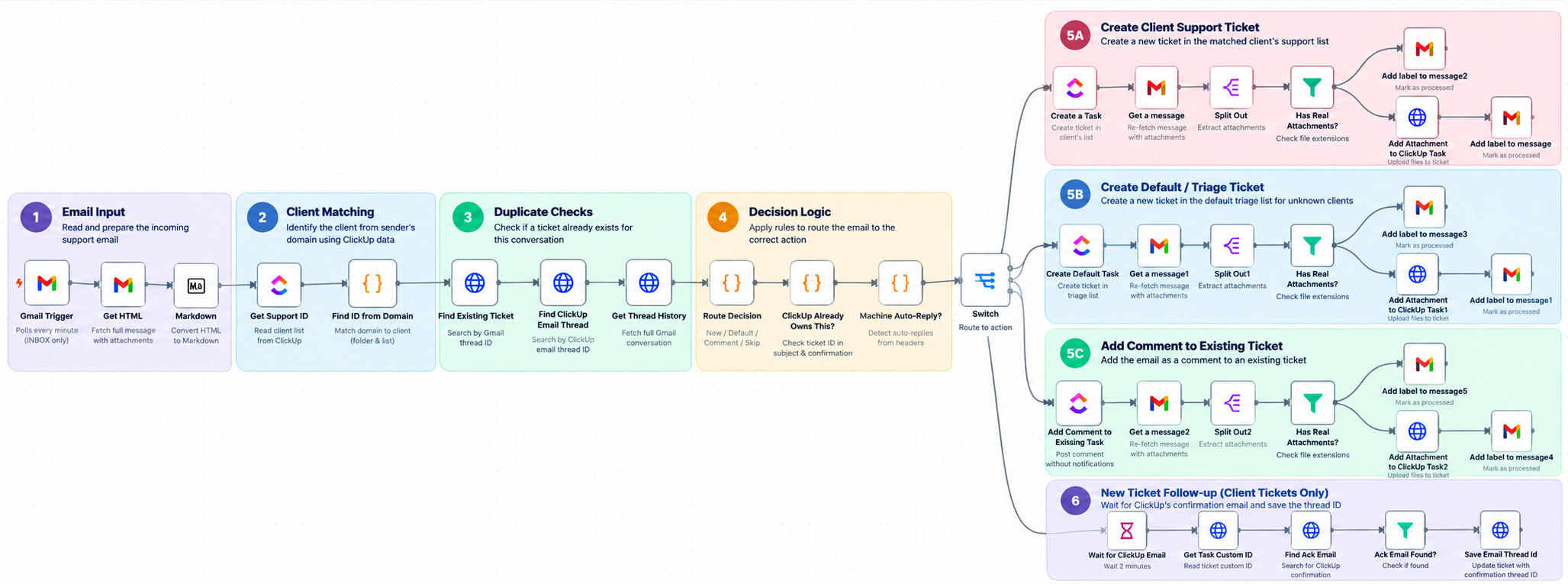
- Receive Support Emails: The Gmail Trigger checks the shared inbox every minute and retrieves new messages, including their attachments.
- Identify the Client: n8n checks the sender's email domain against the client information stored in ClickUp. Each client has a domain, folder ID, and support list ID.
- Check for Existing Tickets: The workflow searches for existing tickets using Gmail thread IDs and ClickUp email thread IDs. It also checks the full email conversation to identify related messages.
- Decide Where the Email Goes: The workflow uses routing rules to determine whether the email is a new request, a reply to an existing ticket, an unknown client request, or a message that should be skipped.
- Create a Ticket or Add a Comment: New requests are added to the correct client's support list. Emails from unknown clients go to the default triage list, while replies to existing tickets are added as comments.
- Upload Attachments: Email attachments are downloaded and uploaded to the related ClickUp ticket. Earlier messages in the conversation are also included where available.
- Prevent Duplicate Processing: The workflow skips ClickUp confirmation emails, messages already managed by ClickUp, and automatic replies such as out-of-office messages.
- Mark Emails as Processed: Successfully handled emails receive a
Ticketedlabel in Gmail. For new tickets, the workflow also waits two minutes and saves ClickUp's confirmation email thread ID for future matching.
The Result
The automation successfully manages incoming support emails, creates and routes ClickUp tickets, and adds replies to existing tickets. It also preserves attachments and email history while preventing duplicate tickets and unnecessary processing.
Automation Performance
| Metric | Result |
|---|---|
| Successful workflow executions | 11 |
| Successful execution rate | 100% |
| Failed executions | 0 |
| Total n8n nodes | 38 |
Tech Stack
- n8n: Manages the automation, email processing, routing rules, and duplicate checks.
- Gmail: Receives support emails, retrieves message threads and attachments, and labels processed messages.
- ClickUp: Stores client information, creates support tickets, adds comments, and manages attachments.
- JavaScript: Handles client matching, email validation, routing decisions, and duplicate checks.
- ClickUp API: Supports searches and operations that connect the workflow with ClickUp records.
Where This Pattern Applies
The same approach can be used by organizations that manage customer requests through shared email inboxes.
- IT Support Teams: Convert incoming technical support emails into tickets.
- Customer Service Teams: Route customer requests to the correct team or department.
- Managed Service Providers: Organize support requests across multiple clients.
- SaaS Companies: Track customer issues and follow-up conversations in one system.
- Operations Teams: Turn shared inbox requests into assigned and trackable tasks.
The general approach is to monitor a shared inbox, identify the customer, check for existing conversations, and automatically create or update the right ticket while keeping the full email history and attachments.