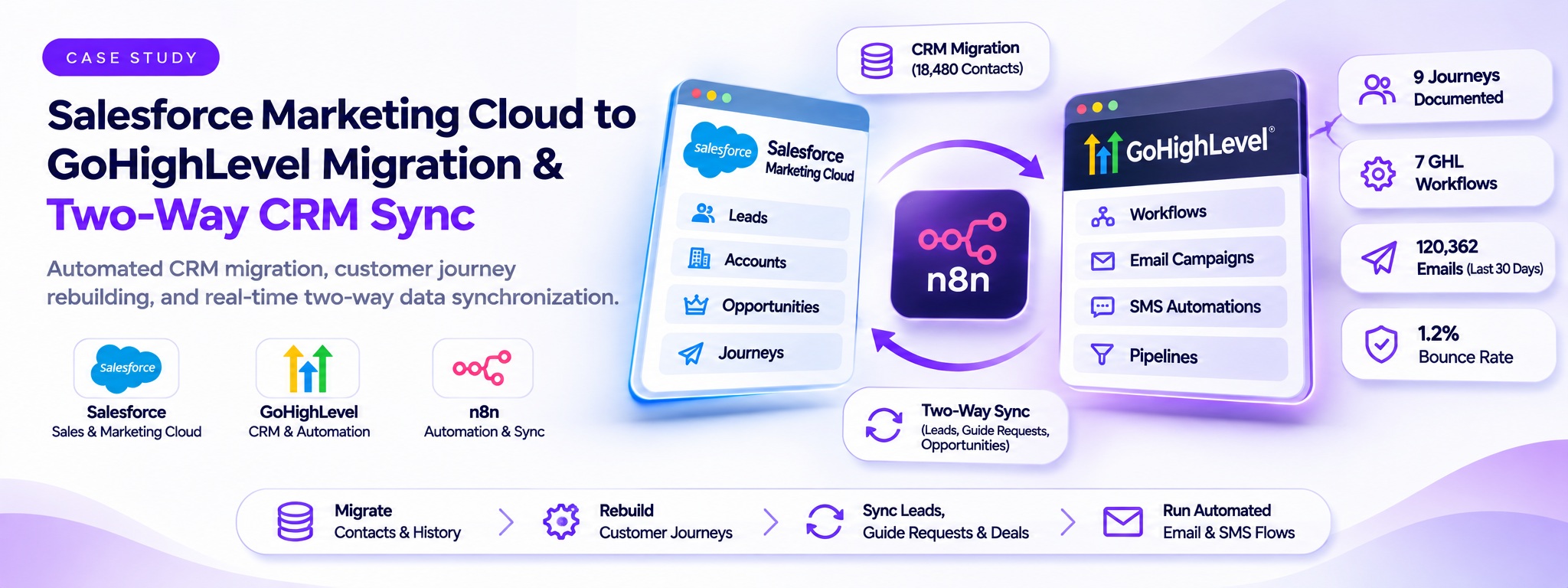
Salesforce Marketing Cloud to GoHighLevel Migration & Two-Way CRM Sync
Automated CRM migration, customer journey rebuilding, and real-time two-way data synchronization.
 n8n Automations
- n8n
- GoHighLevel
- LeadConnector
1. Overview
My Digital Money runs Cash and IRA investment accounts and grows its list with a free crypto guide. Its customer journeys ran in Salesforce Marketing Cloud, driven by Salesforce leads, accounts and opportunities.
The journeys and contact history were moved into GoHighLevel, and n8n now keeps leads, guide requests and opportunities in step between the two CRMs.
- Client: My Digital Money
- Industry: Financial Services · Investment Accounts
- Location: Encino, California
Implementation summary:
- 9 Marketing Cloud journeys documented.
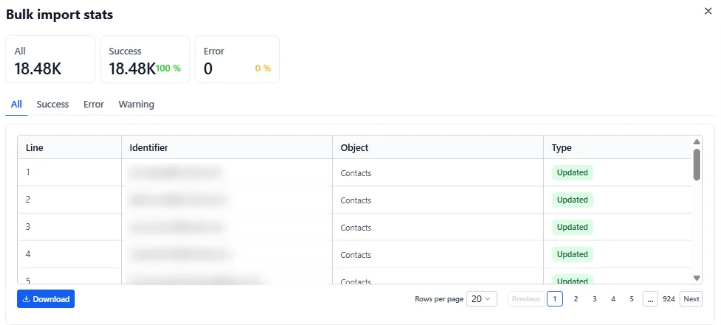
- 18,480 contacts imported in the main migration with 0 errors.
- 3 n8n sync workflows in production.
2. The Problem
The objective was to move customer journeys and contact history out of Marketing Cloud and keep Salesforce and GoHighLevel in sync without manual data entry.
The migration involved six main challenges:
- A hard cut-off: The Marketing Cloud subscription was ending, so journeys, email history and unsubscribes had to be exported before access closed.
- Journeys wired to Salesforce data: Entry rules and splits read Salesforce fields such as account type (Cash or IRA), funding type and opportunity stage.
- Two CRMs, no connection: Salesforce stayed the system of record, but GoHighLevel couldn't tell when a lead arrived, asked for the guide or moved through a deal.
- Silent sync failures: Salesforce outbound messages first hit a test webhook URL, then kept retrying because the reply wasn't in the SOAP format Salesforce expects.
- Records that had to match: An opportunity could arrive before its contact existed in GoHighLevel, and repeated updates risked creating duplicates.
- A brand-new sending domain: mail.mydigitalmoney.com had no sending history, so volume had to start at around 1,000 contacts and grow in stages.
3. How It Works
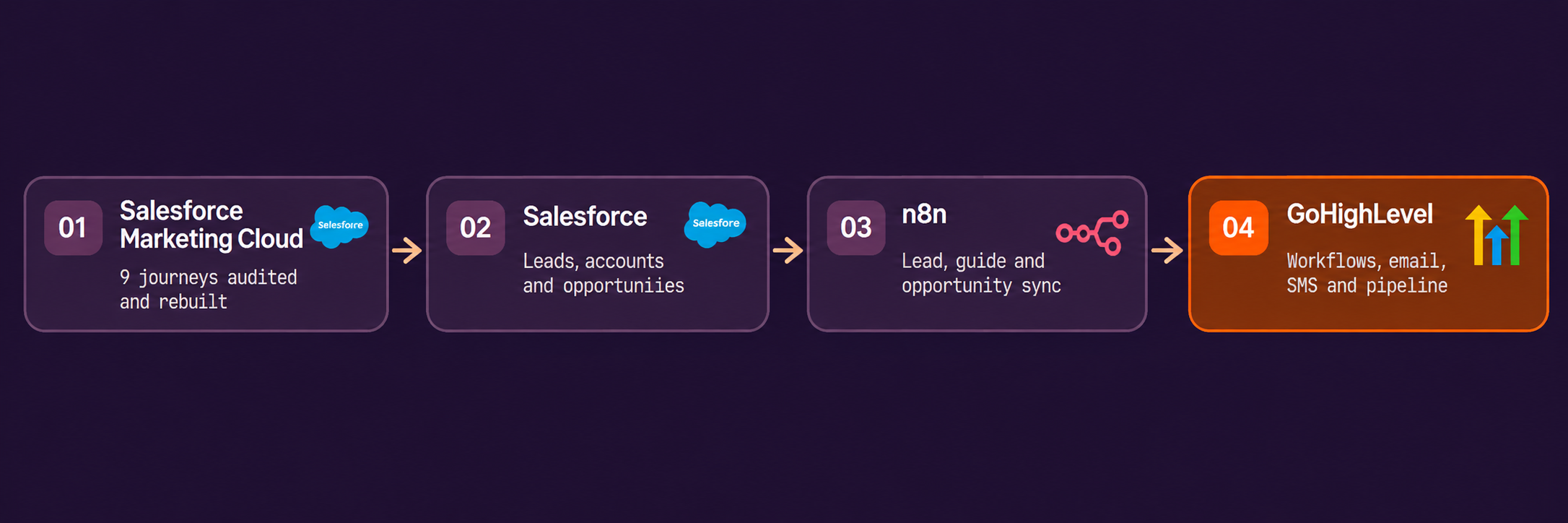
The implementation consists of six connected components, covering journey migration, data migration, CRM synchronization and email sending.
Step 1 — Journey Audit and Rebuild
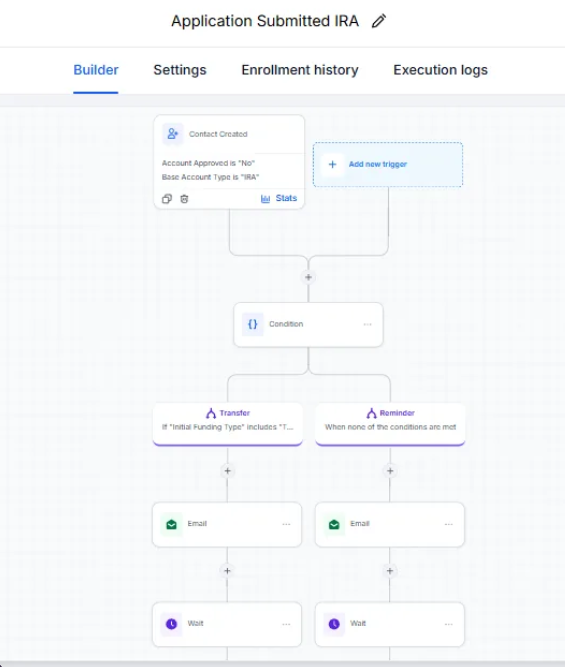
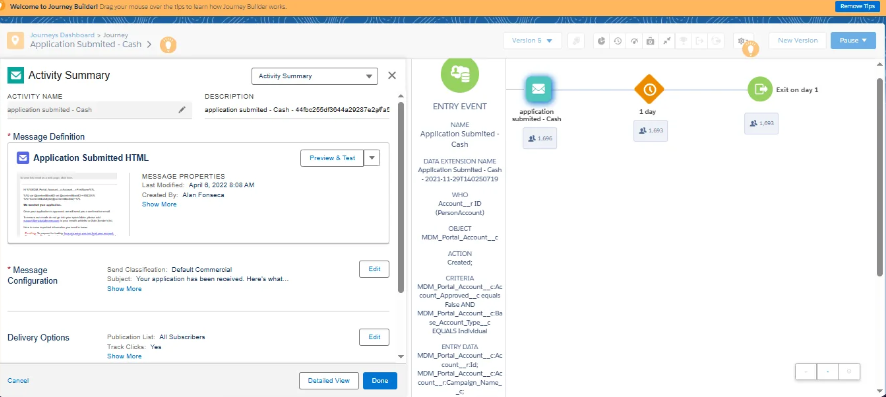
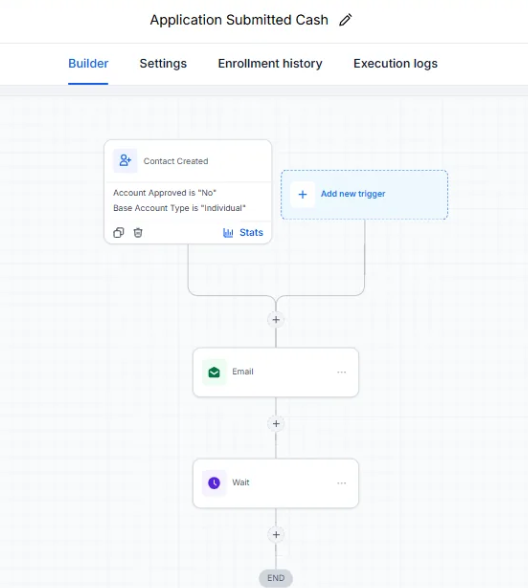
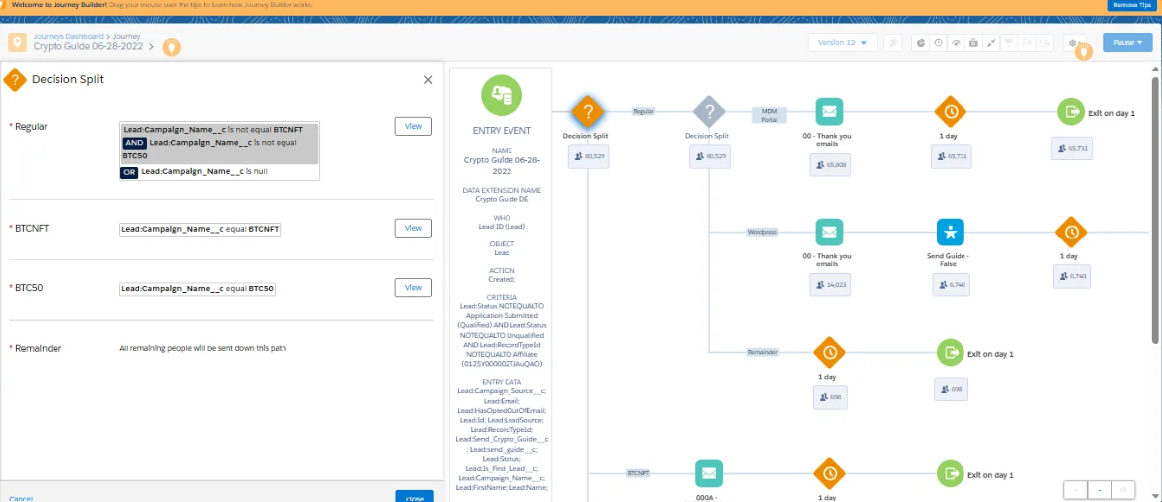
Each Marketing Cloud journey was mapped, including its entry source, criteria, splits, emails and waits. It was then rebuilt as a GoHighLevel workflow with the same branches.
- Splits by account type and funding type carried over as workflow conditions.
- Approval, application, abandonment and first-trade journeys each became their own workflow.
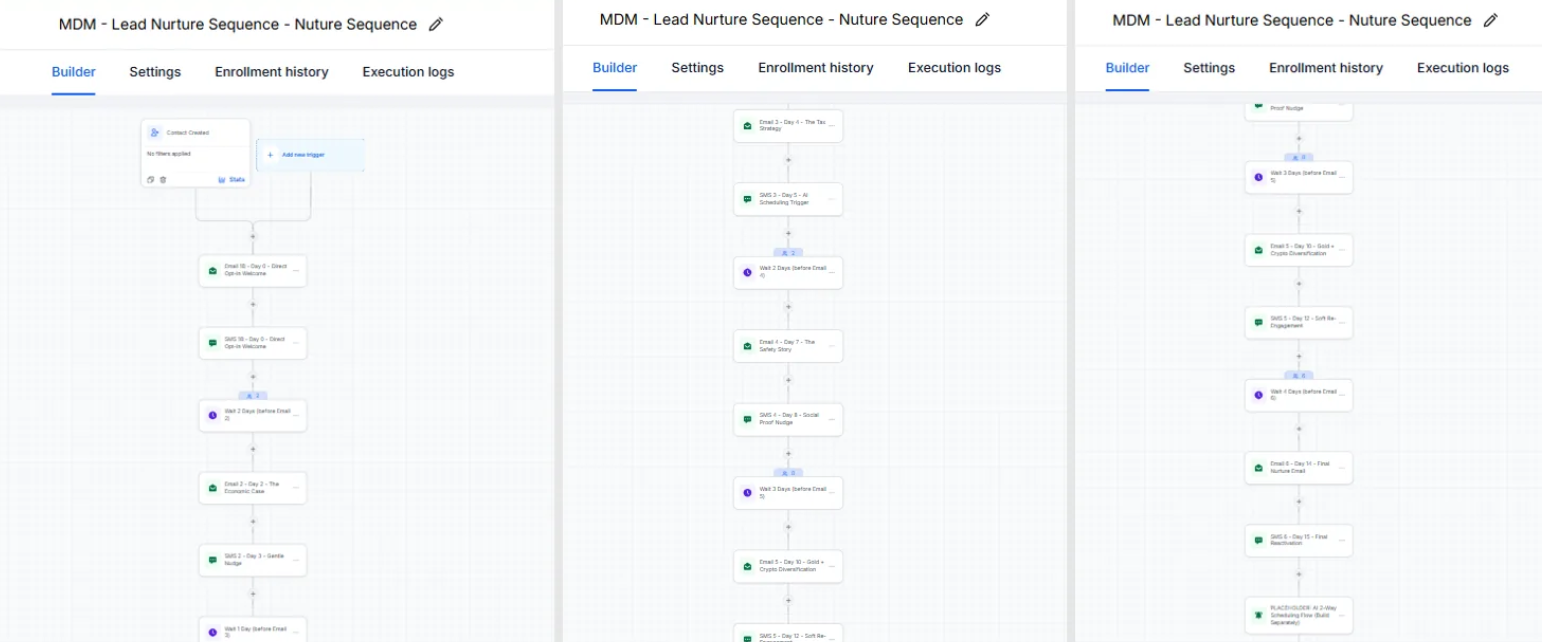
- The lead nurture runs as a multi-day email and SMS sequence after the guide is sent.
Application submitted, IRA
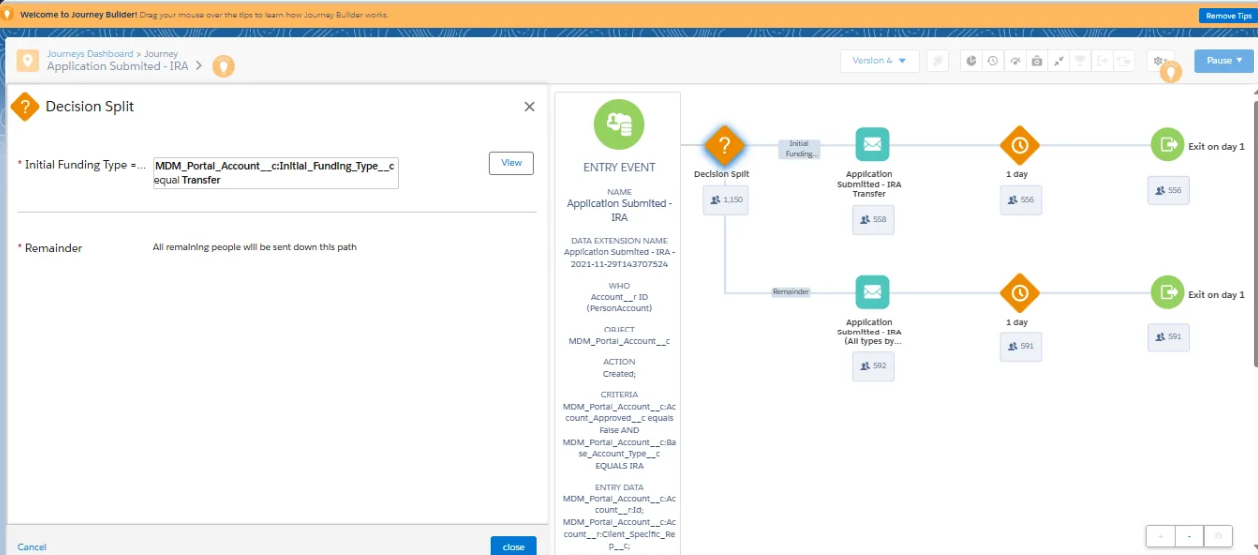
Application submitted — Cash
Step 2 — Data Migration
Contacts, Marketing Cloud email tracking and unsubscribe data were exported, merged and imported into GoHighLevel.
- Separate imports for unconverted prospects, Cash and IRA account holders, and matched unsubscribes.
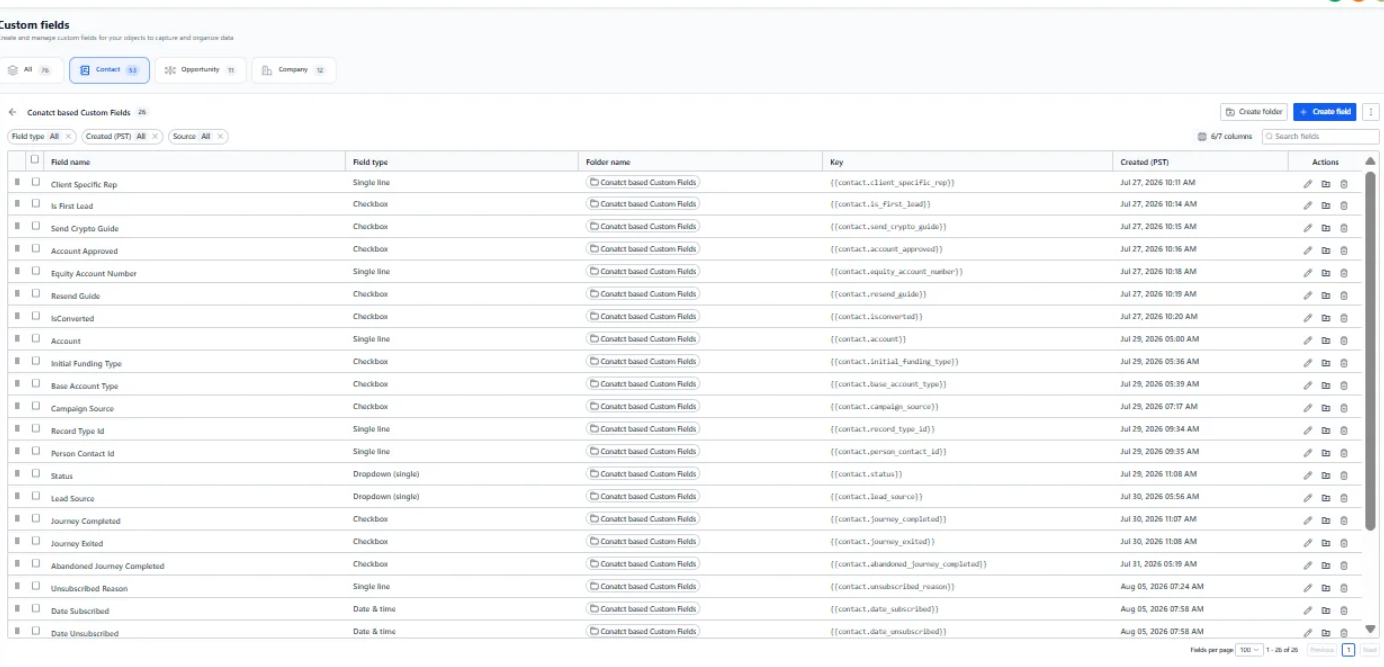
- Contact fields created to carry Salesforce data such as account approval, funding type, lead source and guide status.
- The main import processed 18,480 records with no errors.
Step 3 — Lead Synchronization
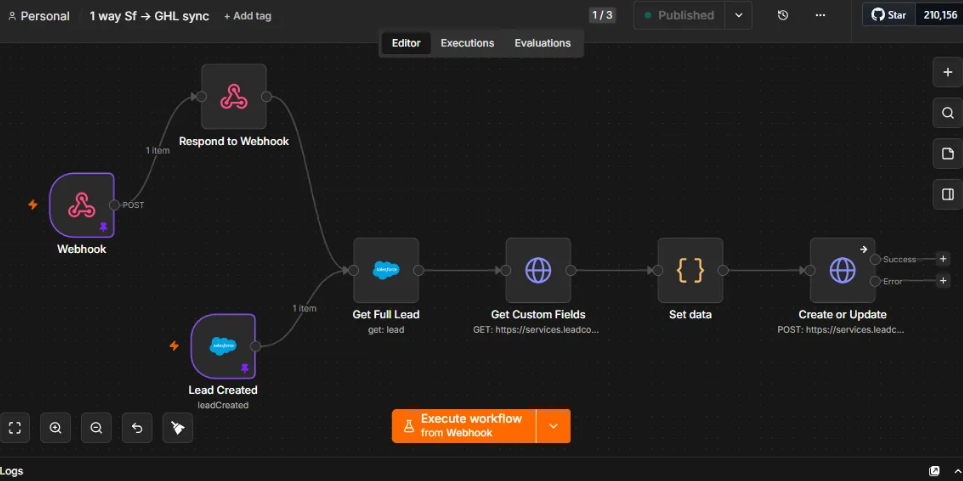
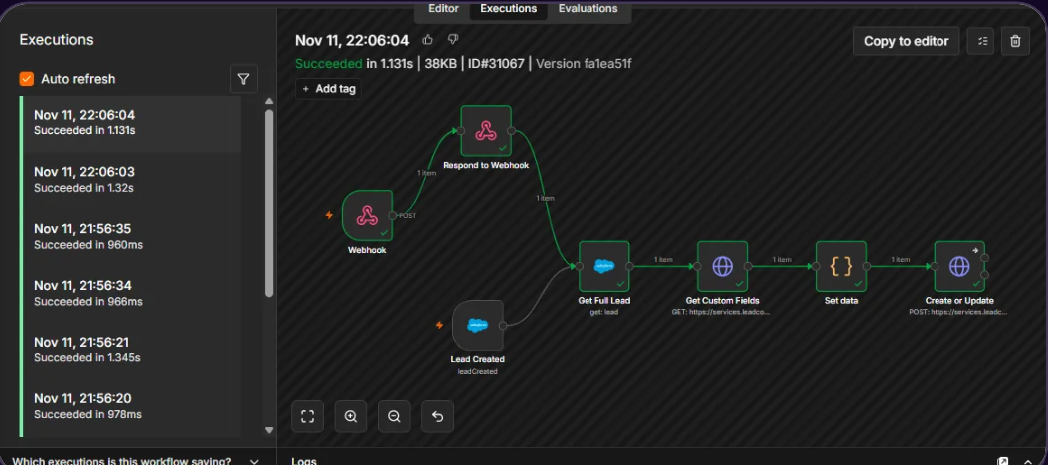
A Salesforce flow sends an outbound message to n8n whenever a lead is saved. n8n reads the full lead and creates or updates the contact in GoHighLevel.
- n8n replies with the SOAP acknowledgement Salesforce requires, so messages aren't retried.
- GoHighLevel custom fields are looked up and mapped before each write.
- A Salesforce "lead created" trigger runs alongside the webhook.
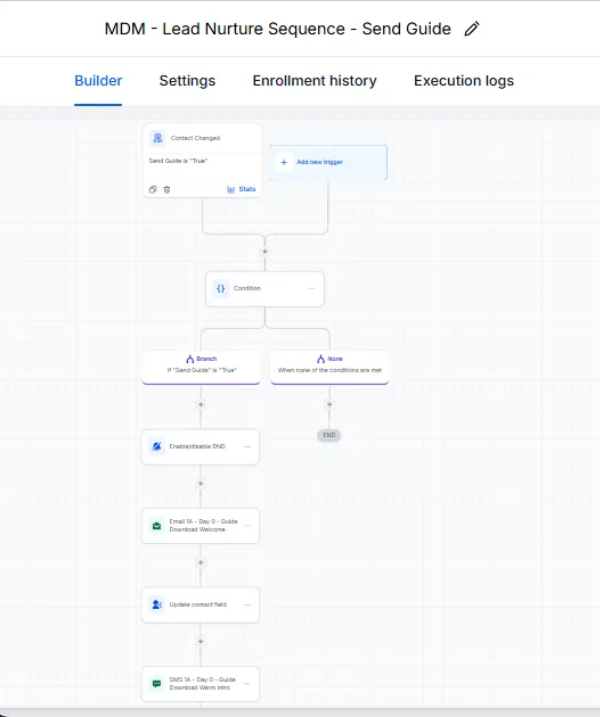
Step 4 — Guide Requests
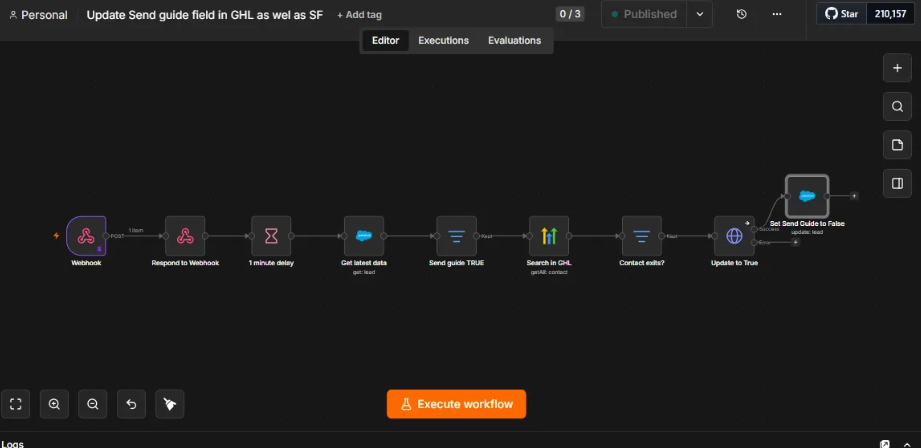
When a lead asks for the crypto guide, n8n waits a minute for Salesforce to finish saving, re-reads the lead, sets Send Guide in GoHighLevel and resets it in Salesforce.
- Resetting the flag means a returning lead can request the guide again.
- In GoHighLevel, the Send Guide field starts the guide email and then the nurture sequence.
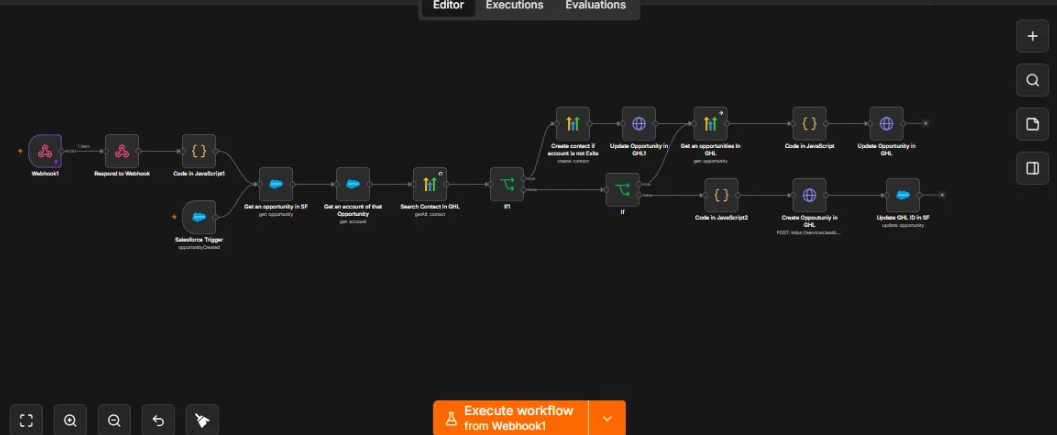
Step 5 — Two-Way Opportunity Synchronization
Opportunity changes in Salesforce create or update the matching opportunity in GoHighLevel, and the GoHighLevel ID is written back to Salesforce.
- n8n pulls the opportunity and its account, finds the contact in GoHighLevel and creates it if it's missing.
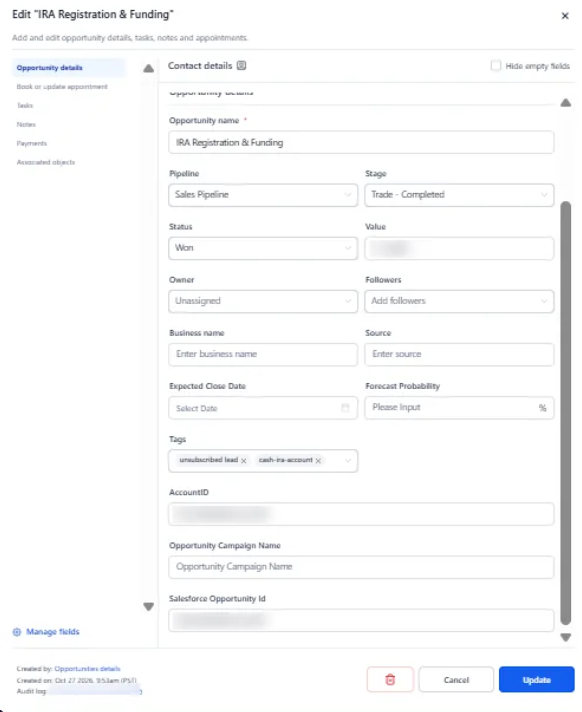
- Matching uses the Salesforce Opportunity ID stored on the GoHighLevel record, so updates don't create duplicates.
- Salesforce stages map to GoHighLevel pipeline stages, such as Trade – Completed.
Step 6 — Sending Domain and Warmup
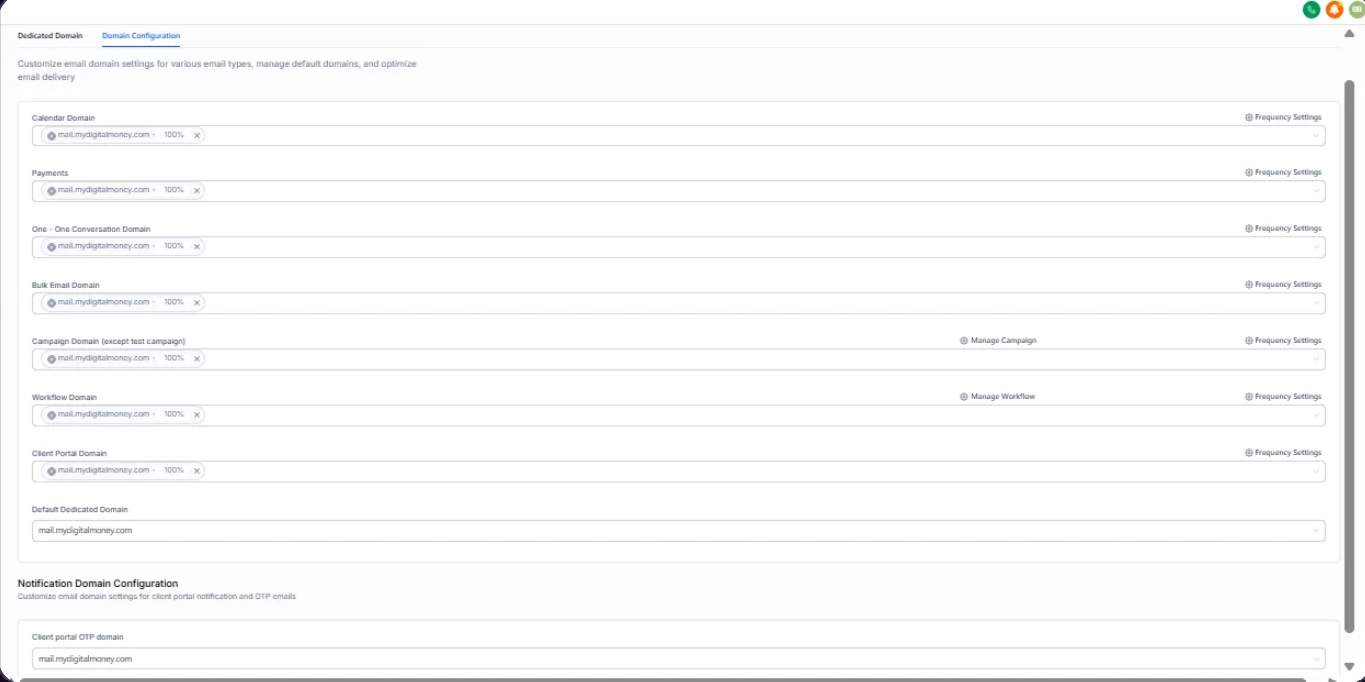
mail.mydigitalmoney.com was authenticated and set as the sending domain for every email type in GoHighLevel.
- SPF, DKIM, DMARC and MX records verified before sending.
- A contact property controlled who received newsletters during warmup, starting around 1,000 contacts and expanding at each stage.
- Test contacts were removed from production sends so they didn't drag down engagement.
4. The Result
The migration moved the customer journeys and contact history into GoHighLevel while establishing synchronization between Salesforce and GoHighLevel through n8n.
Seven GoHighLevel workflows now cover the guide, nurture, application, approval, abandonment and first-trade journeys. The main contact import processed 18,480 records with 100% success and no errors.
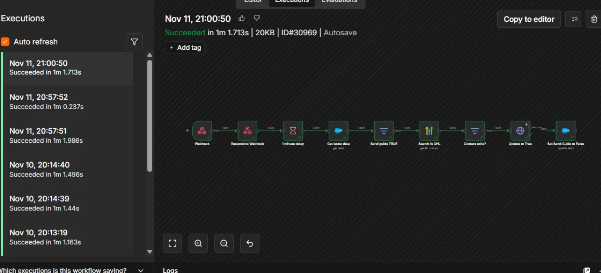
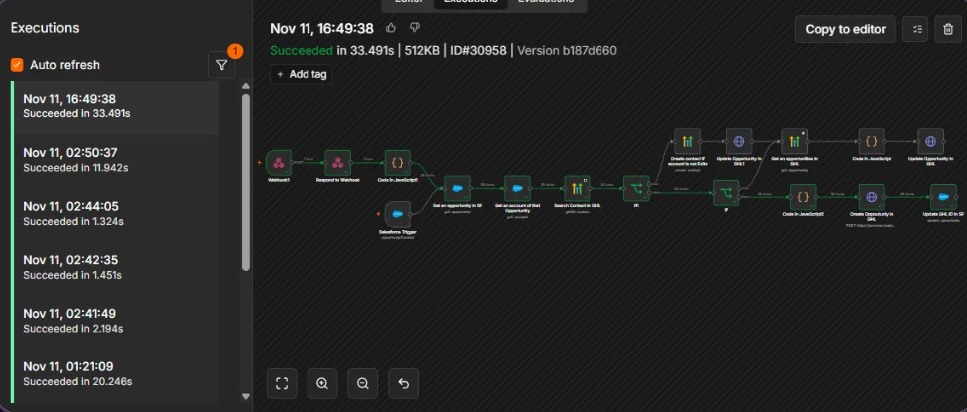
Leads, guide requests and opportunities now sync through n8n. Recent lead sync runs shown in the dashboards completed in about a second, and opportunity records are linked between both systems using their respective IDs.
The new sending domain was authenticated and used for all seven email types, with a staged warmup process.
5. Results & Metrics
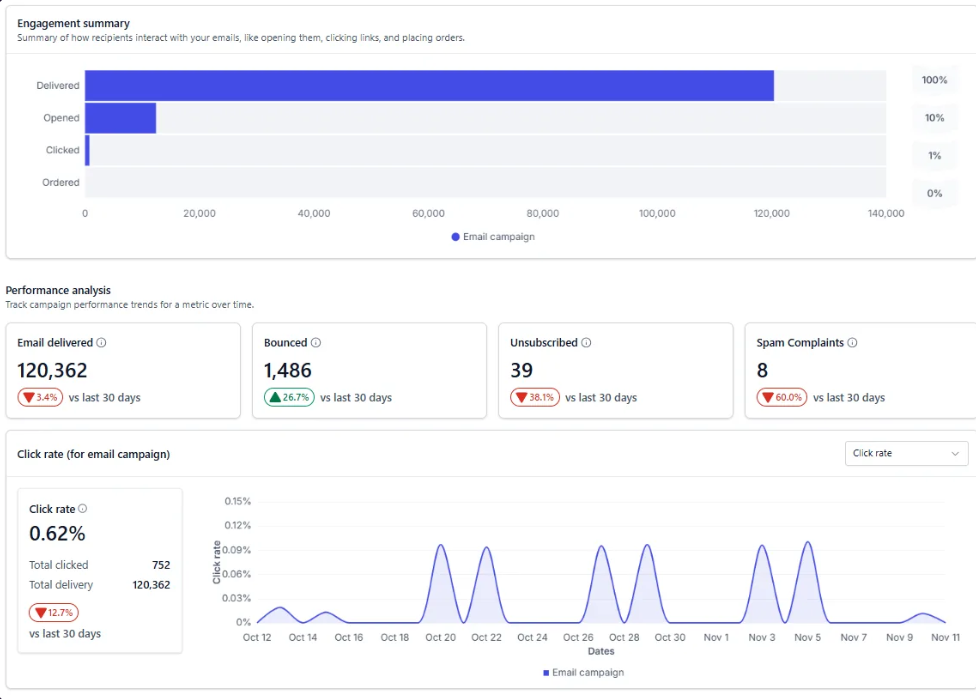
The following figures are taken from the GoHighLevel and n8n dashboards. They represent the documented implementation results, not independent performance audits.
| Metric | Documented result |
|---|---|
| Marketing Cloud journeys documented | 9 |
| GoHighLevel workflows covering customer journeys | 7 |
| Contacts in the main import | 18,480 |
| Main import success rate | 100% |
| Import errors | 0 |
| n8n sync workflows in production | 3 |
| Emails delivered in the last 30 days | 120,362 |
| Email bounce rate | 1.2% |
| Spam complaints | 8 |
| Recent lead sync execution time | About 1 second |
6. Tech Stack
| Technology | Purpose |
|---|---|
| Salesforce Sales Cloud | System of record for leads, accounts and opportunities. |
| Salesforce Marketing Cloud | Original customer journeys and email history. |
| n8n | Self-hosted synchronization between the two CRMs. |
| GoHighLevel | Rebuilt workflows, email, SMS and pipeline management. |
| LeadConnector API | Reads and writes GoHighLevel records. |
7. Where This Pattern Applies
- Financial Services: Migrate customer journeys and synchronize investment account information between CRM platforms.
- Insurance Companies: Connect customer records, policy enquiries and application workflows across systems.
- Real Estate Businesses: Synchronize leads, property enquiries and sales opportunities between CRM platforms.
- Marketing Agencies: Migrate email journeys, contact history and nurture sequences while maintaining CRM synchronization.
- Sales Organizations: Keep leads, contacts, opportunities and pipeline stages aligned across multiple CRM systems.
This pattern is useful for organizations moving from one CRM or marketing automation platform to another while maintaining customer history, automated journeys and reliable synchronization between their systems.