Daily Ticket-Count Automation: Gmail PDFs to BigQuery and Google Sheets
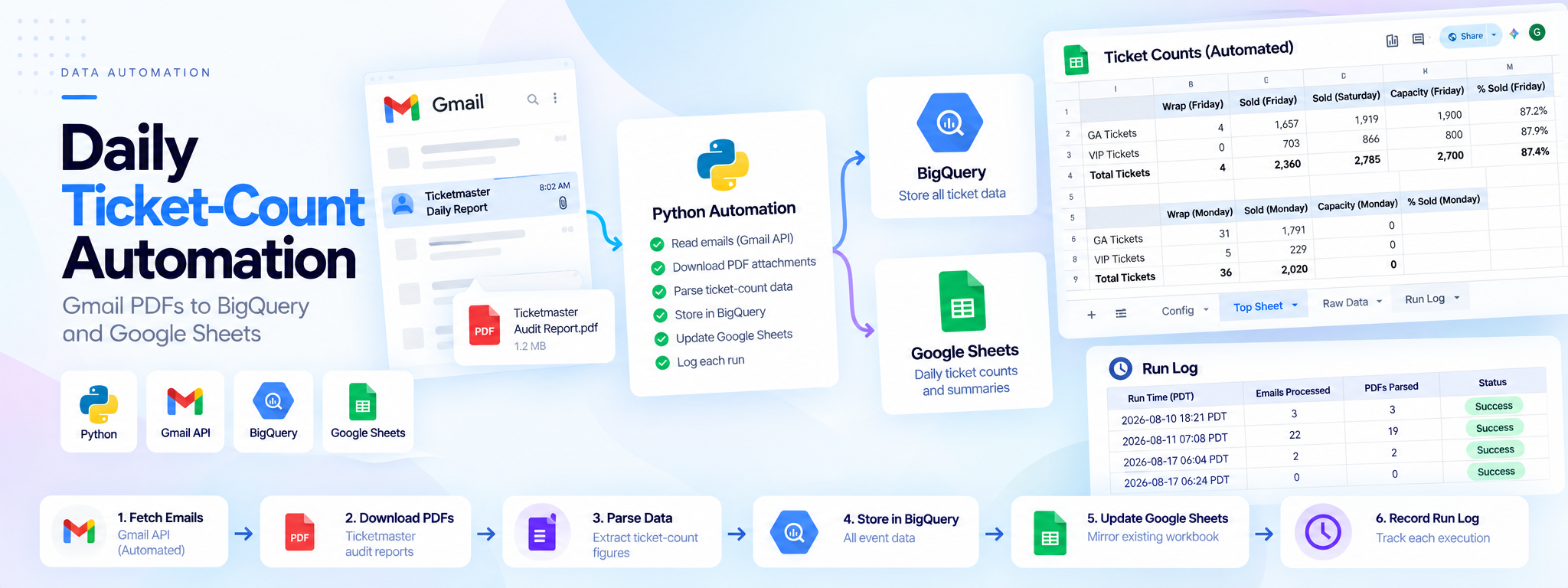
A Python job that reads daily Ticketmaster audit PDFs from email, stores every figure in BigQuery and publishes a Google Sheet that mirrors the team’s existing workbook.
 Python Automation
- Python
- Gmail API
- BigQuery
- Google Sheets
- pytest
Project Overview
A Python job reads daily Ticketmaster audit PDFs received by email, stores the extracted figures in BigQuery, and publishes a Google Sheet that mirrors the team's existing workbook.
Technology: Python, Gmail API, BigQuery, Google Sheets API, PDF parsing, pytest
01. The Problem
An events company received daily Ticketmaster audit PDFs by email and manually re-entered the reported figures into a workbook. This repetitive process required daily manual effort.
02. The Solution
A scheduled Python job uses the Gmail API and an OAuth refresh token to retrieve report emails, download and parse PDF attachments, store the figures in BigQuery, and publish the results to Google Sheets.
03. How It Works
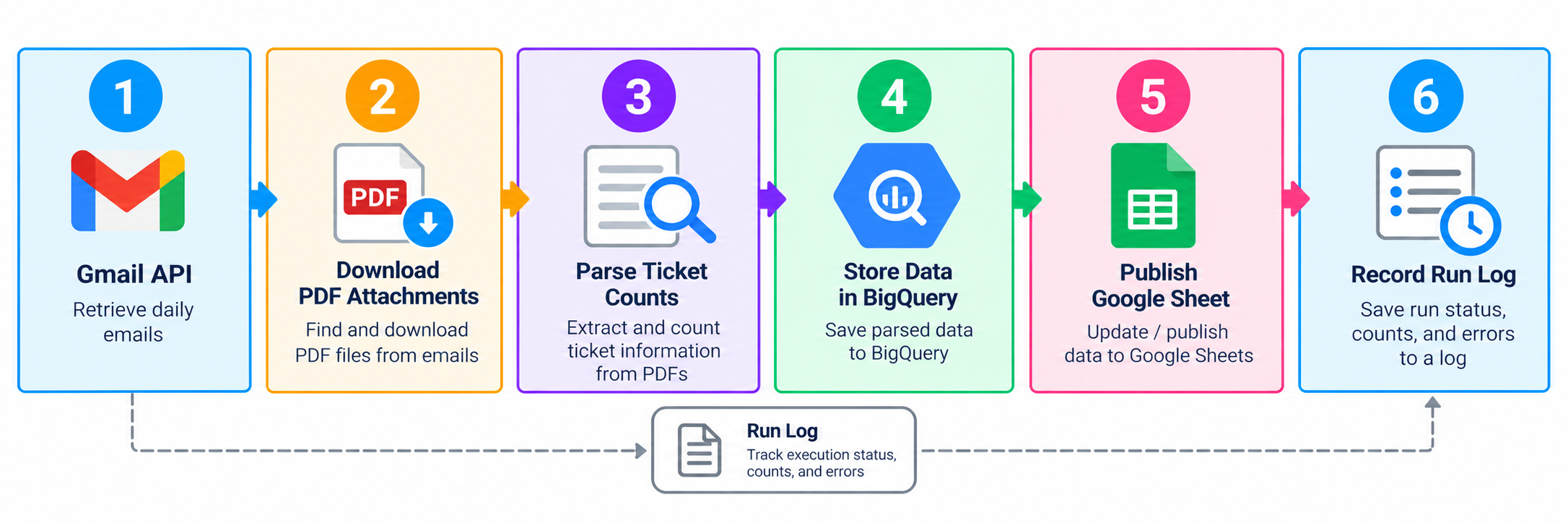
- Retrieve report emails using the Gmail API.
- Download the attached Ticketmaster audit PDFs.
- Parse the PDFs and extract ticket-count figures.
- Store the extracted figures in BigQuery.
- Publish a Google Sheet that mirrors the existing workbook.
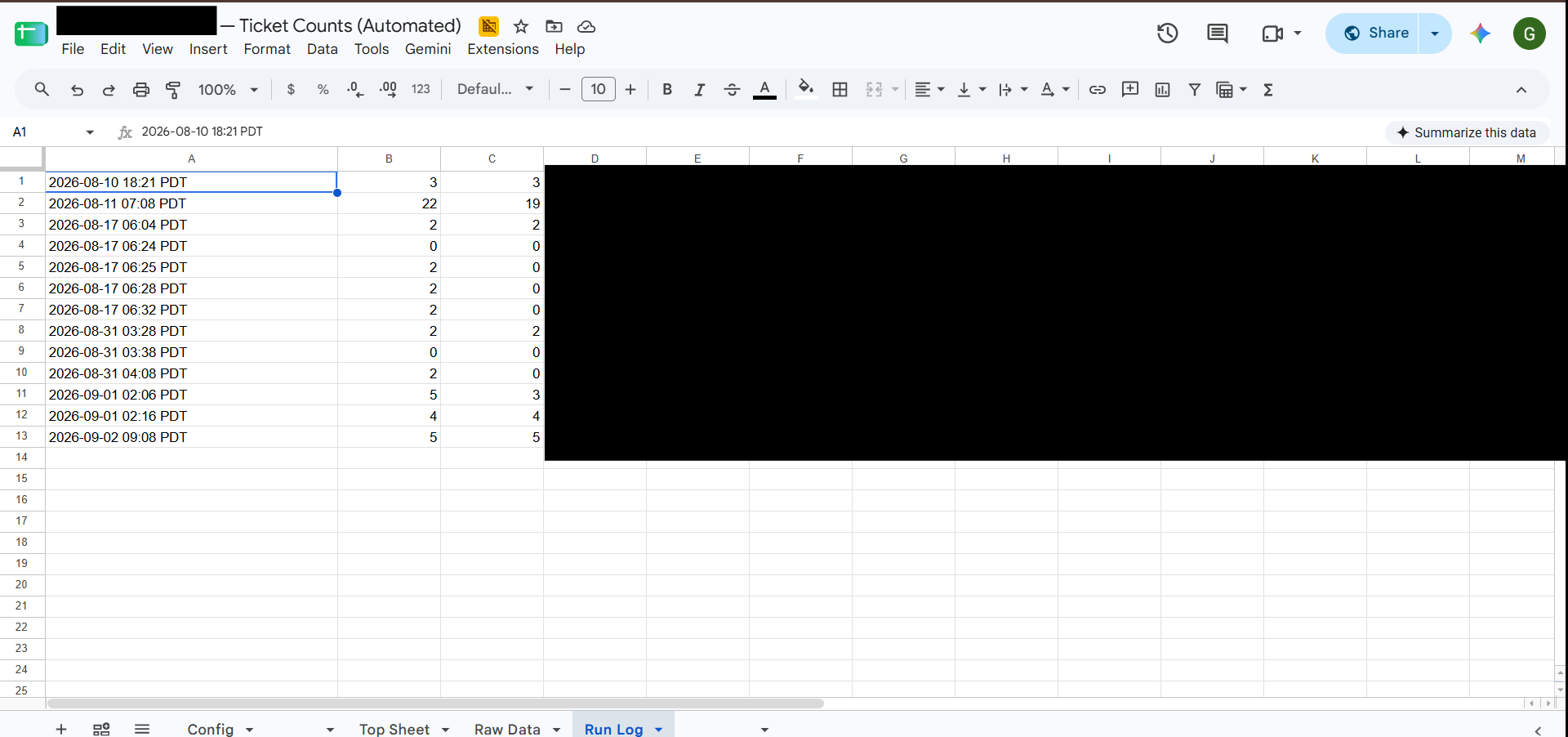
- Record each job run in the Run Log tab.
04. Workflow
05. Google Sheets Output
The published spreadsheet tracks:
- General Admission (GA) tickets
- VIP tickets
- Total tickets
- Tickets sold against capacity
- Percentage sold
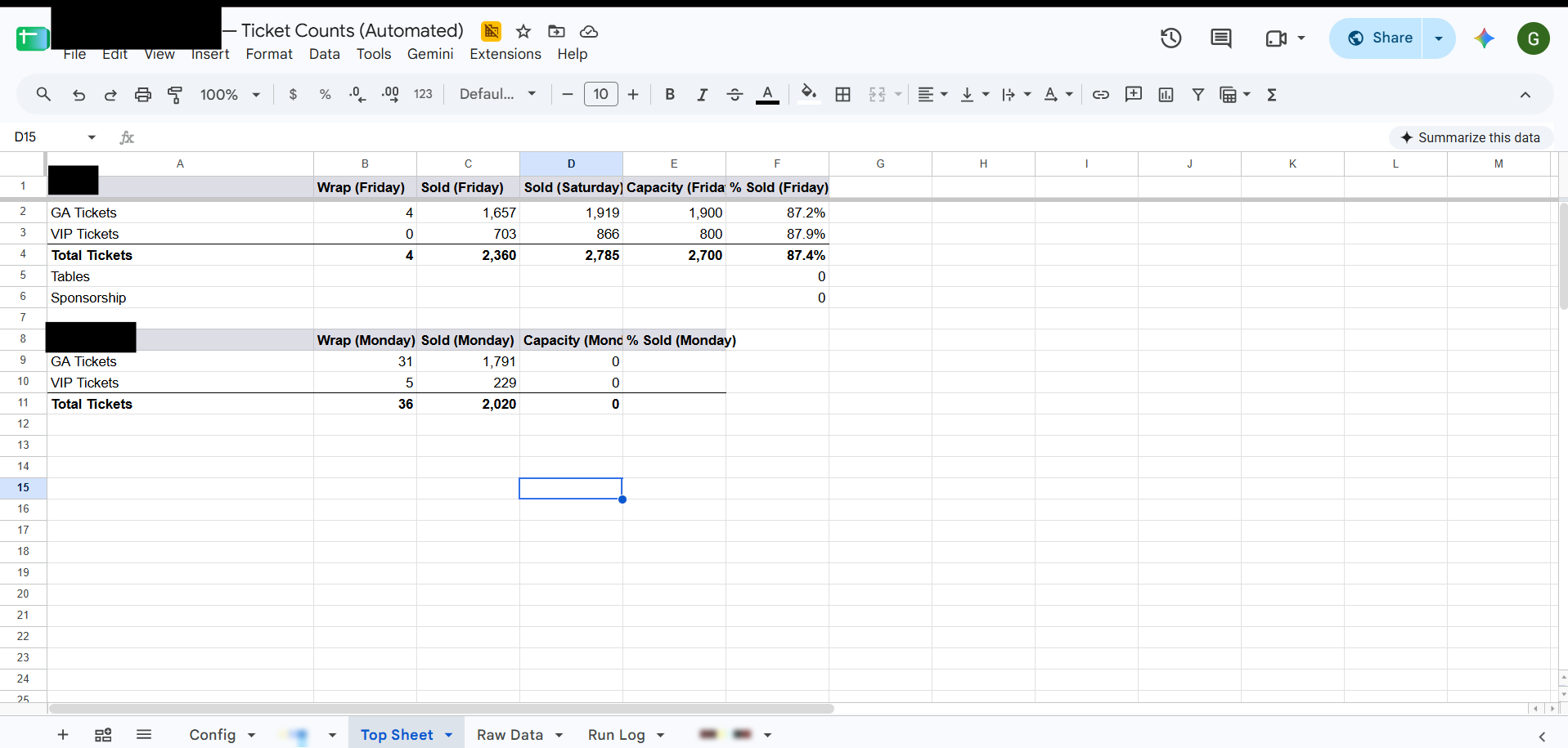
The workbook includes a Top Sheet, Raw Data, and Run Log tabs.
06. Testing and Implementation
The project followed a specification-first process: design specification, implementation plan, tests using fixture PDFs, and then the pipeline implementation.
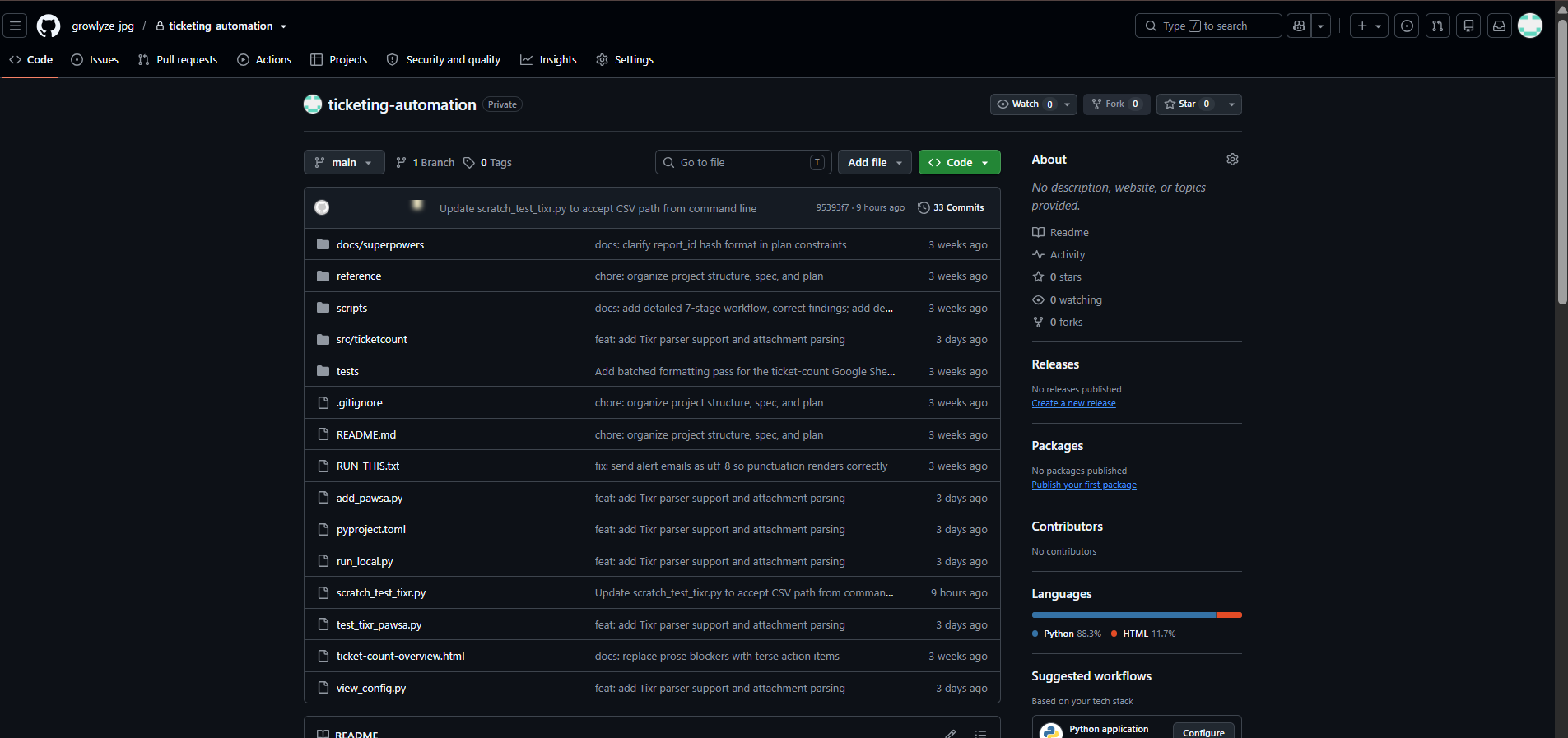
The repository includes the ticket-count source code, scripts, tests, and design documents.
07. Outcome
The job automates the transfer of ticket figures from daily email attachments into BigQuery and Google Sheets, reducing manual data entry and providing a run log for tracking executions.