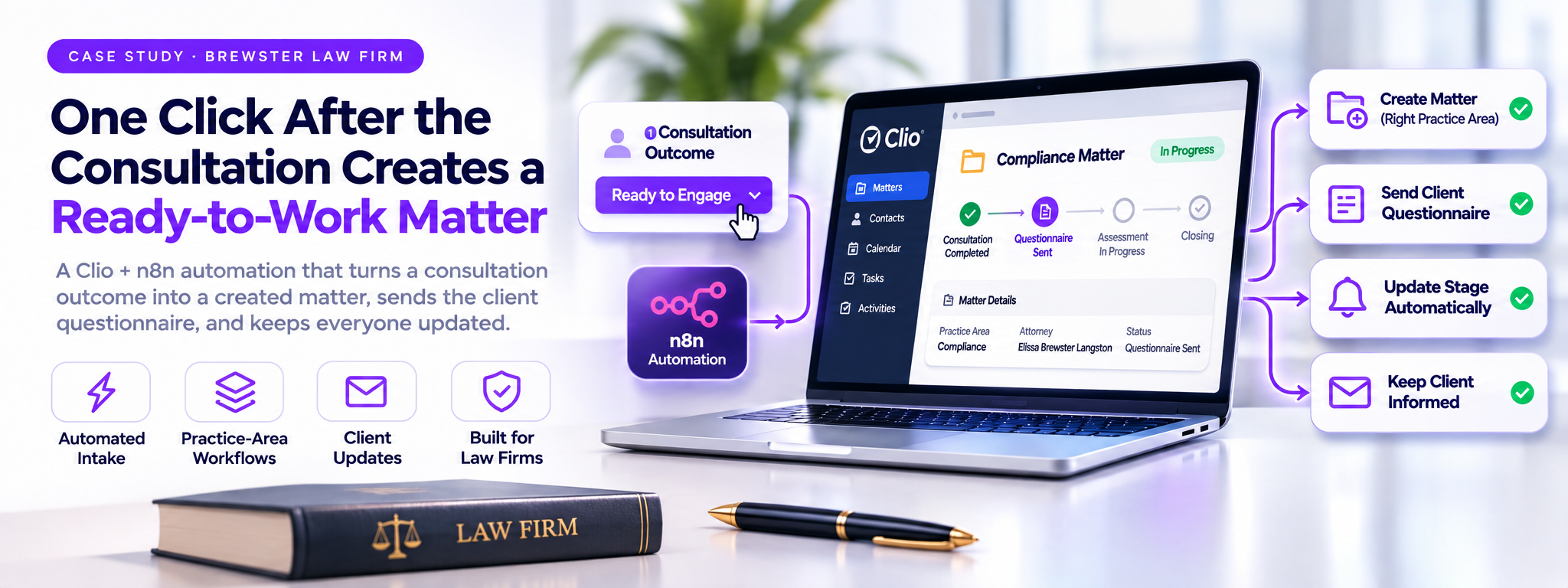
One click after the consultation creates a ready-to-work matter
CASE STUDY · BREWSTER LAW FIRM
 n8n Automations
- n8n
Over View
This project automates Brewster Law Firm’s client intake process using Clio and n8n. When an attorney marks a consultation as Ready to Engage, the system automatically creates the matter, assigns the attorney, and sends the client a branded questionnaire with a secure link.
| ~1 min | 3 | 1 click | 10 |
|---|---|---|---|
| from Ready to Engage to | practice-area groups, | by the attorney; | connected workflows with |
| a created matter | each with its own starting stage | everything after it is automatic | automatic failure alerts |
Once submitted, responses are saved directly in Clio, matter stages are updated, and relevant notifications are sent automatically. The solution reduces manual work, streamlines client onboarding, and keeps matter records organized.
THE PLAN OF ACTION
We started from a written plan, then built it part by part
Brewster Law Firm's clients arrive through Google and AI search, the website form, the booking page and the phone. Our Plan of Action found that what happened after a lead arrived depended on two people remembering every step. It set out a client journey in five parts, from inquiry to closing, with Clio as the single place where every lead, client and matter lives. Below is each problem the plan found and what we built for it.
| Problem in the plan | What we built | Status |
|---|---|---|
| Form submissions (Part 1) | An instant, branded thank-you with the next step and | Delivered |
| Leads reach Clio Grow, but the lead | booking link, then timed nudges that stop the moment | |
| gets no thank-you email or next | the lead books. | |
| step. | ||
| Consultation bookings (Part 2) | Confirmation and follow-up emails driven from Clio | Delivered |
| No automatic confirmation email | Grow, alongside Clio's own appointment reminders. | |
| after a booking. | ||
| After the consultation (Parts 2–3) | One click sets the outcome to Ready to Engage. The | Delivered |
| Intake depends on someone | matter is created in the right practice area and first | |
| remembering each step: convert the | stage, the attorney is assigned and the questionnaire | |
| lead, create the matter, pick the | goes out. | |
| stage, send the questionnaire. | ||
| Client questionnaires (Part 3) | A branded questionnaire on the firm's own address, with | Delivered |
| Intake forms are collected by hand. | a one-time private link per matter. Answers are saved as a note on the matter. | |
| Client updates (Part 4) | A plain-language email on every stage change, a "still | Delivered |
| Some clients have to ask for a status | working on it" note when a matter sits too long, and | |
| update. | reminders when the client owes something. | |
| Info inbox (Part 1) | Reply tracking pauses automated reminders the moment | Delivered / |
| Replies are manual, usually the next | a client writes back. Reply drafting is the next phase. | next phase |
| morning. |
| Problem in the plan | What we built | Status |
|---|---|---|
| Ownership and control (Part 0) | Clio stays the single place for leads and matters. | Delivered |
| Tools are only partly set up and | Automations run on a firm-owned, self-hosted n8n | |
| spread across chat and email. | server, with a daily health report and instant failure alerts. | |
| Agreements and payments (Part | Kept manual in Clio by the firm's own choice. Billing and | By design |
| 3) | agreements are deliberately not automated. | |
| Approvals travel by chat; | ||
| agreements are hard to track. | ||
| Phone, documents, closing (Parts | Voice intake, OneDrive sync and closing and review | Next phase |
| 1, 4, 5) | emails are scoped in the plan for the next phase. | |
| Smith.ai re-entry, OneDrive folders, | ||
| and no closing or review request. |
One click by the attorney after the consultation. Everything after it happens on its own.
THE JOURNEY AT A GLANCE
The plan, drawn out
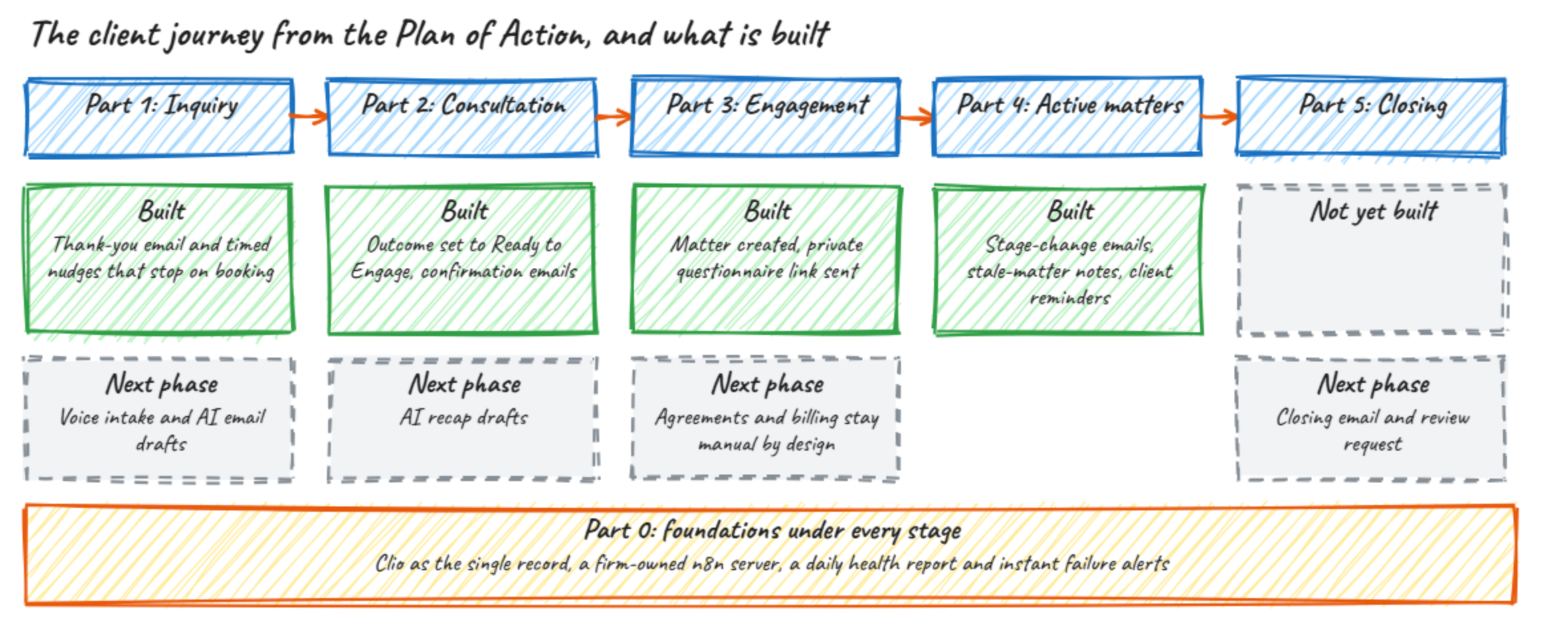
The five-part client journey. Green is built; dashed grey is planned for the next phase.
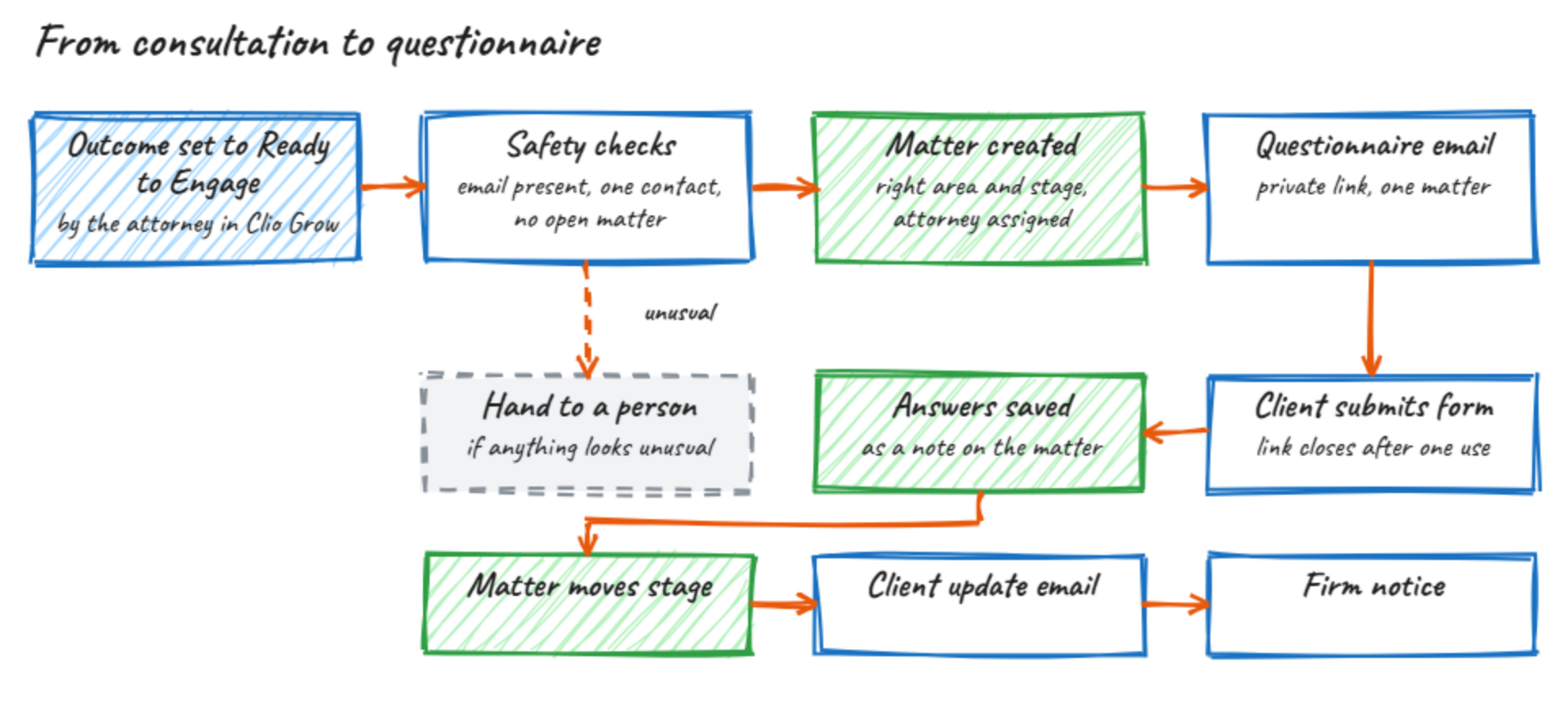
From consultation to questionnaire. One click, then the checks, matter, email and stage update happen on their own.
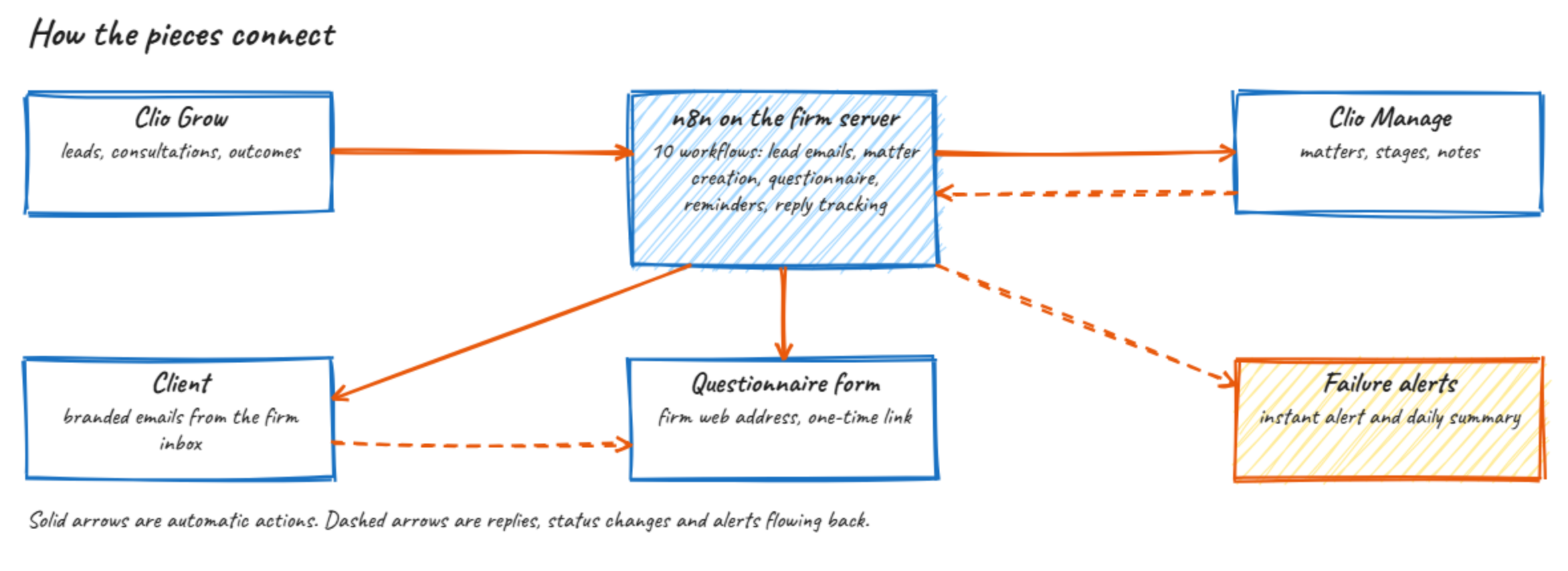
How the pieces connect. Clio stays the system of record; n8n runs on a firm-owned server.
HOW IT WORKS
From consultation to questionnaire
- The outcome is set to Ready to Engage The only manual step. It happens in Clio Grow, where the team already works.
- The matter is created automatically Formation matters start at "Questionnaire Sent", compliance matters at "Information Gathering", contract matters at "Documents Received". Before it creates anything, the system confirms the client has an email address, matches exactly one contact, and has no open matter. If anything looks unusual, it hands the case to a person instead of guessing.
- The client receives their questionnaire The email carries a private link tied to that one matter.
- The client submits it The answers are saved as a note on the matter in Clio, the link closes, and the matter moves to its next stage.
- Everyone is kept informed The client receives the update for the new stage. The firm receives a short "questionnaire received" notice.
WHAT IT LOOKS LIKE
Inside Clio and n8n
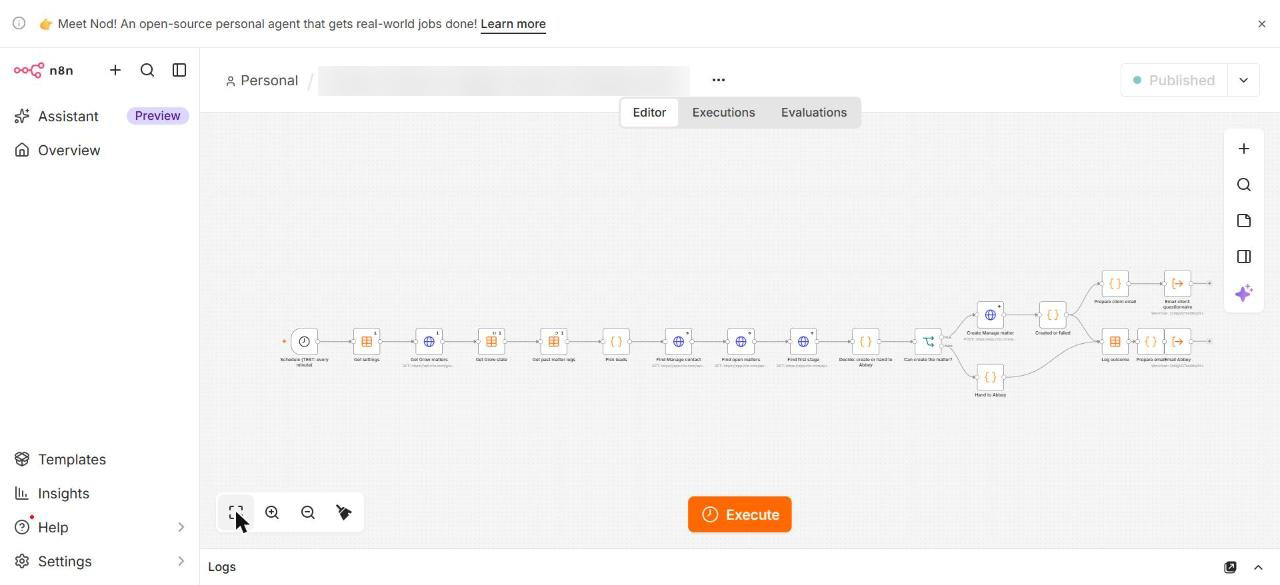
The matter-creation workflow. It reads leads from Clio Grow, applies the safety checks, creates the matter, and sends the two emails.
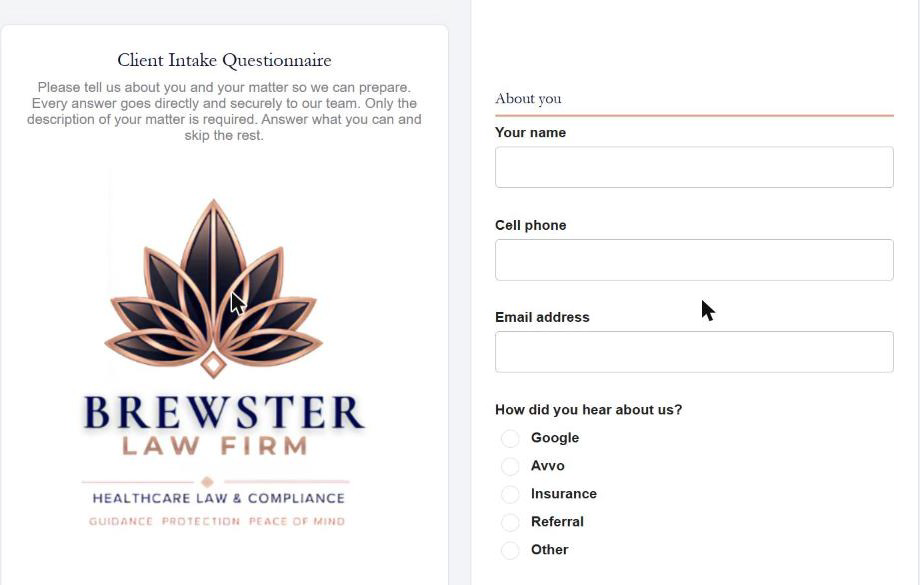
The client questionnaire. Hosted on the firm's own address, in Brewster's branding. Only the description of the matter is required.
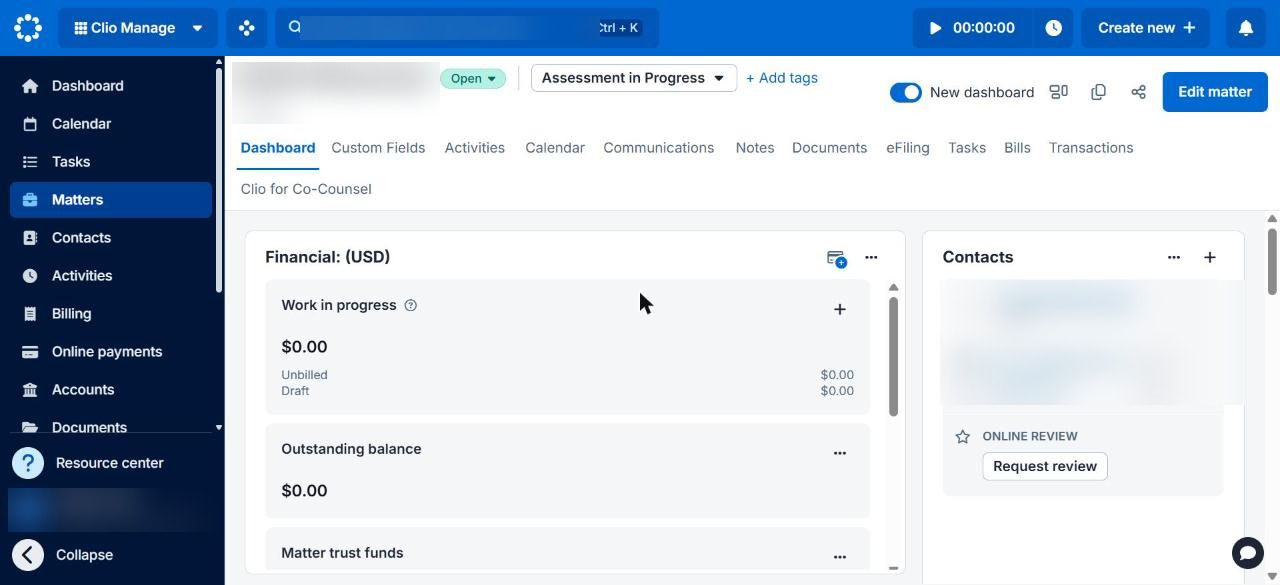
The matter after the client submitted the questionnaire. It started in the compliance group's first stage and moved to Assessment in Progress on its own. Client details are blurred.
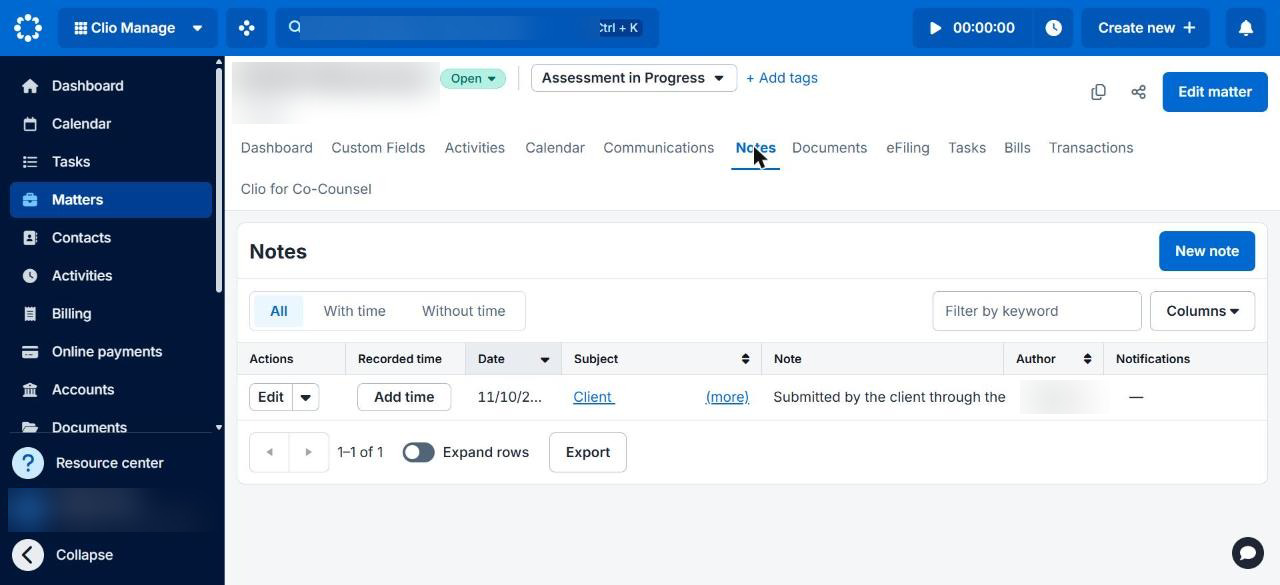
The answers land on the matter. The note is saved where the attorney will look for it.
WHAT THE CLIENT RECEIVES
Emails that read like the firm wrote them
Every email uses the firm's branding and Elissa Brewster Langston's own signature. These are real messages captured from the firm's mailbox during the verification run.
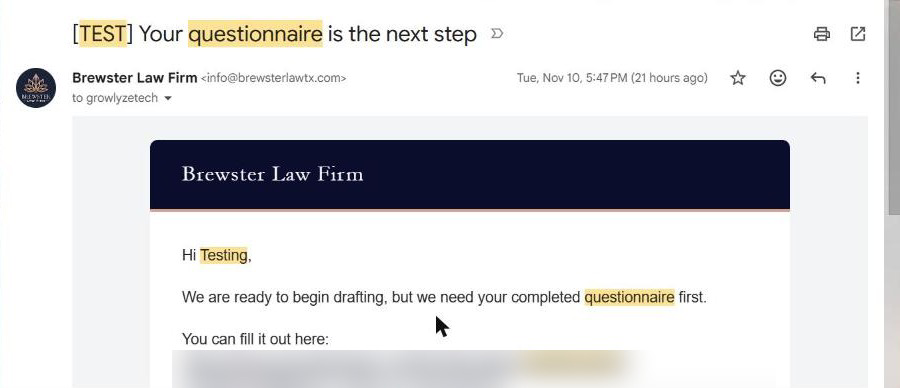
The questionnaire email. Sent the moment the matter is created, with a private link for that one matter.
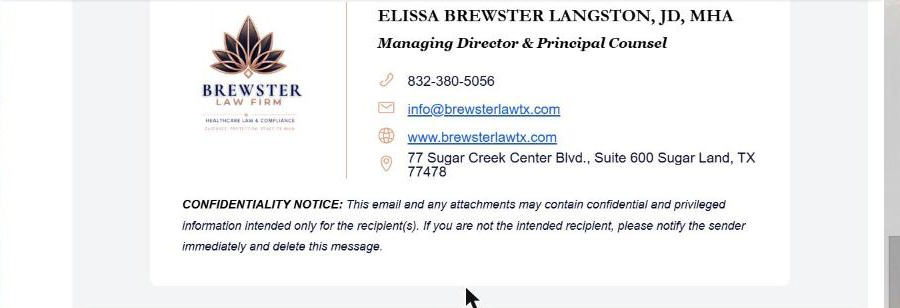
The signature and confidentiality notice match the attorney's own email signature.
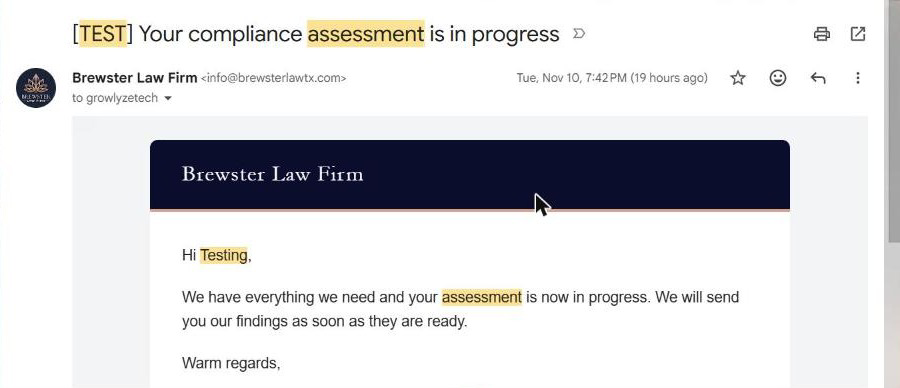
The stage update. When the questionnaire was submitted and the matter moved, the client received this note on its own. The [TEST] tag marks messages sent during verification.
BUILT TO BE TRUSTED
Guardrails a law firm needs
| The firm's own voice | Every client email is written in the firm's tone and carries the attorney's own |
|---|---|
| Per-matter control | signature and confidentiality notice. A single Clio field turns automatic emails on or off for any matter. |
| Private by design | Each questionnaire link works once, for one matter. A reused or invalid link is refused and recorded. |
| Your data stays yours | The workflows run on a dedicated self-hosted server, not a shared automation service. Client records stay in Clio. |
THE RESULT
The whole journey runs without hand-offs
Run end to end in Brewster's own Clio account, across all three practice-area groups, the system did what the team used to do by hand:
| Matter created | In about a minute, in the correct practice area and first stage, with the attorney |
|---|---|
| Questionnaire sent | assigned. A private link arrived in the client's inbox at the same moment, in the firm's branding. |
| Stage moved | Formation, compliance and contract matters each advanced to their next stage when the form came back. |
| Answers on the matter | Saved as a note in Clio, with the team notified, and no one retyping anything. |
RUN YOUR INTAKE THE SAME WAY If your firm uses Clio and still triggers intake by hand, we can map your stages, practice areas and client emails into a workflow like this one. Talk to Growlyze about a free intake review.