Fulfilled Order Integration with ClickUp
This Make scenario is implemented so that whenever an order is fulfilled in Shopify, the order details are added to ClickUp.
 Make Automations
- Make
- ClickUp
- Shopify
- Google Sheets
- Slack
Project Overview
This Make automation connects Shopify with ClickUp, Google Sheets, and Slack to process fulfilled orders and update the relevant records.
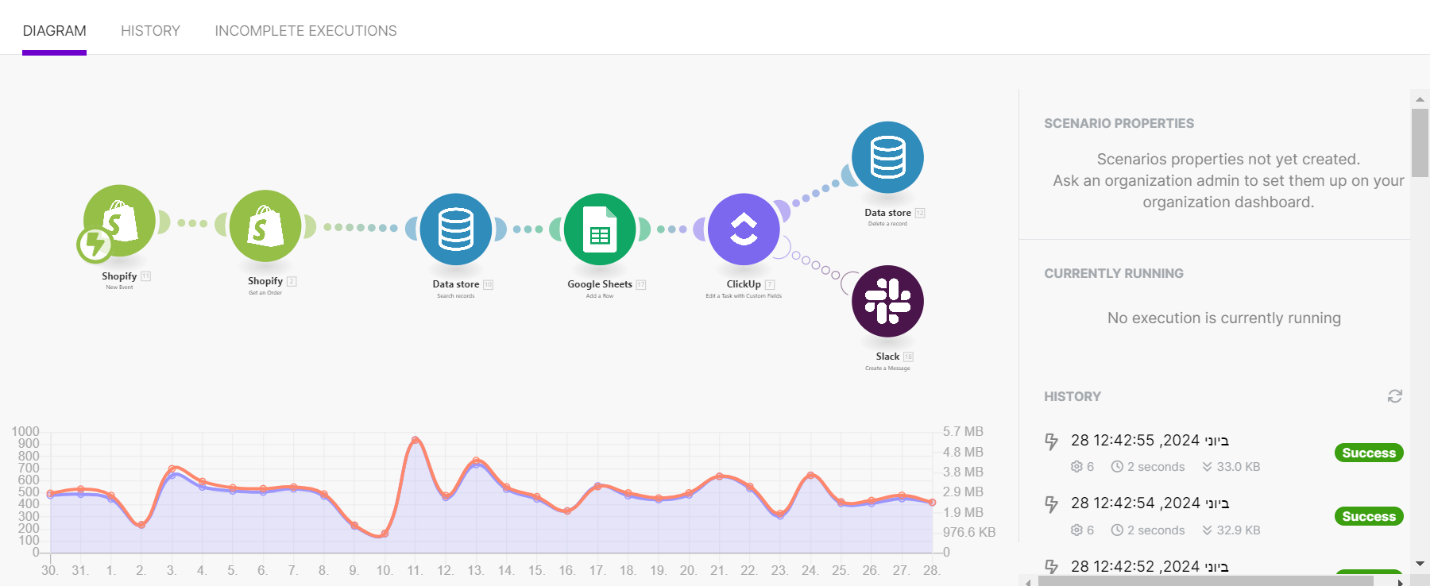
When an order is fulfilled in Shopify, the scenario retrieves the order details, searches for a matching record in the Data Store, adds a row to Google Sheets, and updates a ClickUp task with custom fields. The workflow also includes Data Store and Slack actions after the ClickUp update.
The Solution
The Make scenario automates the order-fulfilment process by connecting the relevant applications in a single workflow.
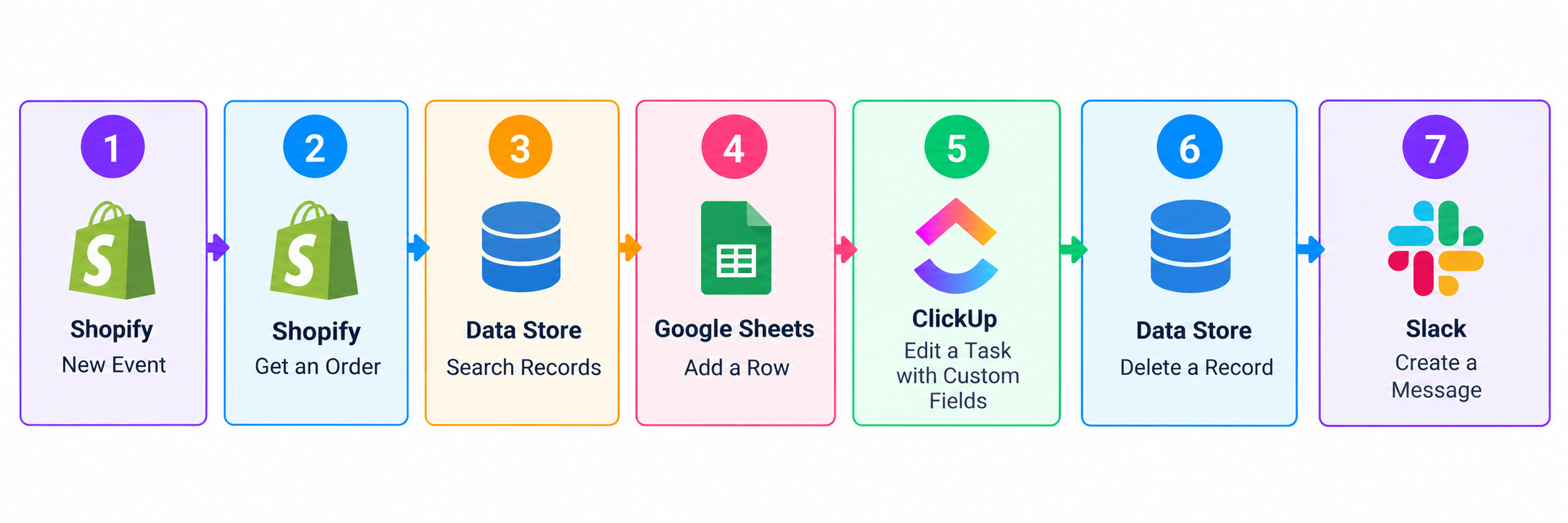
- Shopify: Triggers the scenario when a new order is fulfilled and retrieves the order details.
- Data Store: Searches for a matching record using the available order information.
- Google Sheets: Adds a row containing the order information.
- ClickUp: Updates a task with custom fields using the processed order details.
- Data Store: Performs a follow-up action to delete a record.
- Slack: Creates a message as part of the workflow.
How It Works
1. Shopify Order Trigger
The workflow starts when Shopify detects a newly fulfilled order. This event initiates the scenario and provides the order information for subsequent steps.
2. Retrieve Order Details
The scenario retrieves the corresponding order details from Shopify so they can be used by the following modules.
3. Search the Data Store
The workflow searches the Data Store for a record associated with the order. This step helps the scenario use the available stored information before continuing.
4. Add a Row to Google Sheets
The order information is added to Google Sheets, creating a record of the fulfilled order in the spreadsheet.
5. Update the ClickUp Task
The scenario updates a ClickUp task using custom fields. This connects the order-processing workflow with task management.
6. Perform Follow-up Actions
After the ClickUp update, the scenario branches into two actions: deleting a record from the Data Store and creating a message in Slack.
Workflow Architecture
Tools and Integrations
- Make: Connects the applications and orchestrates the automation.
- Shopify: Supplies the order event and order details.
- Data Store: Searches and deletes records.
- Google Sheets: Stores order information in a spreadsheet.
- ClickUp: Updates tasks with custom fields.
- Slack: Creates a message through the workflow.
Outcome
The scenario connects Shopify order fulfilment with spreadsheet recordkeeping, ClickUp task updates, Data Store operations, and Slack messaging. It brings these actions together in one Make automation, reducing the need to perform each connected step manually.