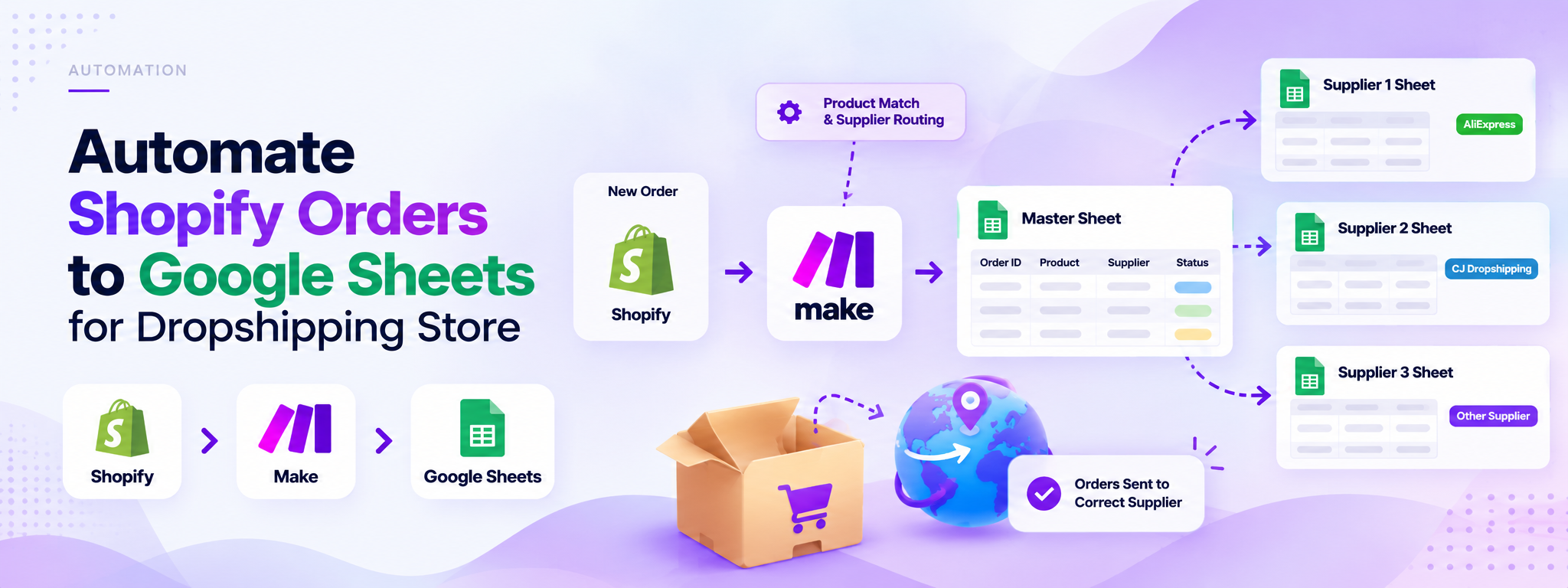
Automation of Shopify Orders to Google Sheets for Dropshipping E-commerce Store
The primary goal of this automation is to streamline the process of managing Shopify orders by automatically distributing them to the appropriate fulfillment sheets.
 Make Automations
- Make
- Shopify
- Google Sheets
Project Overview
This Make automation streamlines Shopify order management for a dropshipping e-commerce store. It records incoming orders, identifies the relevant products, and distributes order information to the appropriate Google Sheets fulfillment sheets based on supplier requirements.
How It Works
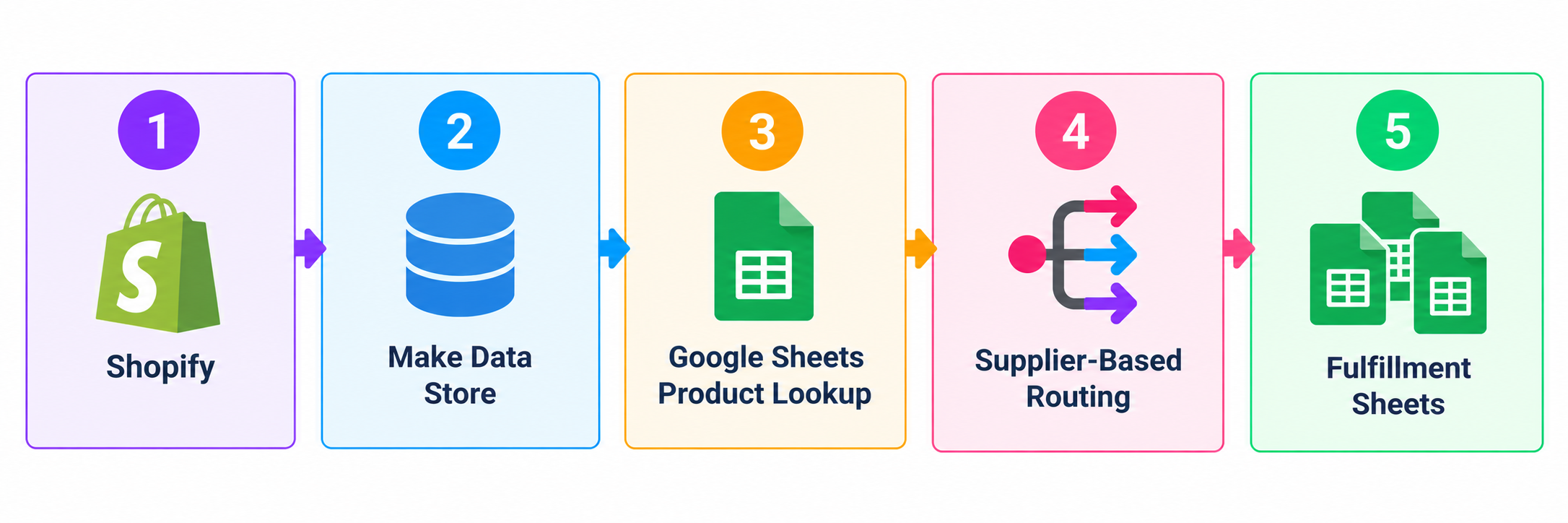
1. Shopify Order Tracking
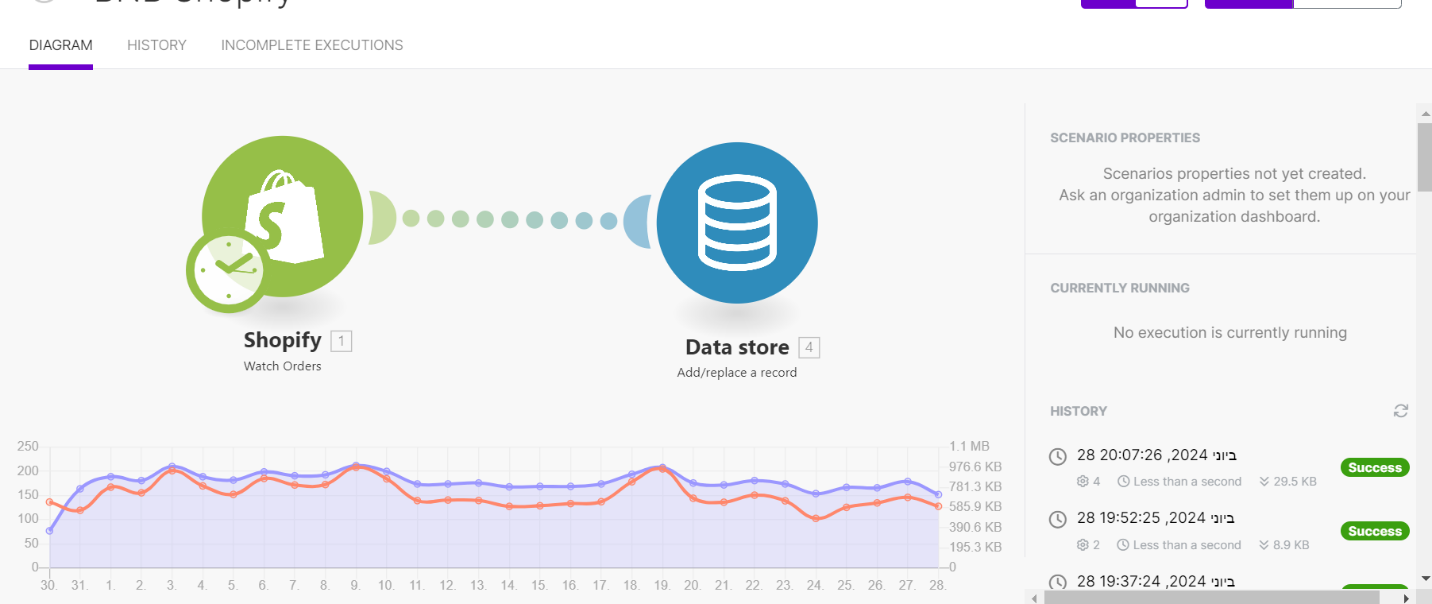
When a new order is created in Shopify, the automation adds the order to a Make Data Store for tracking.
2. Product Identification
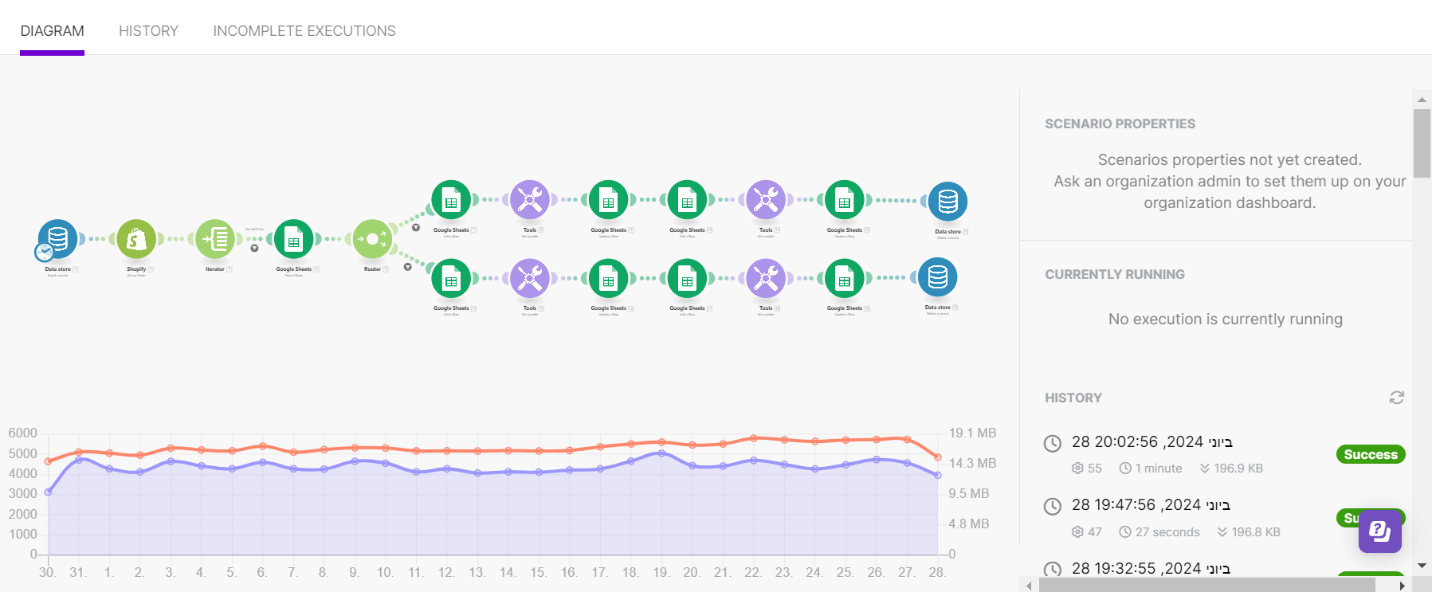
The workflow checks product IDs against a Google Sheets database to determine which supplier's fulfillment sheet should receive the order.
3. Master Sheet Integration
A master sheet consolidates order information. Changes made to the master sheet are reflected in the respective Google Sheets to maintain consistency.
4. Supplier-Based Order Distribution
Order details are routed to the appropriate fulfillment sheets so that each supplier receives the relevant order information.
Workflow Architecture
A master sheet serves as the central location for consolidating and managing order information.
Tools and Integrations
- Make: Automates the workflow and coordinates data between applications.
- Shopify: Provides order and product information.
- Google Sheets: Stores product IDs, consolidates order data, and supports supplier-specific fulfillment tracking.
Outcome
The automation helps organize Shopify orders, distribute them according to supplier requirements, and keep order information consistent across the relevant Google Sheets.