Shopify to Google Sheets Data Transfer with Task Allocation
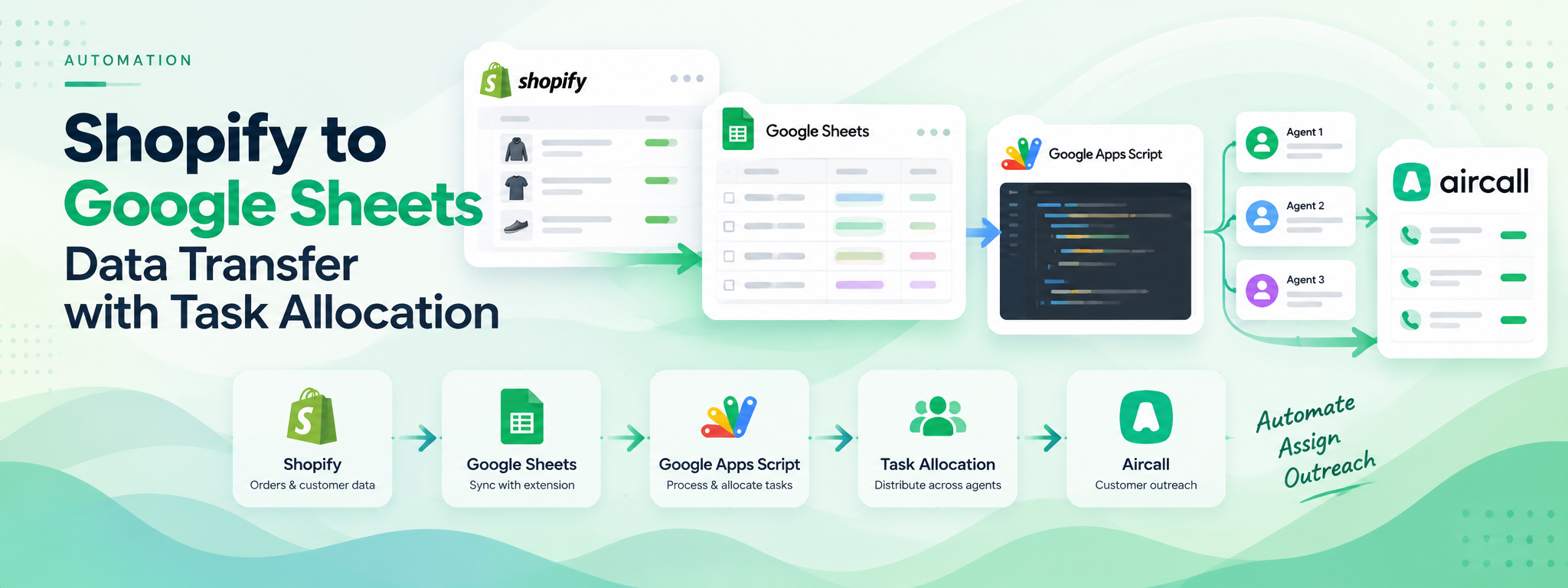
Leveraged expertise in API integration and Google Sheets to create an automated system that transfers data from Shopify to Google Sheets using the ‘Sync With’ extension.
 Google Apps Script
- Google Apps Script
- Shopify
- Google Sheets
- Aircall
Project Overview
This project uses Google Apps Script and Google Sheets to automate data transfer from Shopify and distribute customer-specific tasks across agents. The system uses the Sync With extension to transfer Shopify data to Google Sheets and integrates the resulting data with Aircall for customer outreach.
The system is configured to update daily.
Tools: Google Apps Script, Shopify, Google Sheets, and Aircall.
01. The Objective
The objective was to automate the transfer of Shopify data into Google Sheets and allocate customer-specific tasks to agents, reducing the need for manual task distribution.
02. The Solution
Google Apps Script functions handle the data processing and task allocation. The system uses the agent roster to distribute unattended calls evenly across available agents and integrates the data with Aircall for customer outreach.
03. How It Works
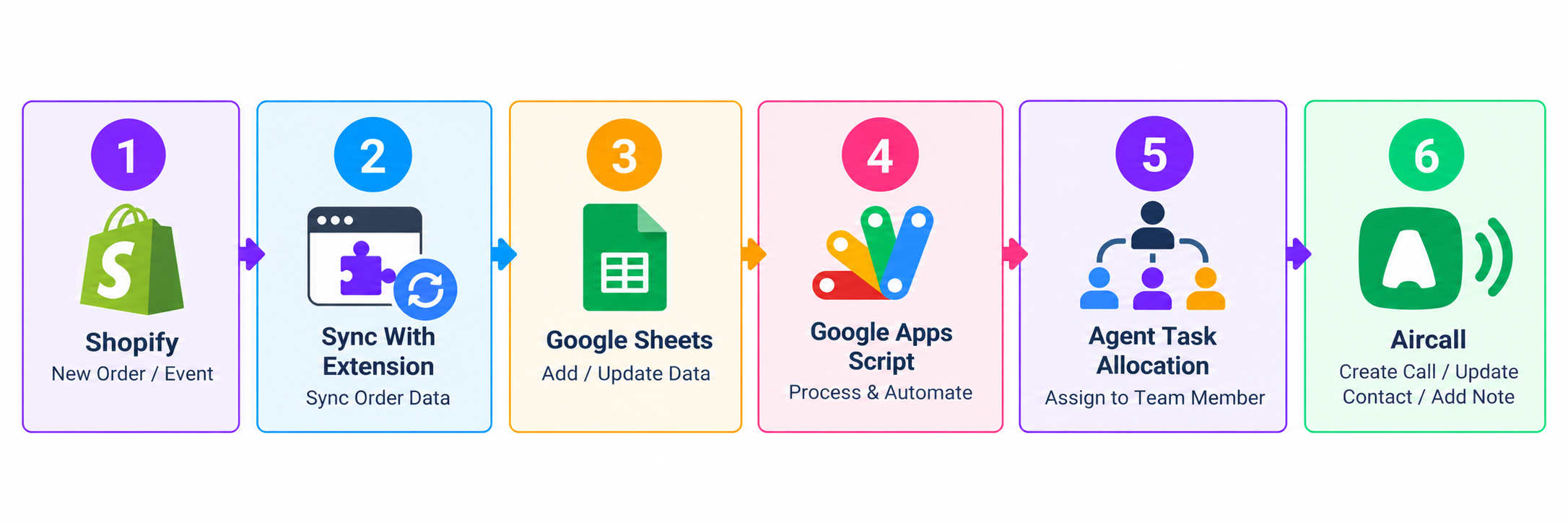
Step 1: Transfer Shopify Data
Shopify data is transferred to Google Sheets using the Sync With extension.
Step 2: Process the Agent Roster
Google Apps Script reads the agent names from the working sheet.
Step 3: Distribute Tasks
The task-distribution function calculates the allocation of data across the agent roster and assigns tasks evenly.
Step 4: Integrate with Aircall
The resulting data is integrated into Aircall to support customer outreach.
Step 5: Update Daily
The system is configured to update daily.
04. Task Distribution Logic
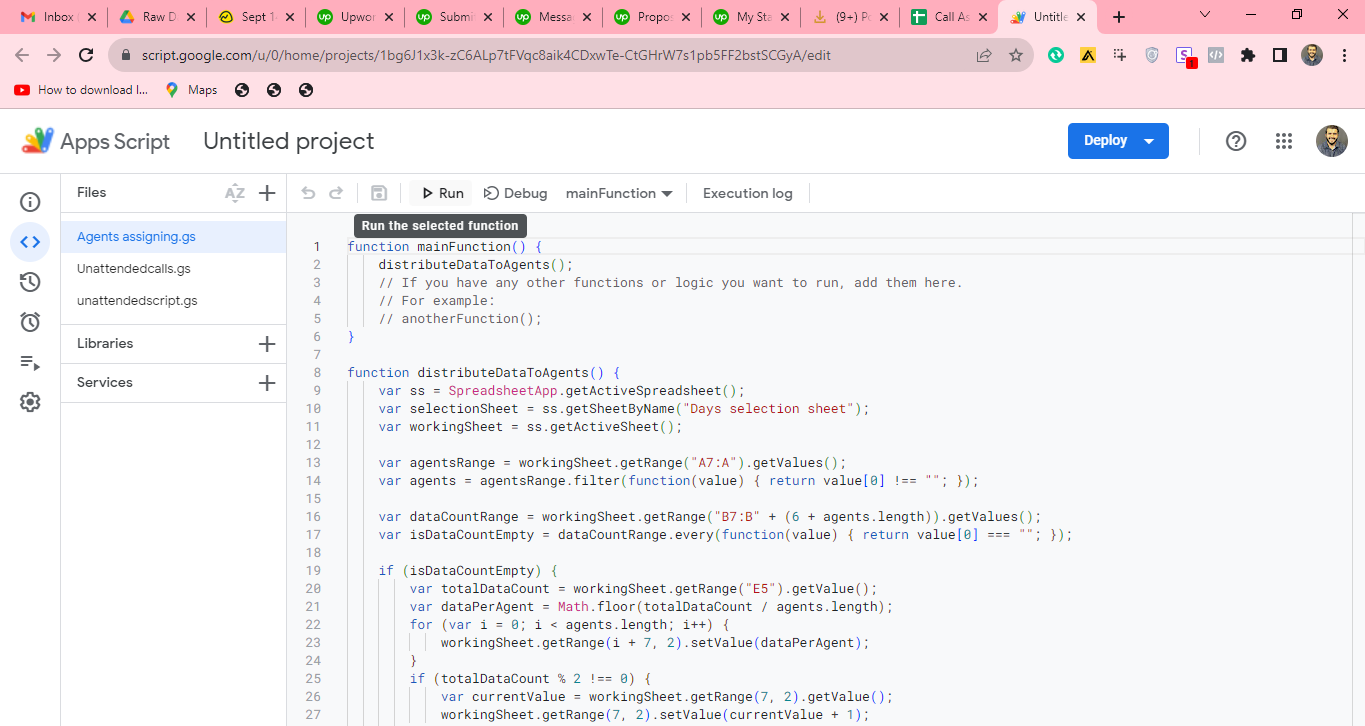
The Google Apps Script function distributes unattended calls across the agent roster. The provided code checks the agent list, reads the data count, calculates the number of tasks per agent, and assigns the calculated values in the working sheet.
05. Workflow Overview
06. Tools and Integrations
- Shopify: Source of the data being transferred.
- Sync With extension: Supports the transfer of Shopify data to Google Sheets.
- Google Sheets: Stores the transferred data and supports task allocation.
- Google Apps Script: Processes the data and distributes tasks across the agent roster.
- Aircall: Supports customer outreach using the integrated data.
07. Outcome
The solution automates Shopify data transfer, distributes customer-specific tasks across agents, and integrates the data with Aircall. The system is configured for daily updates.