← Back
 Google Apps Script
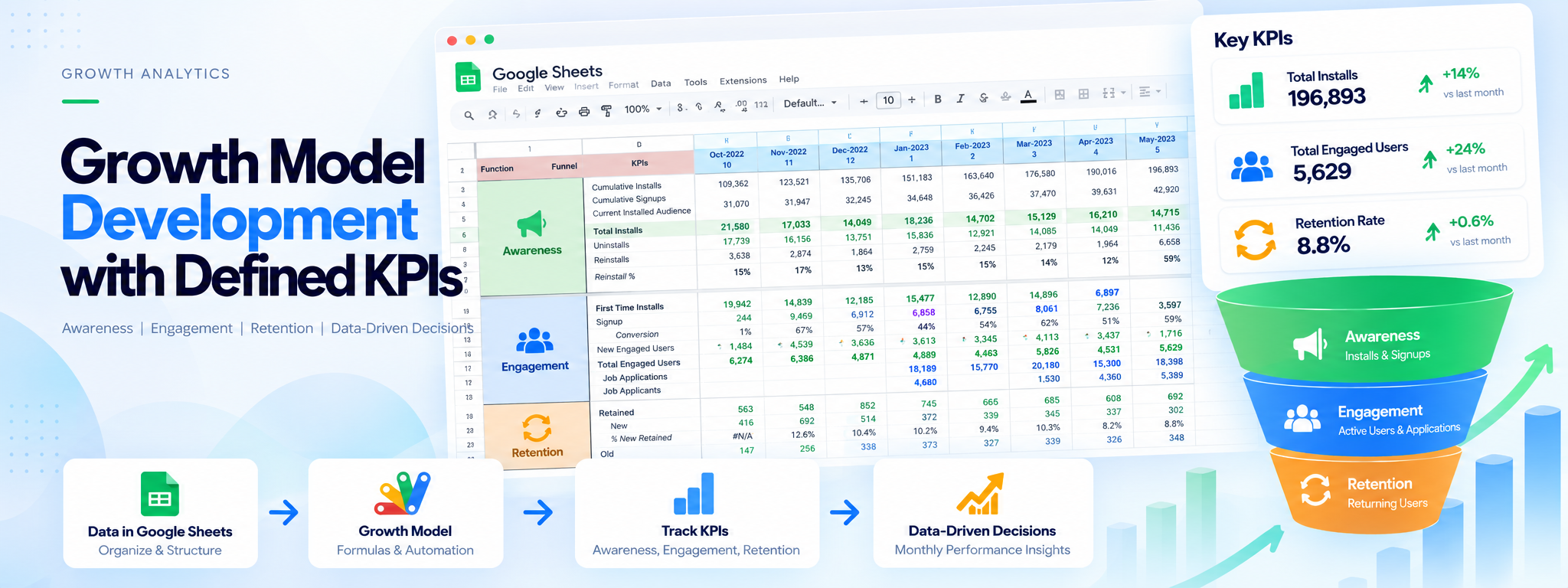
The growth funnel model: awareness, engagement, and retention KPIs tracked month over month.
Growth Model Development with Defined KPIs
Designed a dynamic growth model in Google Sheets, complete with Key Performance Indicators (KPIs) to enhance visibility and guide decision-making.
Google Apps Script
Works with
- Google Apps Script
- Google Sheets
Project Overview
This project uses Google Sheets to organize growth metrics and track performance across awareness, engagement, and retention.
Technology: Google Sheets, Google Apps Script
01. The Solution
A growth model was designed in Google Sheets with defined KPIs to improve performance visibility and support decision-making.
02. Key Metrics
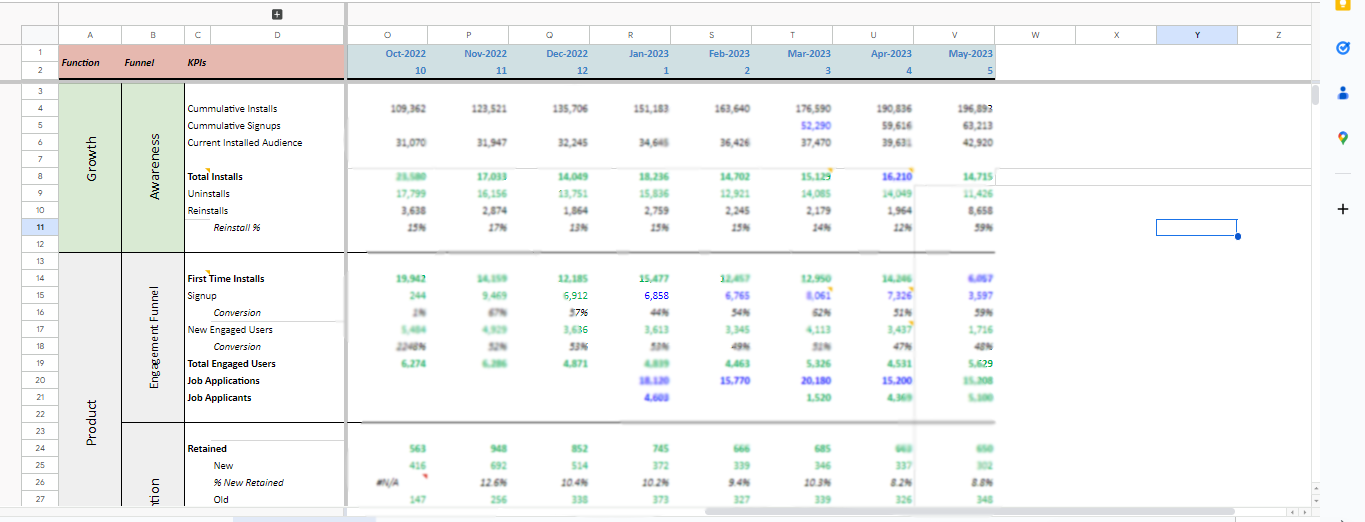
- Awareness: Cumulative installs, cumulative signups, current installed audience, total installs, uninstalls, and reinstalls.
- Engagement: First-time installs, signups, conversion, new engaged users, total engaged users, job applications, and job applicants.
- Retention: Retained users, new retained users, retention percentages, and old retained users.
03. How It Works
The model organizes KPIs by growth funnel stage and displays results month over month, making it easier to review changes in performance over time.
04. Outcome
The growth model provides a consolidated view of awareness, engagement, and retention KPIs to enhance visibility and guide decision-making.