
Email Reminder System
The script is scheduled to run daily to ensure real-time relevancy of its functions.
 Google Apps Script
- Google Apps Script
Project Overview
This project uses Google Apps Script to check dates stored in linked spreadsheets and send customized email reminders when tasks or events are due. The scripts support daily reminders, due-diligence checkups, and individual screening workflows.
Technology: Google Apps Script
01. The Challenge
Manually checking multiple spreadsheets for due dates and sending reminders can be time-consuming and may lead to missed tasks or delayed communications.
02. The Solution
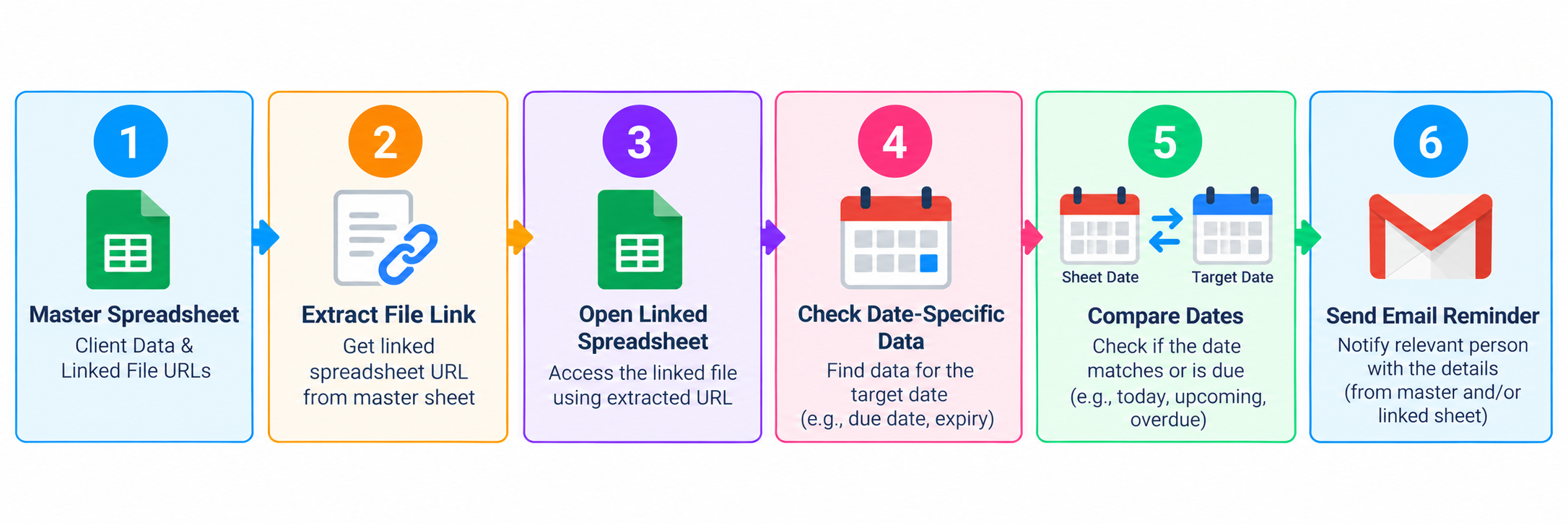
Google Apps Script automates the process of locating linked spreadsheets, reading date-specific data, comparing stored dates with the current date, and sending email reminders when the required conditions are met.
03. How It Works
- Run the script on a daily schedule.
- Extract spreadsheet links from a master file.
- Open the relevant spreadsheet and read its date-specific data.
- Compare stored dates with the current date.
- Send customized email reminders when a matching date is found.
04. Workflow
05. Implementation Examples
Example 1: Extracting Spreadsheet Links
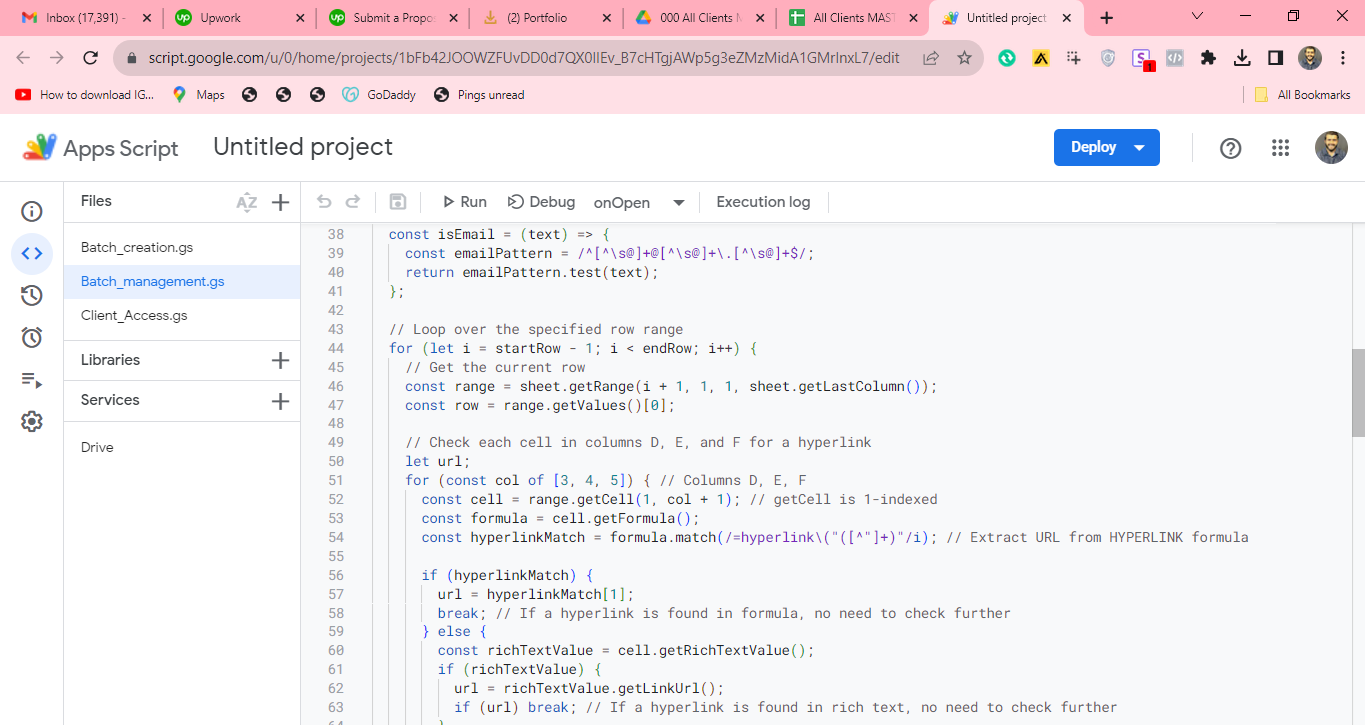
The script checks spreadsheet cells for hyperlinks, extracts the target URL, and locates the appropriate file before processing its data.
Example 2: Due-Diligence Email Reminders
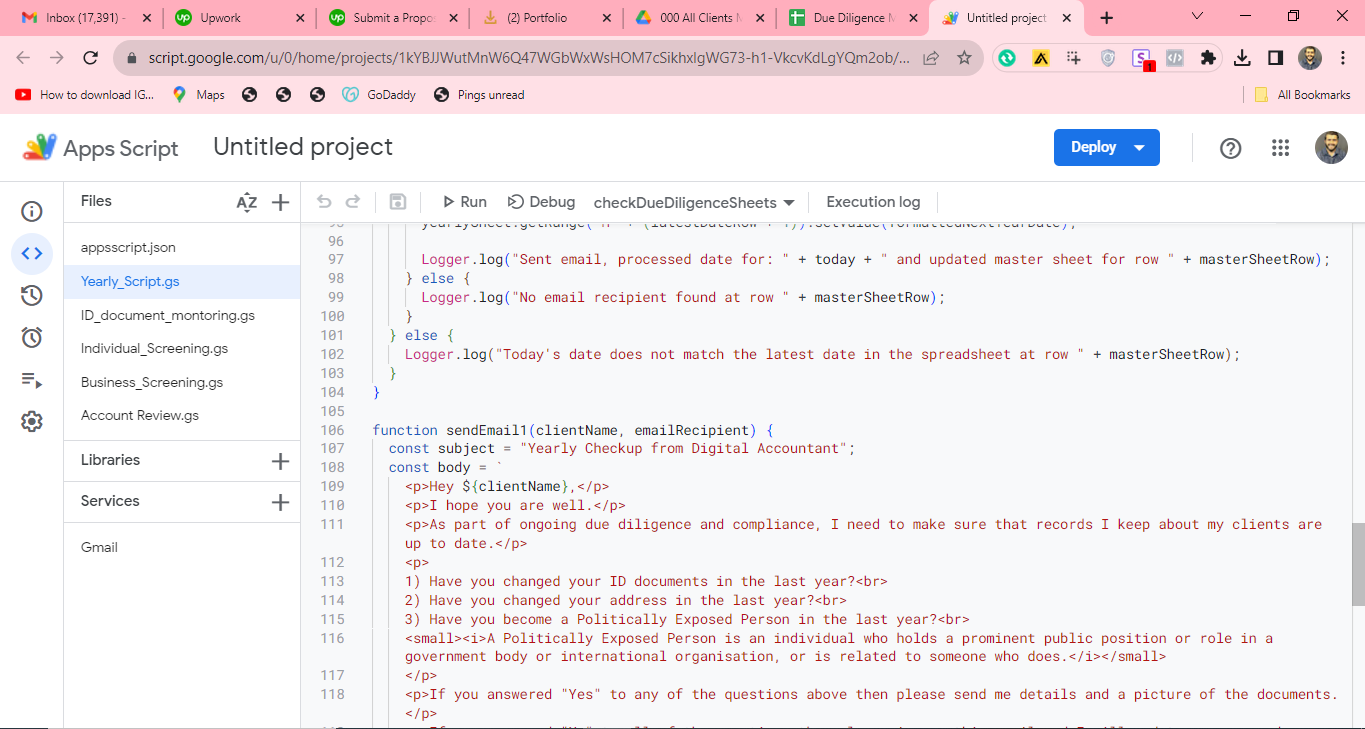
The due-diligence script compares the current date against spreadsheet data and sends a compliance-related email when the required date conditions are met.
Example 3: Individual Screening Automation
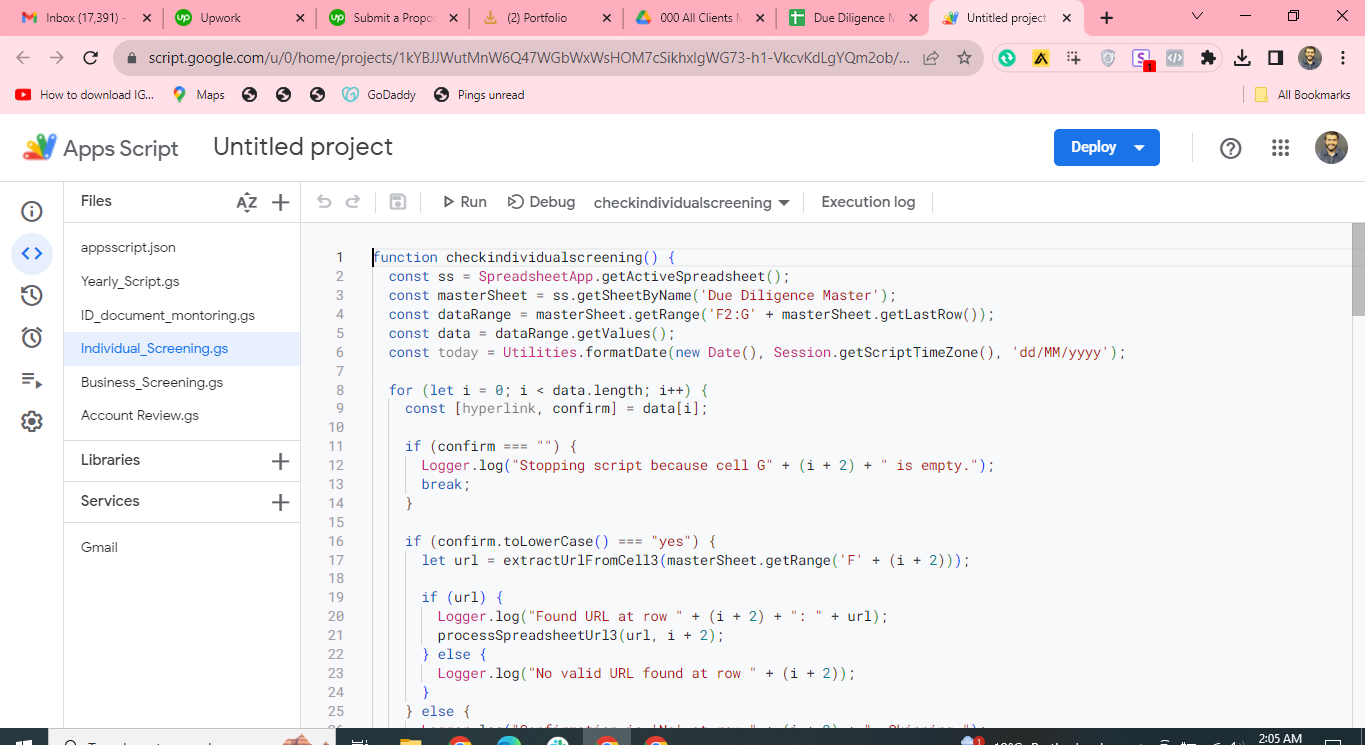
The screening script iterates through rows in the master sheet, checks confirmation values, extracts linked spreadsheet URLs, and processes the corresponding files.
06. Technology
Google Apps Script: Automates scheduled execution, spreadsheet link extraction, date comparisons, and email notifications.
07. Outcome
The automation reduces repetitive spreadsheet checks and helps maintain consistent communication by sending reminders when the specified date conditions are satisfied.