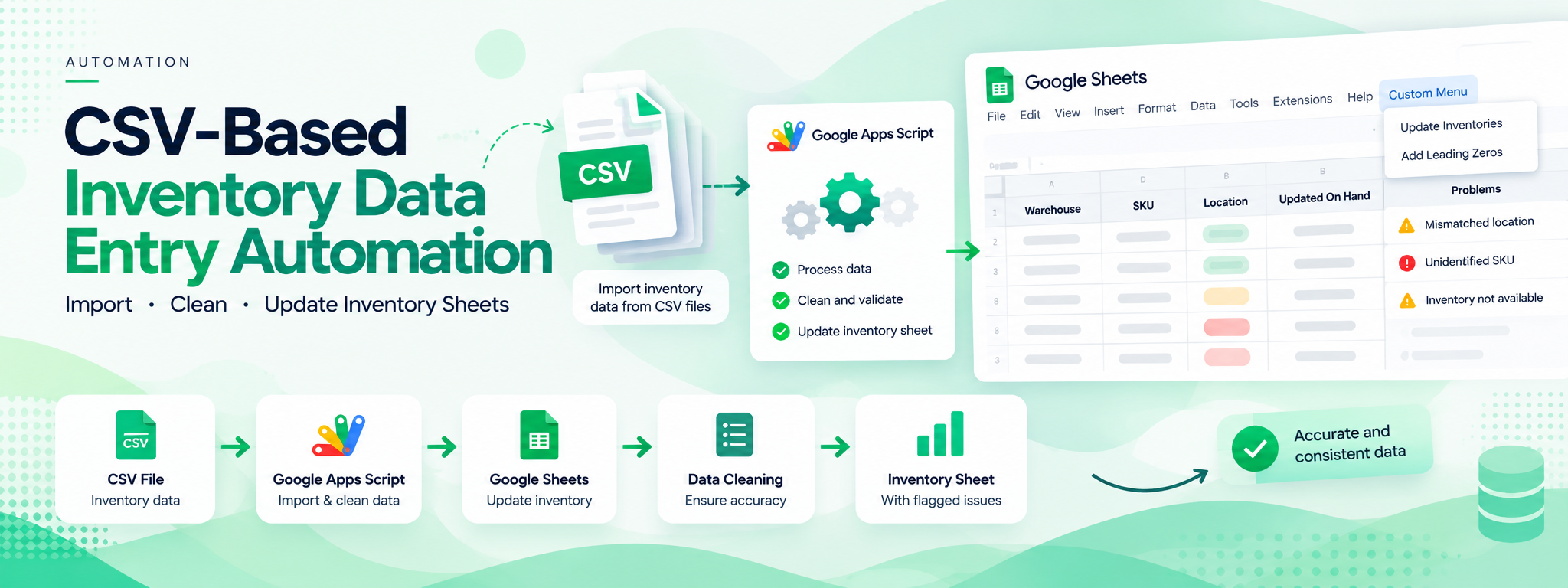
CSV-Based Inventory Data Entry Automation
Created a script to automate data entry in an inventory sheet from CSV files.
 Google Apps Script
- Google Apps Script
- Google Sheets
Project Overview
This project uses Google Apps Script to automate the import of inventory data from CSV files into an inventory sheet. It also includes a data-cleaning function to help maintain the accuracy and integrity of imported information.
Technology: Google Apps Script.
01. The Challenge
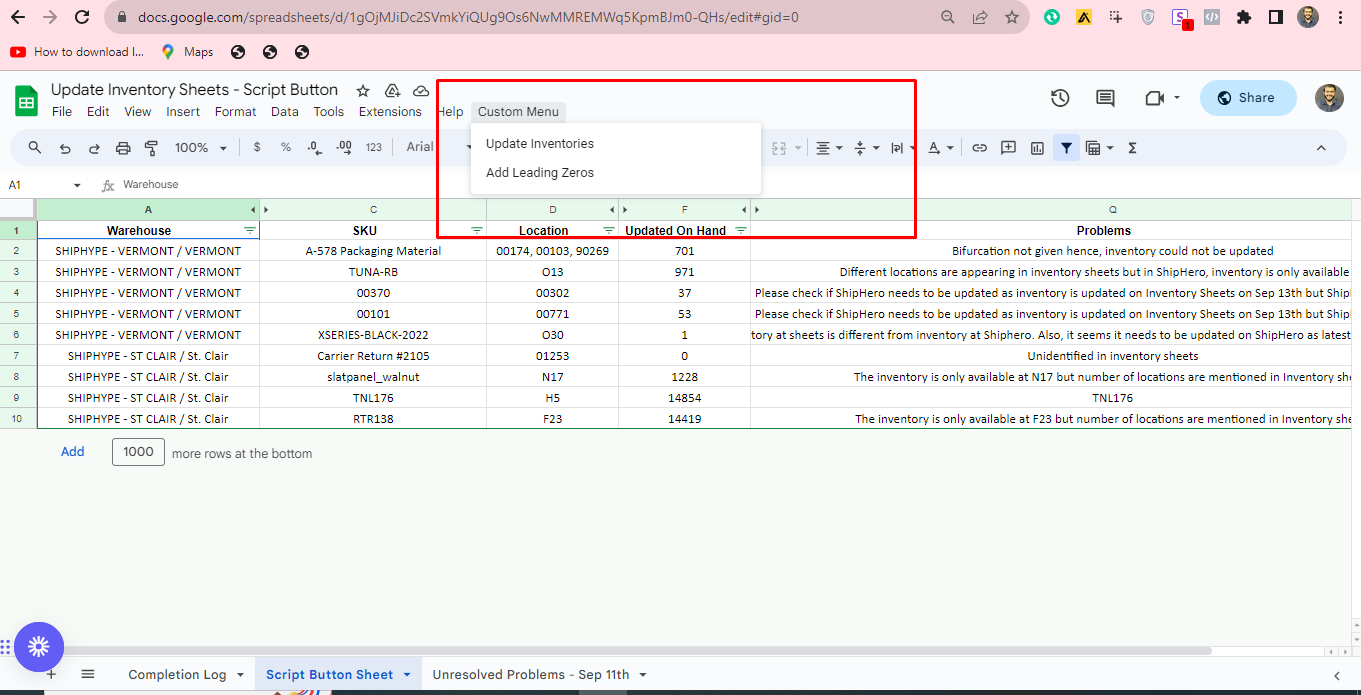
Inventory data from multiple warehouses can contain inconsistencies that need to be identified during processing. The provided inventory sheet shows examples of data-quality issues, including mismatched warehouse locations and unidentified SKUs.
02. The Solution
A Google Apps Script was created to automate CSV-based inventory data entry. The script also includes a data-cleaning function to help ensure that imported data is accurate and consistent.
03. How It Works
Step 1: Import Inventory Data
The script automates data entry into the inventory sheet using CSV files as the data source.
Step 2: Clean the Imported Data
A data-cleaning function processes the imported data to help maintain accuracy and integrity.
Step 3: Identify Inventory Issues
The inventory sheet displays problems such as mismatched locations and unidentified SKUs, helping highlight records that require attention.
04. Google Sheets Custom Menu
The provided screenshot shows a custom menu in Google Sheets with two options:
- Update Inventories
- Add Leading Zeros
These options provide menu-based access to the inventory-related script functions.
05. Example: Inventory Data Quality
The inventory sheet contains warehouse names, SKUs, locations, updated on-hand quantities, and a Problems column. The displayed examples include mismatched location information and unidentified inventory records.
06. Technology
- Google Apps Script: Automates CSV-based inventory data entry and provides a data-cleaning function.
- Google Sheets: Holds the inventory data and displays inventory records and flagged issues.
07. Outcome
The solution automates inventory data entry from CSV files and includes data cleaning to support accurate and consistent inventory records.