Batch Creation of Folders and Files
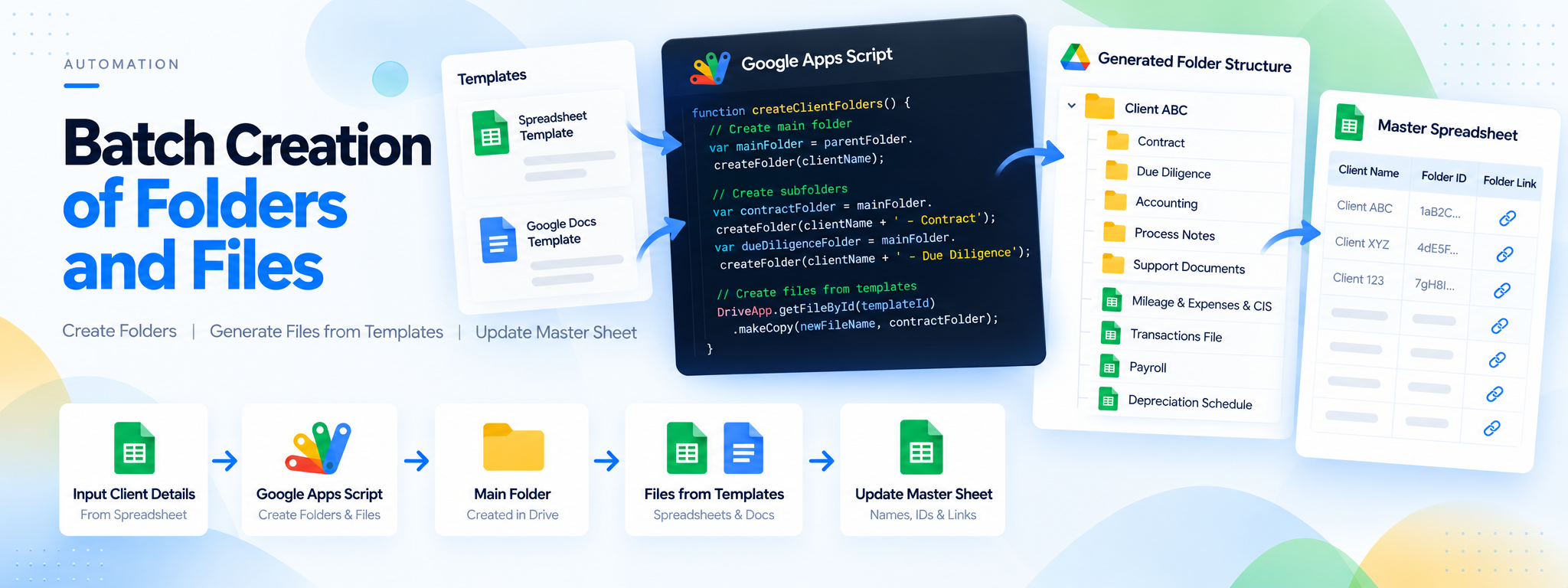
The script initiates by creating a structured main folder in Google Drive.
 Google Apps Script
- Google Apps Script
- Google Drive
Project Overview
This project uses Google Apps Script to create a structured folder hierarchy in Google Drive, generate spreadsheet files from templates, duplicate Google Docs templates, and record the created files and folders in a master spreadsheet.
Technology: Google Apps Script, Google Drive
01. The Challenge
Creating folders and preparing multiple files manually for each client requires repetitive work and makes file organization more time-consuming.
02. The Solution
A Google Apps Script automates folder creation, spreadsheet generation from templates, and duplication of Google Docs templates. A master spreadsheet records the names, IDs, and direct links of the created items.
03. How It Works
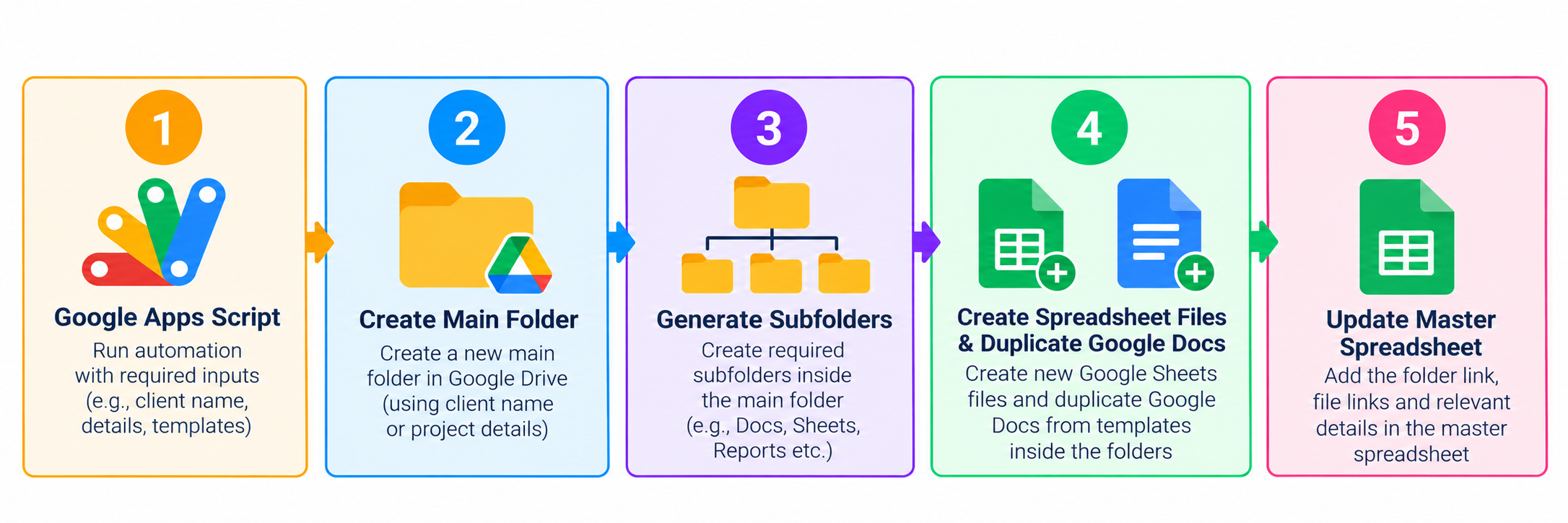
- Create a main folder in Google Drive.
- Generate predefined subfolders within it.
- Create spreadsheet files from templates in the relevant folders.
- Duplicate Google Docs templates and place them in their respective folders.
- Update the master spreadsheet with file and folder names, IDs, and links.
04. Workflow
05. Technology
- Google Apps Script: Automates the batch creation process.
- Google Drive: Stores the folders, spreadsheets, and duplicated documents.
06. Outcome
The automation streamlines the creation and organization of client folders and files while maintaining a master spreadsheet for easy navigation.
07. Implementation
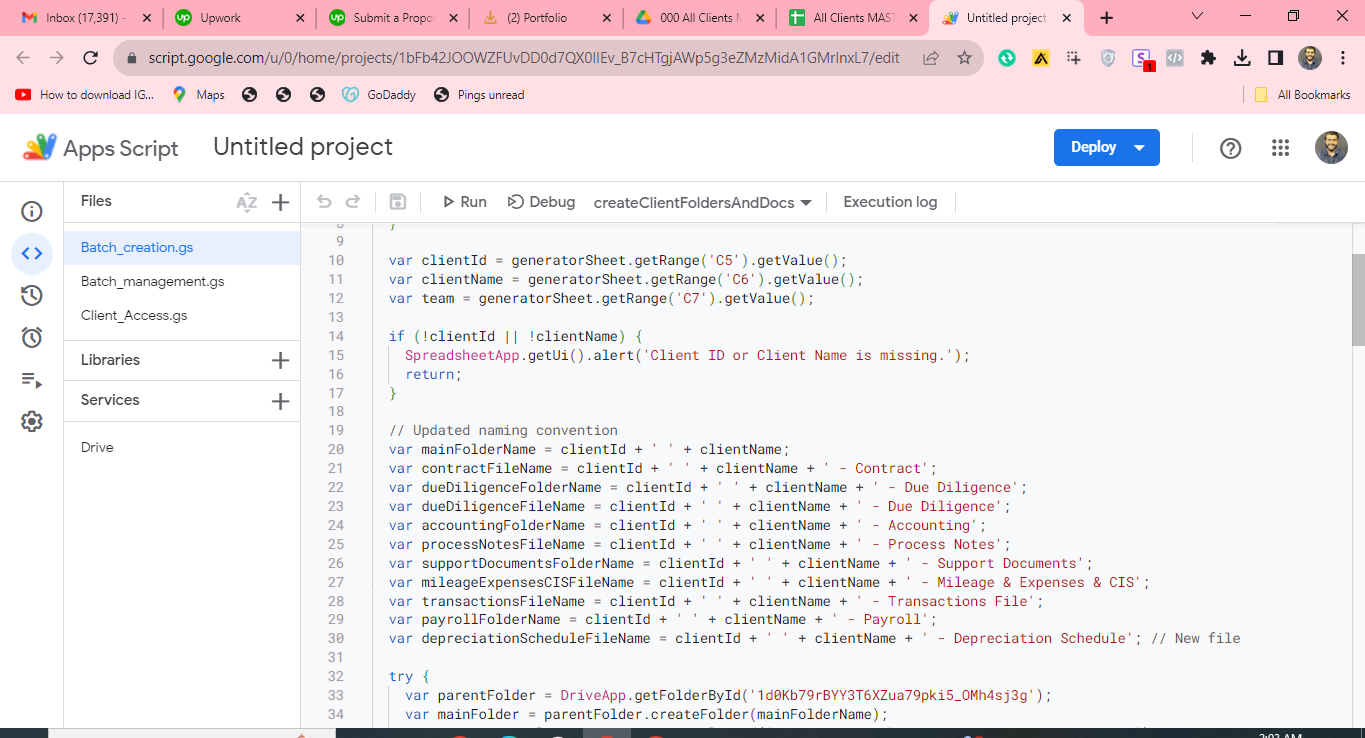
Batch-Creation Script: Generates each client's folder structure, contract, and accounting files from templates.