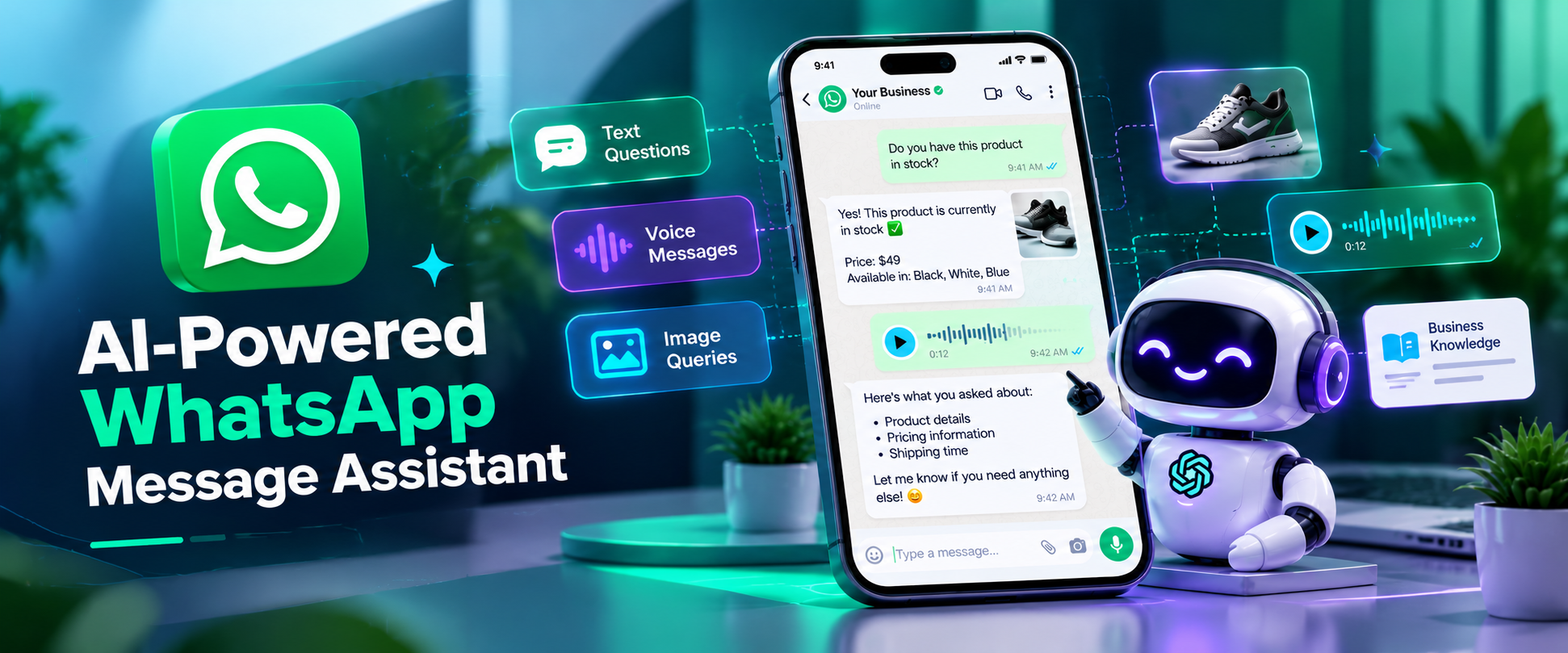
AI-Powered Whatsapp message Assistant
An AI-powered WhatsApp assistant that automates customer support through text, voice, and image understanding, delivering instant, knowledge-based responses 24/7.
 n8n Automations AI Agents
 AI Agents for WhatsApp AI Agents for Ecommerce
- n8n
- OpenAI
- Supabase
01.Project Overview
The AI-Powered WhatsApp Message Assistant is an intelligent customer support solution built with n8n, OpenAI, WhatsApp, and Supabase. It automates customer conversations by understanding text, voice messages, and images, then generating relevant responses based on business knowledge.
Using AI-powered processing and semantic search, the assistant delivers consistent, context-aware support around the clock, reducing repetitive manual work and allowing human agents to focus on more complex customer inquiries.
02. The Problem: WhatsApp Customer Support Didn’t Scale
Before automation, customer support over WhatsApp was entirely manual and increasingly difficult to manage.
Staff had to respond to every message individually, including repetitive questions about products, prices, availability, and store policies. Voice messages required manual listening and interpretation, while image-based questions, such as product photos, needed human review. Responses varied depending on the staff member, and support was unavailable outside business hours.
For a small business receiving 80–120 WhatsApp messages per day, this resulted in:
- High Manual Workload: 4–6 hours per day spent answering routine questions.
- Delayed Responses: Longer waiting times during peak hours.
- Missed Inquiries: Customer messages going unanswered outside working hours.
- Staff Dependency: Heavy reliance on trained employees with product knowledge.
- Inconsistent Support: Different responses depending on who handled the conversation.
Core Challenge: WhatsApp was the main customer communication channel, but human-only support could not keep up with demand without increasing headcount.
03. Results After Automation
After deploying the WhatsApp AI Business Assistant:
- 70–85% of incoming queries were handled automatically.
- Customers received instant replies, including outside business hours.
- Voice messages were transcribed and answered automatically.
- AI understood image-based queries involving products and issues.
- Responses became more consistent, accurate, and aligned with business policies.
- Human agents focused on complex or exceptional conversations.
Time and Workload Impact
Before Automation
- Approximately 3–4 minutes per WhatsApp message.
- Around 100 messages per day required approximately 5–6 hours of support time.
After Automation
- Human involvement was limited to approximately 15–30 messages per day.
- Manual support time decreased to around 1–1.5 hours per day.
Estimated Time Savings
- 3–4 hours saved per day.
- 90–120 hours saved per month.
This allowed the business to scale WhatsApp support without hiring additional staff.
04. The Solution: An AI Assistant Inside WhatsApp
The system acts as a virtual support agent directly within WhatsApp.
- Understands text, voice messages, and images.
- Maintains conversation context.
- Retrieves relevant business knowledge instantly.
- Generates natural, context-aware responses.
- Supports text or voice replies when appropriate.
Customers receive fast, helpful support without needing to change how they communicate with the business.
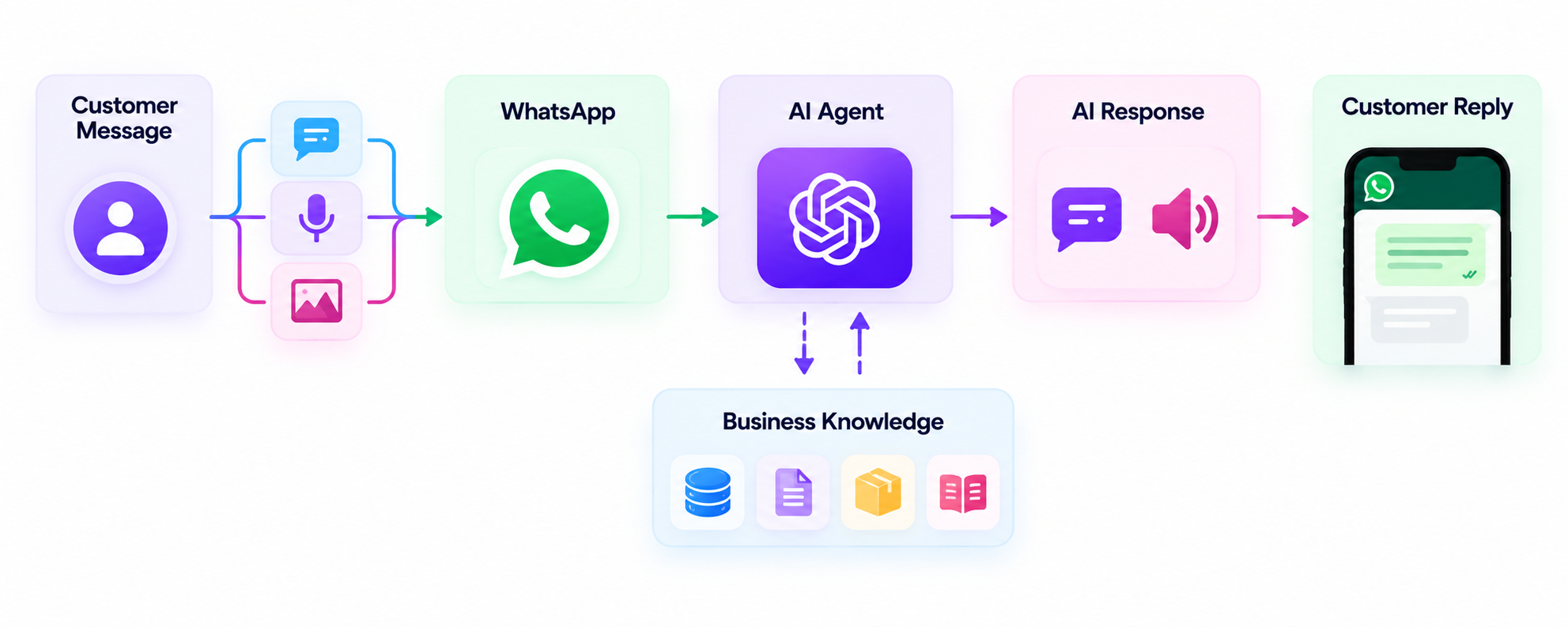
05. How the System Works
- Customer Message: Customers contact the business through WhatsApp.
- Message Understanding: AI identifies the message type and intent.
- Knowledge Retrieval: Relevant business information is retrieved using semantic search.
- Response Generation: AI generates a context-aware answer based on the available information.
- WhatsApp Reply: The response is delivered automatically to the customer.
The workflow processes messages automatically within seconds.
06. Business Value
- Reduced Manual Workload: Automates repetitive customer support tasks.
- Faster Responses: Helps customers receive timely answers.
- Consistent Communication: Maintains more uniform, policy-aligned responses.
- Multilingual Support: Handles conversations in different languages.
- 24/7 Availability: Supports customers beyond regular business hours.
- Seamless Experience: Customers continue using WhatsApp as usual.
07. Reliability and Safety
- Business-Grounded Answers: Uses available business knowledge to guide responses.
- Graceful Fallbacks: Handles unclear information without relying on unsupported answers.
- Data Boundaries: Does not process payments or sensitive data.
- Human Escalation: Complex cases can be directed to human agents when escalation is configured.
These measures help maintain reliable, consistent, and responsible customer support.
08. How to Replicate the System
The solution uses the WhatsApp Cloud API, n8n, OpenAI, and Supabase Vector Store.
Step 1: Set Up WhatsApp Cloud API
Configure the WhatsApp Business account, phone number ID, and webhook events for incoming messages.
Ensure the integration supports receiving text, voice, and image messages and sending text or audio replies.
Step 2: Create the WhatsApp Webhook in n8n
- Create a Webhook Trigger node in n8n.
- Copy the generated webhook URL.
- Add the URL to the Meta WhatsApp Webhooks configuration.
This connects incoming WhatsApp messages to the automation workflow.
Step 3: Import the n8n Workflow
Create a new workflow in n8n and import the provided file:
AI-Powered WhatsApp Assistant.json
Step 4: Connect AI and Data Services
OpenAI
- Add the OpenAI API key.
- Configure the chat model, audio transcription, image analysis, and text-to-speech capabilities.
Supabase Vector Store
- Add the Supabase project URL and API key.
- Verify that the vector table contains products, FAQs, policies, and business information.
This enables retrieval-augmented generation (RAG) for business-grounded responses.
Step 5: Configure Message Routing
Open the Switch node and verify the routing rules:
- Text: Text message → AI Agent
- Voice: Voice message → Transcription → AI Agent
- Image: Image message → Image Analysis → AI Agent
This separates message-processing paths according to the input type.
Step 6: Test the Workflow
Send test messages through WhatsApp, including:
- A text question, such as a product inquiry.
- A voice message.
- An image, such as a product photo.
Verify correct intent detection, relevant answers from business knowledge, successful WhatsApp replies, and voice responses when triggered.
Step 7: Activate the Workflow
Switch the n8n workflow to Active after testing and validating the integrations.
The assistant can then respond to customer messages automatically through WhatsApp.
09. Final Outcome
With the WhatsApp AI Business Assistant deployed:
- Customer support became faster and more reliable.
- Staff could focus on higher-value conversations.
- Customers received timely, relevant assistance.
- Support could scale with business growth without proportionally increasing manual workload.
The system transformed WhatsApp from a manual support burden into an always-on, AI-powered customer assistant.