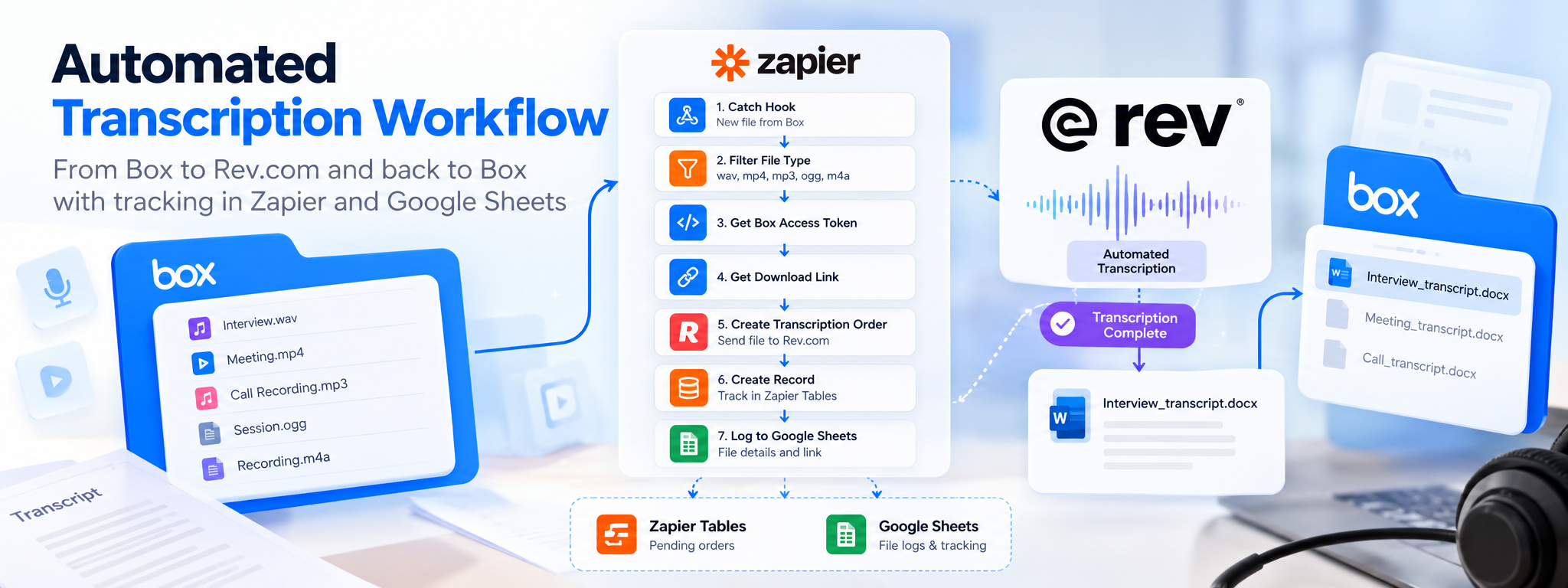
Automated Transcription Workflow Between Box and Rev.com
Automating audio and video transcription submissions, transcript delivery, and file tracking using Zapier.
 Zapier Automations
- Zapier
- Google Sheets
Overview
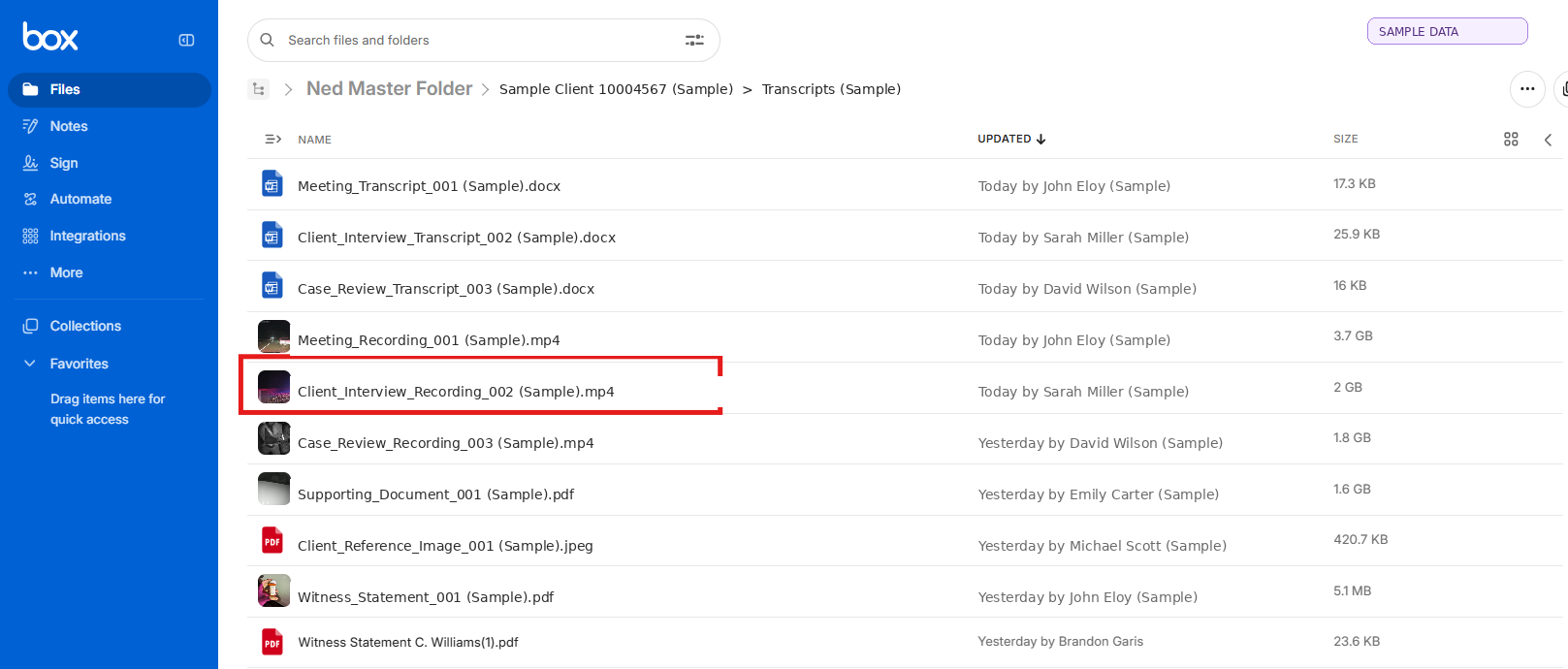
Audio and video files stored in Box previously required manual retrieval, transcription submission, order tracking, and document storage. Two connected Zapier workflows now submit eligible files to Rev.com, track pending orders, and deliver completed transcripts back to their corresponding Box folders.
The Problem
Teams handling recordings in Box need to submit files for transcription and keep track of each request until the transcript is ready. Manually retrieving files, creating transcription orders, checking their status, and uploading completed documents involves repetitive work. It can also become difficult to keep the original recording, transcription order, and completed document connected to the correct client folder.
How It Works
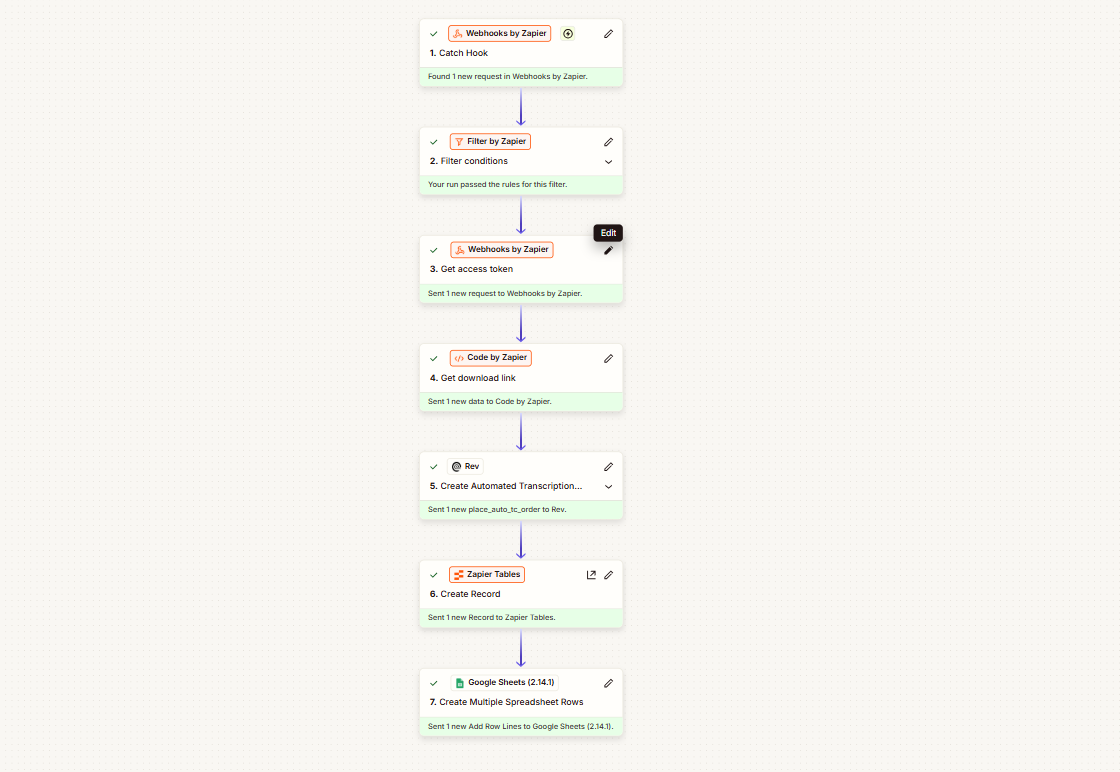
- Detect New Files: A Box webhook triggers the workflow when a new file is received.
- Filter Media Files: Zapier checks the file extension and allows supported formats such as WAV, MP4, MP3, OGG, and M4A.
- Retrieve the File: Webhooks obtain Box API access, and Code by Zapier generates the source file's download link.
- Submit for Transcription: The download link is sent to Rev.com to create an automated transcription order.
- Save Order Details: Zapier Tables stores the order ID, client reference, pending status, and folder information.
- Log Source Information: Google Sheets records the original filename, Box file ID, parent folder ID, and download link.
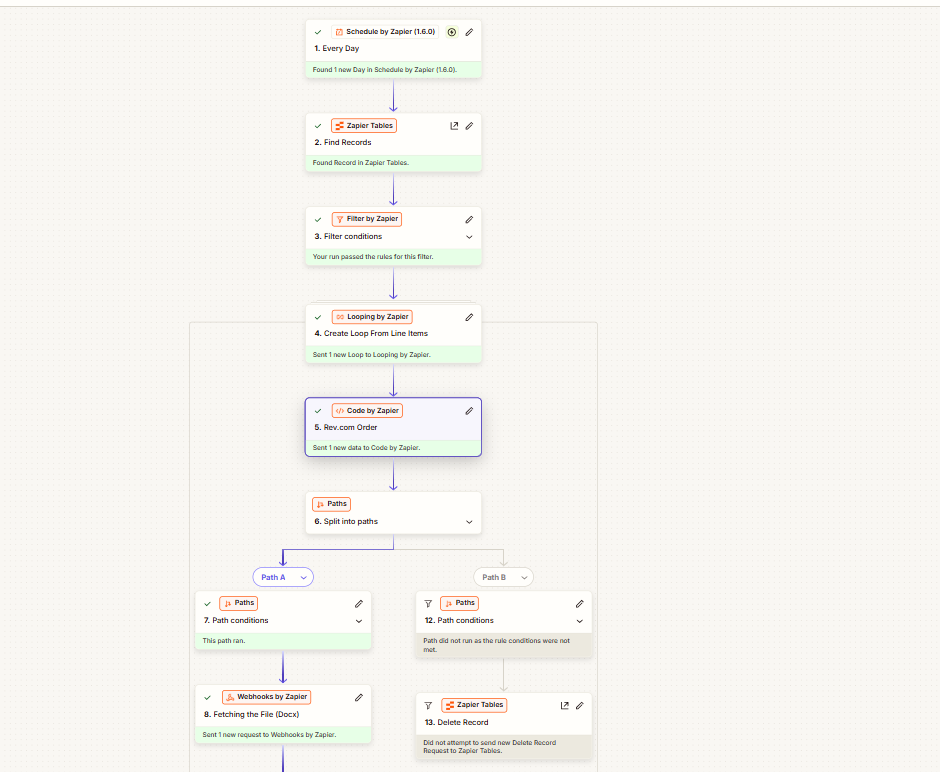
- Check Pending Orders: A second workflow runs daily at 9 PM and retrieves pending records from Zapier Tables.
- Verify Transcription Status: The workflow checks each order through the Rev.com API and identifies orders marked Complete or Delivered.
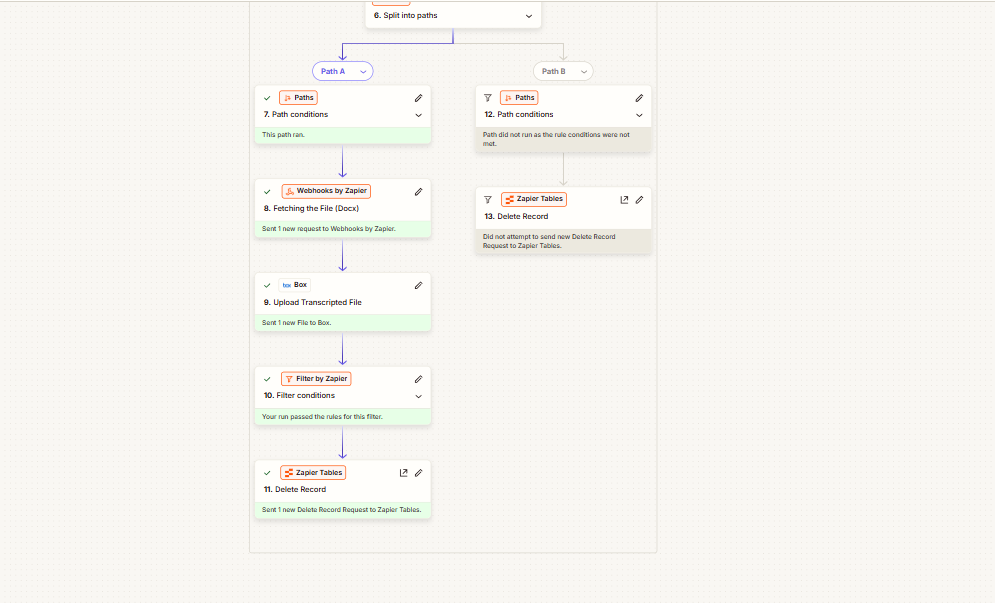
- Retrieve the Transcript: The automation locates the transcript attachment and prepares a Word document filename.
- Deliver the Document: The completed transcript is uploaded to its associated Box folder. Conditional paths handle orders that are not ready or have been canceled.
Results & Metrics
The two workflows separate transcription submission from transcript delivery, so the initial file-processing workflow does not need to wait for Rev.com to finish the transcription.Pending orders are tracked in Zapier Tables, while Google Sheets maintains source-file details. Once a transcript is marked Complete or Delivered, the automation retrieves the Word document and places it in the associated Box folder.
Tech Stack
| Tool | Role in the Workflow |
|---|---|
| Zapier | Coordinates both automations, scheduling, filters, loops, and conditional paths. |
| Box | Stores the original media files and receives completed transcripts. |
| Rev.com API | Handles transcription submissions, order-status checks, and transcript retrieval. |
| Webhooks | Communicate with the Box API for authentication and file access. |
| Code by Zapier | Generates download links, extracts order IDs, checks status, and prepares filenames. |
| Zapier Tables | Stores pending transcription orders and related references. |
| Google Sheets | Maintains source-file details and download-link records. |
The team can continue using its existing Box, Rev.com, and Google Sheets setup without moving to a new document-management platform.
Where This Pattern Applies
This solution is not limited to transcription services. The same approach can be used wherever incoming files need to be processed by an external service and returned to the correct record or folder.
Example — Legal Services: Audio recordings of client interviews can be submitted for transcription, tracked until completion, and returned to the relevant case folder in document storage.
Other applications include:
- Healthcare: Process consultation recordings and store completed transcripts.
- Recruitment: Transcribe interviews and attach documents to candidate records.
- Insurance: Process recorded client statements and organize transcripts with claim files.
- Education: Transcribe lectures and store documents by course or session.
- Customer Support: Process recorded calls and attach transcripts to support records.
The general pattern is to detect an incoming file, submit it for processing, track its status, retrieve the completed output, and return it to the correct destination. The external service, matching rules, and storage platform change according to the business process.