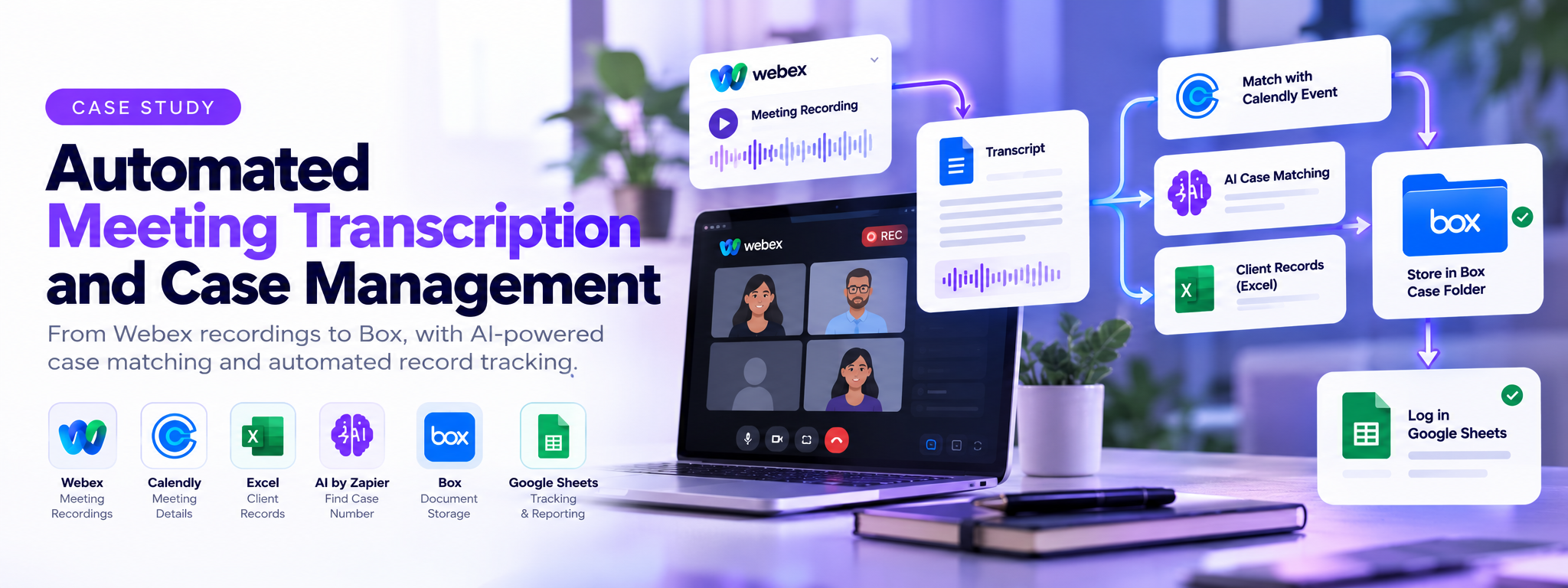
Automated Meeting Transcription and Case Management
Automating Webex meeting transcript retrieval, case matching, document storage, and record tracking using Zapier.
 Zapier Automations
- Zapier
- Calendly
- Google Sheets
Overview
Meeting transcripts previously required manual handling, from retrieving recordings and identifying the correct client case to storing documents and updating tracking records. The Zapier automation connects these steps, using Calendly matching or AI-assisted case identification to route transcripts into the appropriate Box folders and update Google Sheets.
The Problem
Teams handling Webex meetings need to retrieve transcripts, identify the correct client or case, and store documents in the right folders. When these tasks are handled manually, transcripts can be difficult to match with the correct records, and tracking sheets may not stay up to date. Managing different meeting sources also adds repetitive work and increases the chance of misplaced or untracked documents.
How It Works
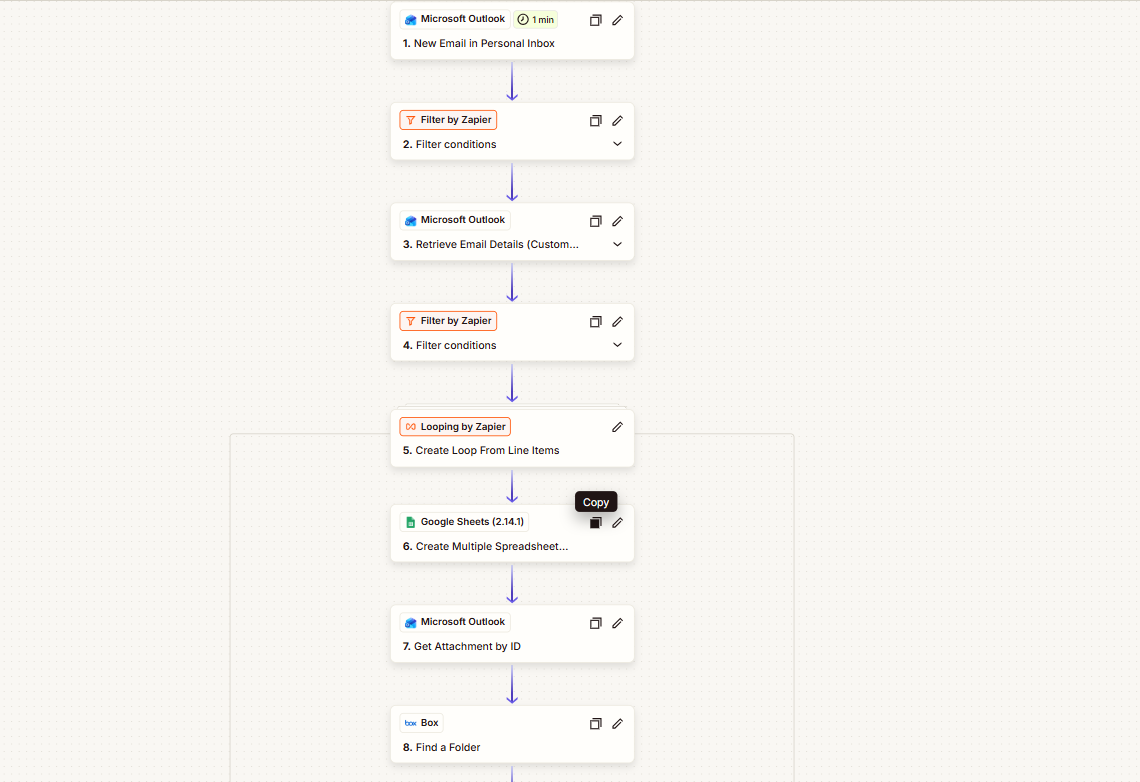
- Capture Meeting Information: A webhook starts the workflow when meeting-related data is received.
- Retrieve Meeting Details: Webex provides meeting information and participant details.
- Check Transcript Availability: Filters check whether the meeting meets the required transcription conditions.
- Format Meeting Data: Meeting dates and times are prepared for further processing.
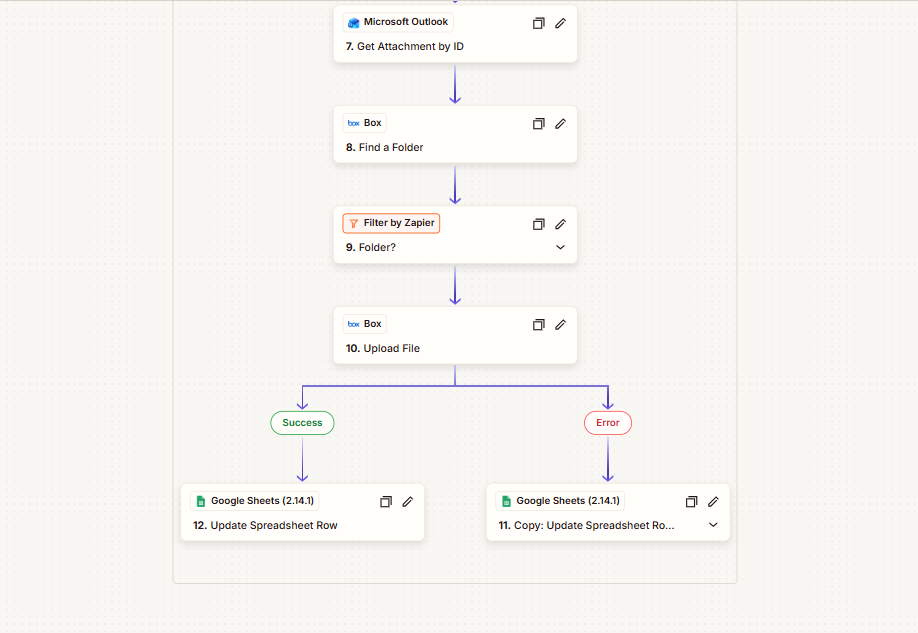
- Match the Meeting: Zapier routes the meeting through either Calendly matching or AI-assisted case identification.
- Identify the Case Folder: The workflow locates the corresponding folder in Box.
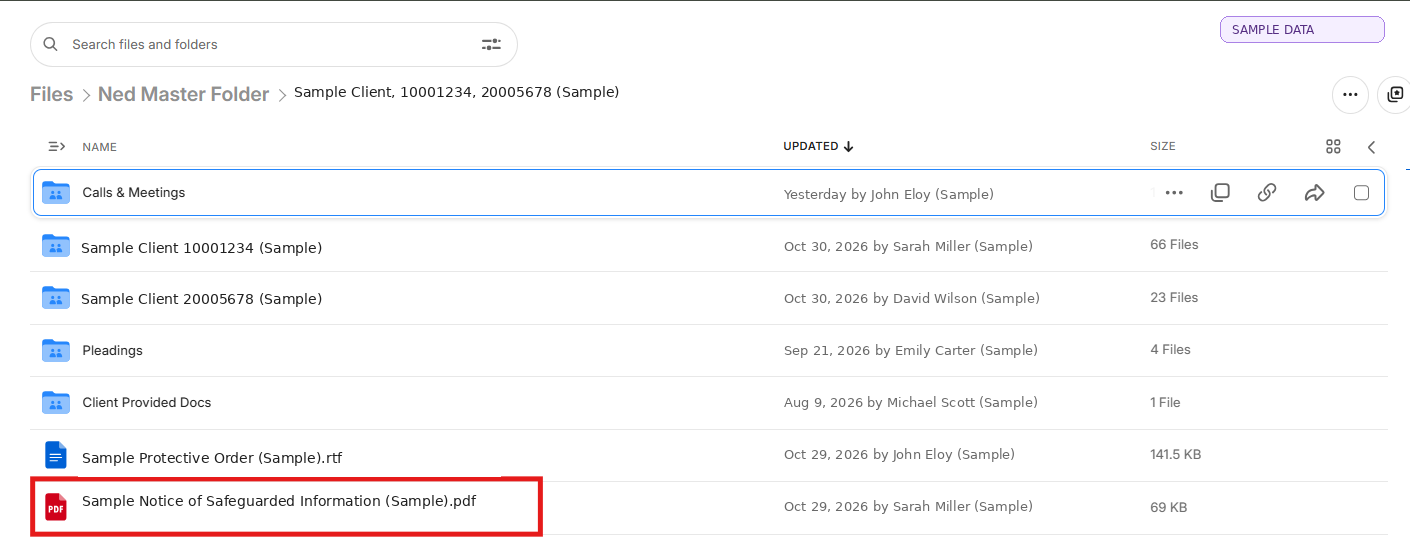
- Process the Transcript: The transcript is retrieved and uploaded to the appropriate Box folder.
- Update Records: Google Sheets records the meeting and processing information.
Results
The automation brings transcript retrieval, case matching, document storage, and tracking into one coordinated workflow. It provides two matching paths for handling meetings and helps keep transcript files and associated case records organized across connected applications.
Tech Stack
| Tool | Role in the Workflow |
|---|---|
| Zapier | Connects applications and manages filters, loops, and workflow paths. |
| Webex | Provides meeting details, participant information, and transcript access. |
| Calendly | Supplies event information for meeting matching. |
| AI by Zapier | Assists in identifying case numbers from client records. |
| Microsoft Excel | Provides case-related information through CSV data. |
| Box | Stores transcripts in the relevant folders. |
| Google Sheets | Maintains meeting and processing records. |
The team can continue using its existing applications without needing to move its meeting records or document storage to a new platform.
Where This Pattern Applies
This solution is not limited to meeting management. The same approach can help any team that needs to match incoming documents or records with existing client information.
Example – Insurance: An incoming claim document can be matched with a customer record, stored in the correct claim folder, and logged in a tracking sheet.
Other applications include:
- Legal: Match client documents with case files.
- Healthcare: Organize consultation records and related documents.
- Recruitment: Match candidate documents with applications.
- Financial Services: Route transaction documents to customer records.
- Customer Support: Attach incoming correspondence to support cases.
The general pattern is to capture incoming information, identify its matching record, store the associated document, and update the tracking system. The matching rules and connected applications change according to the business process.