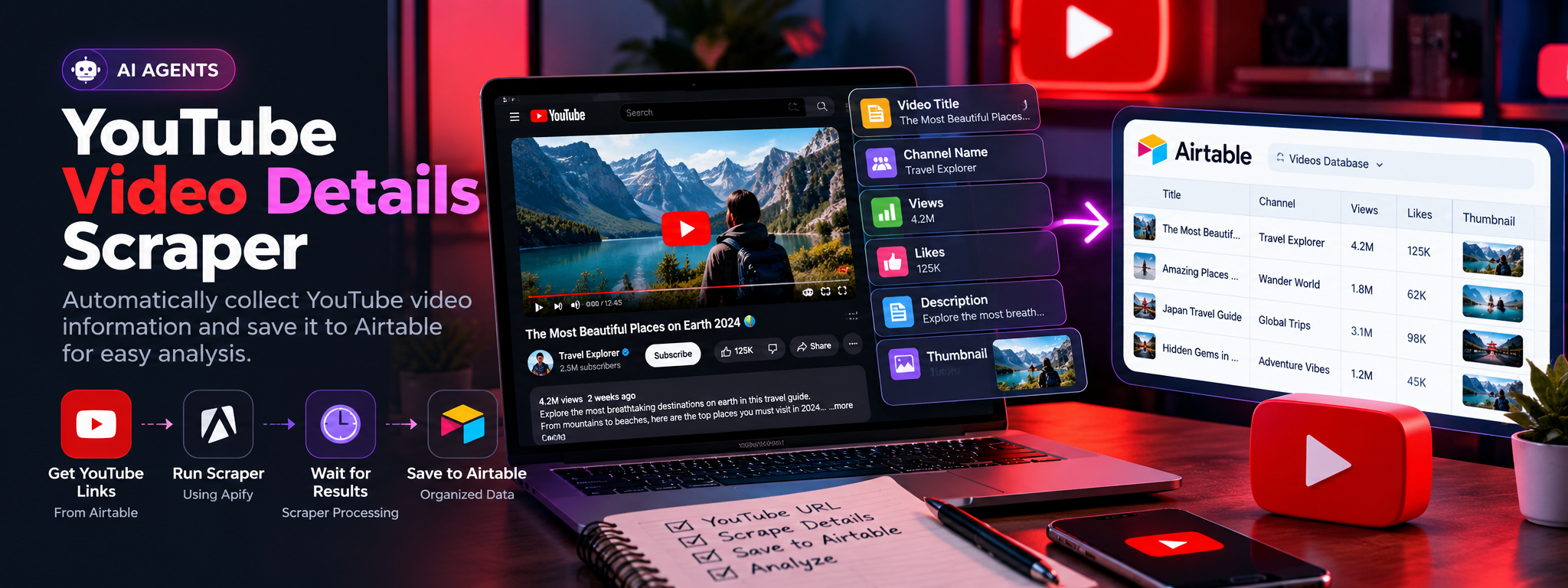
YouTube Video Details Scraper using Automation
Automatically collect detailed info from YouTube videos of popular creators for content analysis.
- YouTube
- Airtable
- n8n
YouTube Video Details Scraper Using Automation
Automating YouTube video data collection and storing results in Airtable for content research and analysis.
Category: AI Agents Integrations: YouTube, Airtable, Apify
01. Project Overview
This workflow automates the collection of detailed information from YouTube videos. It retrieves video links from Airtable, sends them to a scraping service, waits for the results, and updates the corresponding Airtable records with the collected data.
02. The Challenge
Collecting video information manually can be time-consuming, especially when researching multiple creators and videos. Titles, channel details, view counts, likes, descriptions, subtitles, and thumbnails must be gathered and organized before they can be analyzed.
03. The Solution
An automated workflow connects Airtable with a video-scraping service. It processes video links, retrieves available video details, and saves the results back to Airtable, reducing repetitive manual data collection.
04. How It Works
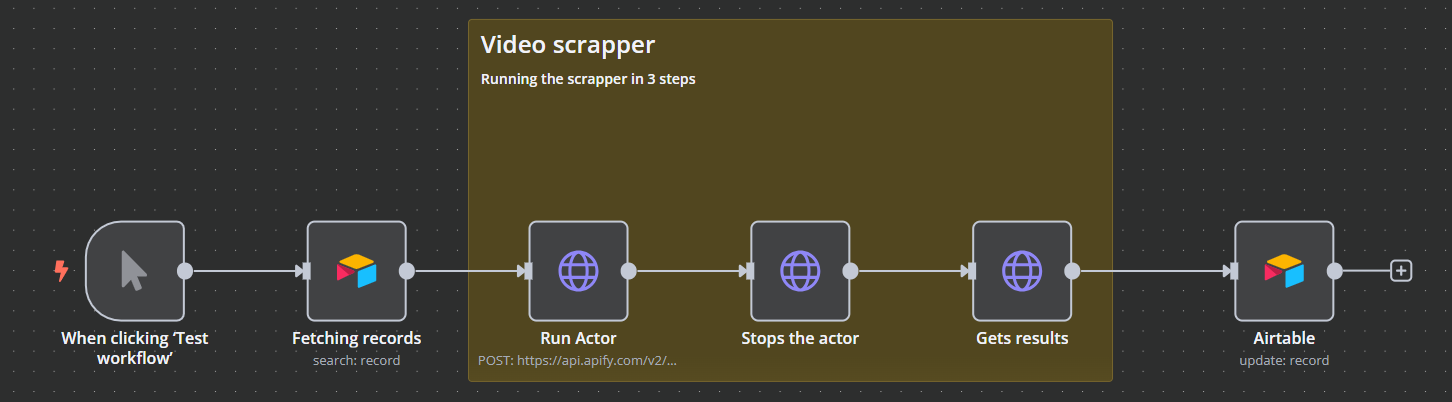
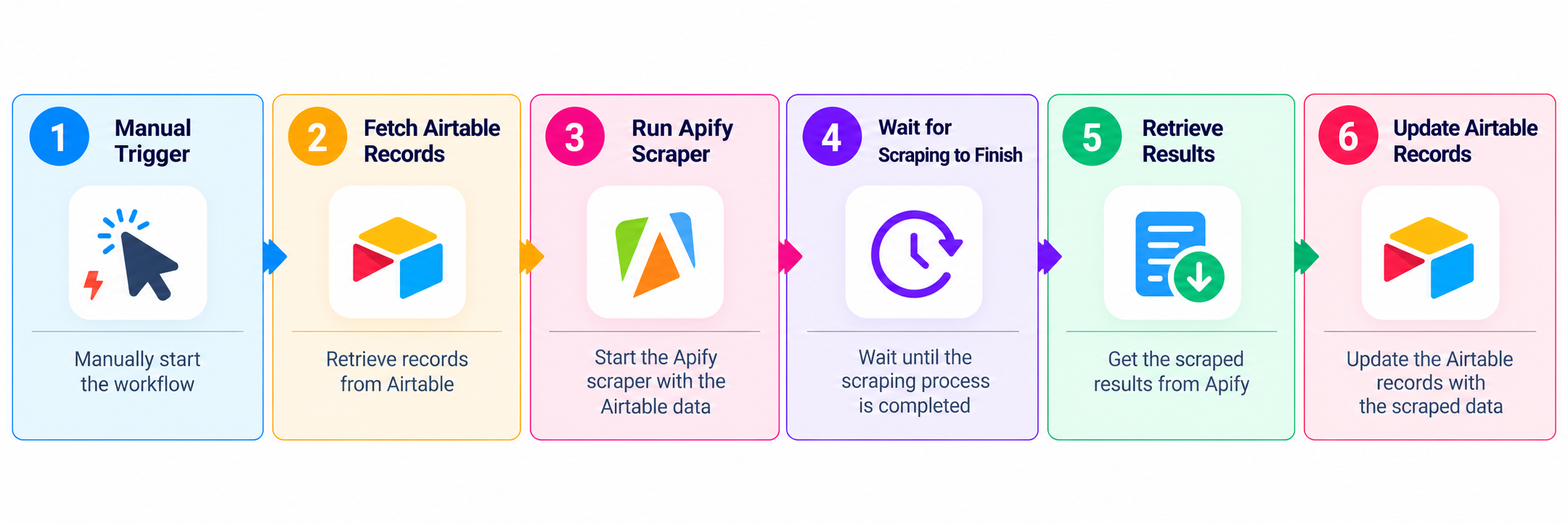
Step 1 — Manual Trigger: Start the workflow by clicking the test or run button.
Step 2 — Fetch Airtable Records: Search Airtable for records containing YouTube video links ready for processing.
Step 3 — Run the Scraper: Send the video information to the Apify API to start the scraping actor.
Step 4 — Wait for Completion: Allow the scraper to finish collecting the available video details.
Step 5 — Retrieve Results: Fetch the completed scraping results from the actor.
Step 6 — Update Airtable: Write the collected information back to the corresponding Airtable record.
05. Workflow
06. Data Collected
Depending on availability from the scraper, the workflow can collect:
- Video title and channel name
- Views and likes
- Video description and subtitles
- Thumbnail information
07. Business Value
- Less manual work: Automates repetitive video research.
- Organized data: Keeps collected information in Airtable.
- Scalable collection: Supports processing multiple video records.
- Simplified analysis: Makes video information easier to review and compare.
08. Final Outcome
The workflow connects Airtable and Apify to automate YouTube video data collection, helping organize video information in a structured database for content research and analysis.