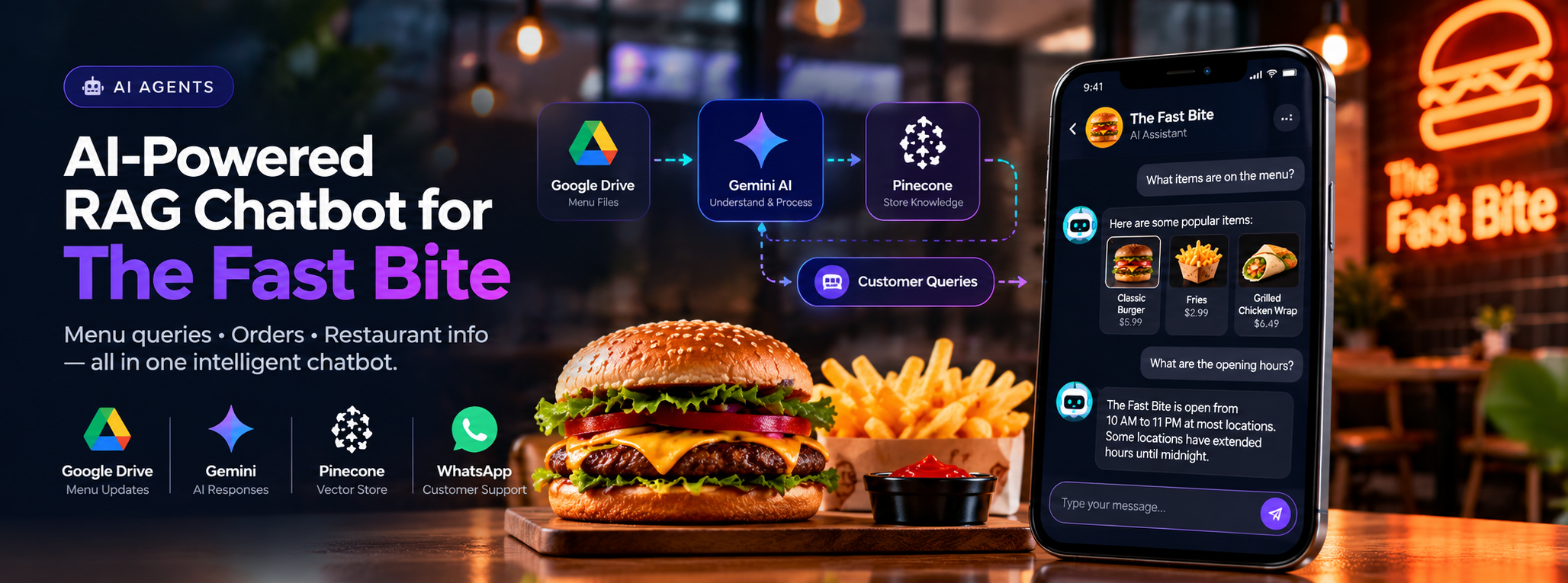
AI-Powered RAG Chatbot for The Fast Bite: Seamless Ordering and Query Handling
Create an AI-powered chatbot that helps The Fast Bite( a fast food restaurant) customers with menu queries, placing orders, and providing restaurant details in a fast and friendly manner.
- Gemini
- Pinecone
- Google Drive
AI-Powered RAG Chatbot for The Fast Bite
An AI-powered chatbot that answers customer questions about menu items, restaurant information, and opening hours using an automatically updated knowledge base.
Project Overview
The Fast Bite chatbot uses Google Gemini and Pinecone to retrieve relevant information and generate helpful responses. Restaurant information is processed from files stored in Google Drive, allowing the chatbot’s knowledge base to be updated when new information is added.
Technology Stack: Google Drive, Google Gemini, Pinecone Vector Store
01. The Challenge
Customers need quick answers about menu items, food options, restaurant hours, and other frequently asked questions. Keeping this information current and responding consistently can require manual effort, especially when menu details or restaurant information change.
02. The Solution
An AI-powered Retrieval-Augmented Generation (RAG) chatbot was developed to process restaurant information, store it in a searchable vector database, and use that knowledge to answer customer questions.
The solution combines:
- Google Drive: Source for menu and restaurant information.
- Google Gemini: Processes information and generates natural-language responses.
- Pinecone: Stores searchable vector representations of the processed content.
- AI Chatbot: Retrieves relevant information and responds to customer queries.
03. How the System Works
Knowledge Base Preparation
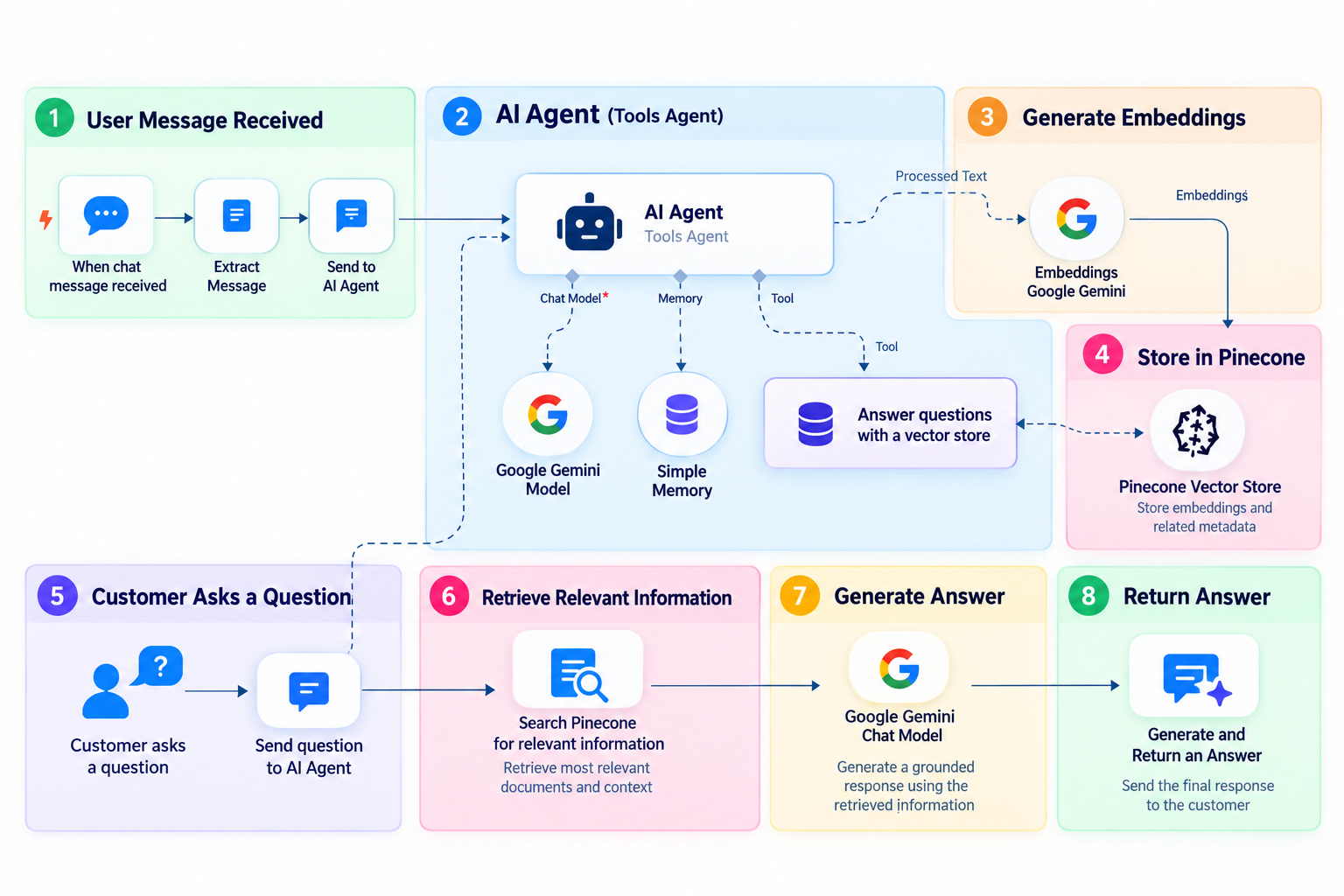
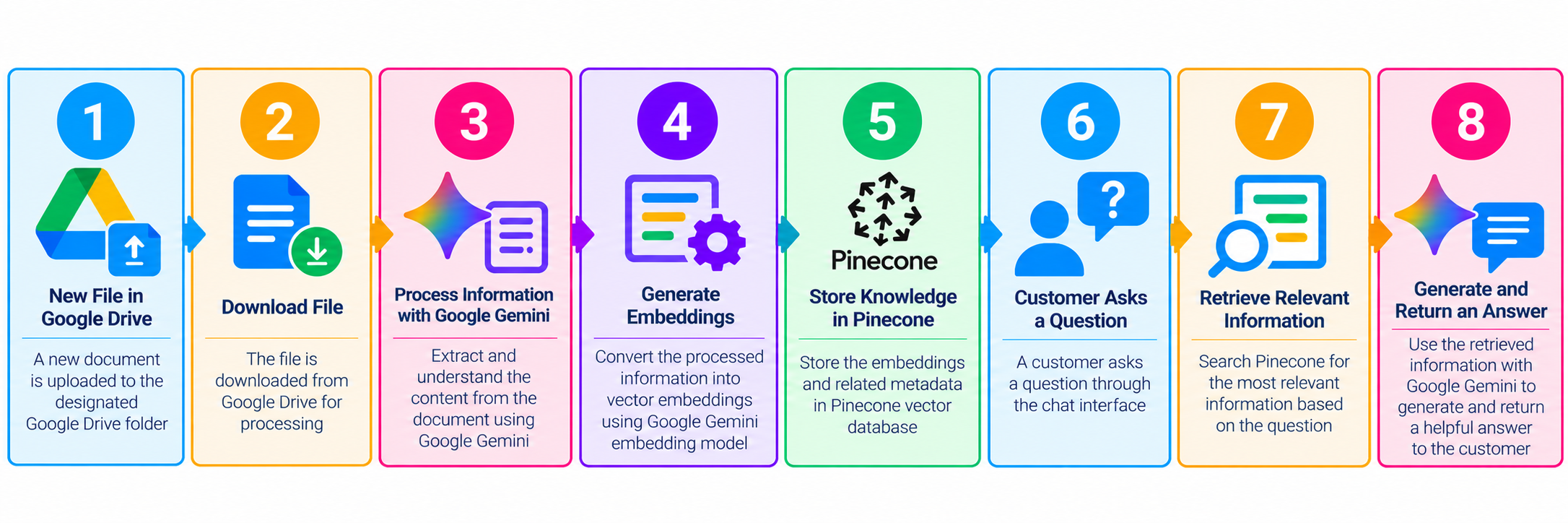
When a new file is added to the designated Google Drive folder, the workflow detects the file and downloads it for processing.
Information Processing
Google Gemini helps process the content into information suitable for retrieval. The processed information is then prepared for storage in the vector database.
Vector Storage
Pinecone stores the processed knowledge so the chatbot can search for relevant information when a customer asks a question.
Customer Query Handling
When a customer submits a question, the chatbot retrieves relevant knowledge and uses an AI model to generate a helpful response based on the available information.
Detailed working Flow:
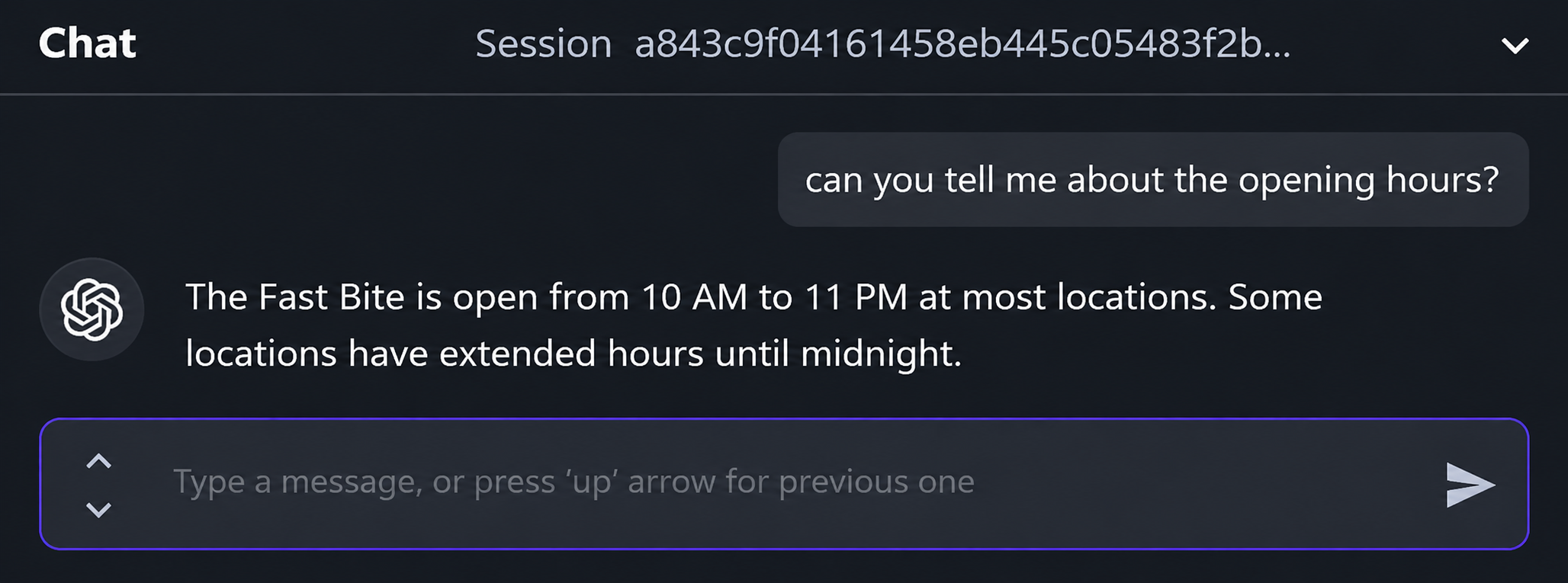
DEMO
04. Workflow
05. Key Features
- Knowledge Updates: New files can trigger the knowledge-processing workflow.
- Context-Aware Answers: Responses use relevant information retrieved from the knowledge base.
- Menu Assistance: Helps customers find menu details and food options.
- Restaurant Information: Answers common questions, including opening hours, based on available information.
- Centralized Knowledge: Keeps restaurant information available through a searchable vector store.
06. Technology Stack
| Technology | Purpose |
|---|---|
| Google Drive | Stores source documents and restaurant information |
| Google Gemini | Processes content and generates responses |
| Pinecone Vector Store | Stores and retrieves relevant knowledge |
| AI Chat Interface | Receives customer questions and displays answers |
07. Outcome
The result is a reusable RAG workflow for restaurant customer support that can be maintained by updating the underlying source information.
The Fast Bite chatbot provides a convenient way for customers to ask questions about restaurant information and receive AI-generated answers. By combining Google Drive, Gemini, and Pinecone, the solution connects document updates with knowledge retrieval and conversational responses.